Any Computer Parts That You Can Actually Touch Are Considered to Be: Hardware Explained
Any computer parts that you can actually touch are considered to be hardware. This guide explains what hardware means, covers all the main components, and answers related questions like what the desktop refers to and which part prints to paper.
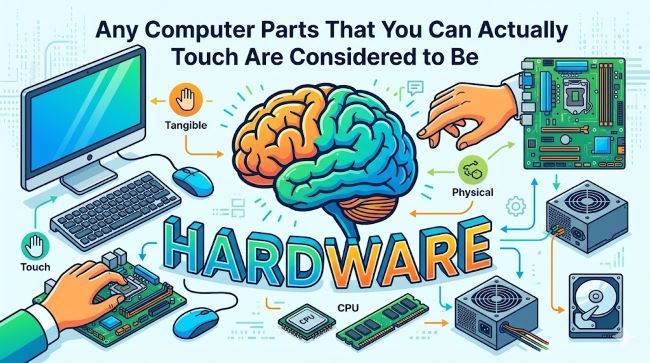
If you have ever sat down with a computer quiz or a basic IT class, you have probably come across this question: any computer parts that you can actually touch are considered to be what? The answer is hardware. It sounds simple, but understanding what that really means, and why the distinction matters, helps you build a clearer picture of how computers actually work.
This guide covers the hardware definition, walks through the main components you will find in any computer, explains what desktop is as a computer term, and answers the common question about which part of a computer prints text and pictures onto paper.
Hardware vs. Software: The Core Difference
Before jumping into individual parts, it helps to understand the line between hardware and software.
Hardware refers to every physical, tangible component of a computer system. If you can pick it up, plug it in, or physically interact with it, it is hardware. This includes everything from the processor inside the machine to the cable connecting your keyboard.
Software is the opposite. It is the code, programs, and operating instructions that run on hardware. You cannot hold software in your hand. You cannot see it sitting on a shelf. It exists only as data and instructions that hardware carries out.
The distinction matters because troubleshooting, upgrading, and understanding computers all depend on knowing which category a problem or component falls into. A slow computer might need a software fix, like clearing junk files, or a hardware fix, like adding more RAM. Knowing the difference saves time.
The Main Types of Computer Hardware
Hardware falls into four broad categories: input devices, output devices, storage devices, and internal processing components.
Input Devices
Input devices send data into the computer. They are what you use to communicate with the machine.
- Keyboard: Used to type text, numbers, and commands
- Mouse: Controls the cursor and allows you to click, select, and navigate
- Scanner: Converts physical documents and images into digital files
- Webcam: Captures video and images as input
- Microphone: Takes in audio
These are all hardware. You can hold every one of them.
Output Devices
Output devices take processed data from the computer and present it to the user in a usable form.
- Monitor: Displays visuals, text, and video on screen
- Speakers: Output sound
- Headphones: Another form of audio output
- Printer: Produces physical copies of documents and images
This brings us to a question that comes up often in computer literacy courses.
Which Part of a Computer Takes the Text and Pictures on Your Screen and Prints Them onto Paper?
The answer is the printer. This is the output device responsible for converting digital content into a physical, printed format. When you send a document or image from your computer, the printer receives that digital data, processes it, and produces a hard copy on paper.
There are several types of printers in common use:
- Inkjet printers: Spray tiny droplets of ink onto paper. Common for home use, good for color printing.
- Laser printers: Use toner and heat to fuse text and images onto paper. Fast and cost-effective for high-volume printing in offices.
- Multifunction printers: Combine printing, scanning, copying, and sometimes faxing in one device.
The monitor might display your document, but it is the printer that physically puts text and pictures from your screen onto paper. The monitor shows output on a screen. The printer creates output you can hold in your hand.
Internal Components: The Hardware Inside the Case
Some hardware is not visible to most users because it sits inside the computer case, but it is still hardware. These internal components do the heavy lifting.
CPU (Central Processing Unit) The CPU is the brain of the computer. It processes instructions from software and coordinates the activity of all other components. Every action you take on a computer passes through the CPU in some form.
RAM (Random Access Memory) RAM is temporary memory. It holds data that the computer is actively using right now, like an open browser tab or a document you are editing. When you turn the computer off, RAM clears. More RAM generally means a smoother experience when running multiple programs at once.
Motherboard The motherboard is the main circuit board. Every other internal component connects to it. It manages communication between the CPU, RAM, storage, and peripheral devices.
Storage Drives (HDD and SSD) Hard disk drives (HDD) and solid-state drives (SSD) are where your files live long term. Unlike RAM, storage retains data even when the computer is powered off. SSDs are faster and more durable; HDDs offer more capacity at a lower cost per gigabyte.
Graphics Card (GPU) The GPU processes visual output. For basic tasks, a CPU with integrated graphics handles this. For gaming, video editing, or 3D work, a dedicated graphics card makes a significant difference.
Power Supply Unit (PSU) The PSU converts electrical power from the wall outlet into the voltage levels the computer components need.
Desktop Is a Computer Term That Refers to What?
The term “desktop” has two common meanings in computing, and it is worth distinguishing between them.
1. Desktop as a type of computer A desktop computer is a personal computer designed to sit on or near a desk. It is not portable like a laptop. It typically consists of a separate tower (the system unit housing the motherboard, CPU, and drives), a monitor, a keyboard, and a mouse. Desktop computers are generally more powerful than laptops at the same price point and are easier to upgrade.
2. Desktop as a software interface In operating system terms, the desktop is the first screen you see after your computer finishes loading. It is the graphical workspace where icons, folders, and shortcuts are arranged. On Windows, it is the area where your taskbar, Start menu, and shortcut icons sit. On macOS, it works similarly. This digital “desktop” is software, not hardware, inspired by the metaphor of a physical desktop where you organize your work.
When someone says “desktop is a computer term that refers to,” they are usually asking about one of these two meanings. In most computing education contexts, the answer covers both: the physical machine type and the primary screen interface of an operating system.
Hardware in the Modern World
The basic hardware categories have stayed consistent for decades, even as the components themselves have changed. A computer from 2005 and a computer from today both have a CPU, RAM, storage, input devices, and output devices. What has changed is the performance, size, and cost of those components.
Understanding how these parts relate to each other also helps when evaluating technology tools that run on top of them. Software platforms that handle workforce management, data processing, or automation, for instance how modern productivity software sits on hardware infrastructure, only work as well as the hardware underneath them allows.
Similarly, understanding hardware helps when things go wrong. Many system-level issues that look like software problems, such as unexpected recovery prompts after Windows updates, often trace back to how software interacts with hardware components like the TPM chip or boot drive.
As computing continues to evolve, the hardware-software relationship becomes more layered. Fields like machine learning, for example, place entirely new demands on hardware, requiring specialized processors and memory configurations that would have been unthinkable in consumer devices just a decade ago.
Key Takeaways
- Any computer parts that you can actually touch are considered to be hardware. This is the defining characteristic of hardware: it is physical and tangible.
- Hardware divides into four main categories: input devices, output devices, storage, and internal processing components.
- Which part of a computer takes the text and pictures on your screen and prints them onto paper? The printer. It is an output device that converts digital data into a physical copy on paper.
- Desktop is a computer term that refers to either a non-portable personal computer that sits on a desk, or the primary graphical screen interface of an operating system.
- Hardware and software are fundamentally different: hardware is physical, software is code. Both are needed for a computer to do anything useful.
- Common hardware components include the CPU, RAM, motherboard, storage drives, graphics card, power supply, monitor, keyboard, mouse, and printer.
Once you understand what hardware is and why the hardware-software distinction matters, a lot of other computing concepts start to make more sense. It is the foundation that everything else builds on.