The best technology for older adults does not announce itself loudly.
It does not demand attention.
It does not ask users to learn ten new steps.
It does not make people feel old, slow, dependent, or confused.
It simply fits into life.
That is the real design challenge in senior technology. It is not enough to build a product that is useful. It has to be useful without feeling heavy. It has to solve a problem without constantly reminding the user that there was a problem in the first place.
For older adults, families, and senior living teams, the most powerful technology is often the technology that quietly disappears into the background.
It feels less like software.
And more like support.
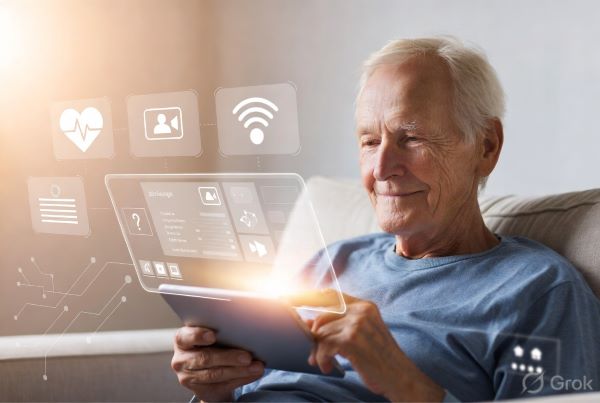
Senior Tech Has a Visibility Problem
A lot of senior technology is designed with good intentions but poor emotional understanding.
The product may be functional. It may solve a real need. It may have buttons, reminders, alerts, dashboards, and helpful features. But the experience often feels clinical, complicated, or stigmatizing.
The result is a strange contradiction.
The product is built to help older adults feel more independent, but the design makes them feel more dependent.
It is built to make families feel calmer, but the interface gives them more things to manage.
It is built to help care teams work better, but it becomes another screen, another workflow, another interruption.
That is not invisible technology.
That is noisy technology.
And in senior care, noisy technology can create resistance.
Invisible Does Not Mean Unimportant
When we say senior tech should feel invisible, we do not mean it should be weak, passive, or forgettable.
Invisible technology can be extremely powerful. It just does not force the user to experience all the complexity behind it.
Think about the best household products. A light switch does not explain electricity. A thermostat does not explain climate control engineering. A good elevator does not ask the user to understand pulleys, motors, safety systems, and weight sensors.
It simply works.
Senior technology needs the same discipline.
A product may use artificial intelligence, voice recognition, routing logic, engagement analytics, automation, or behavioral design. But the user should not feel buried under that complexity.
They should feel:
“I know what to do.”
“This is easy.”
“This helps me.”
“This feels natural.”
That is the standard.
The Best Interface May Be No Interface
For many older adults, the screen is not always the best starting point.
Younger users are trained to accept app-based complexity. They download, sign in, verify, swipe, tap, scroll, update, reset passwords, accept notifications, and troubleshoot errors. Many older adults can use apps very well, but that does not mean every senior product should begin with an app.
Sometimes, the best interface is a familiar behavior.
A phone call.
A voice conversation.
A simple reminder.
A friendly check-in.
A natural response.
This is where products like JoyCalls become interesting. Instead of forcing older adults into a complicated digital interface, JoyCalls focuses on AI-powered companionship through conversation. The value is not in making seniors “use technology” more. The value is in making meaningful engagement easier.
For an older adult, the experience should not feel like operating an AI product. It should feel like receiving a warm, familiar, low-friction call that brings conversation, memory prompts, comfort, and daily connection into the routine.
That is the invisible tech principle in action.
The AI is there.
The design is there.
The intelligence is there.
But the person does not have to wrestle with it.
Invisible Tech Protects Dignity
Dignity is one of the most important design principles in senior care.
Many older adults do not want products that make them feel monitored. They do not want to feel like a burden. They do not want to be treated like a problem to be managed. They want help, but they do not want that help to feel humiliating.
This is why the tone of senior technology matters so much.
A reminder can feel supportive or patronizing.
A check-in can feel caring or intrusive.
A dashboard can feel useful or surveillance-like.
A call can feel warm or robotic.
The difference is design.
Invisible senior tech respects the person’s self-image. It does not scream, “You need assistance.” It quietly creates support around them.
For example, an AI companion should not feel like a medical device unless the use case truly requires it. It should feel like a natural part of the day. Something that supports conversation, reduces loneliness, and gives family members more peace of mind without making the older adult feel watched.
That is a subtle line. But the best senior tech companies understand it.
Families Need Invisible Support Too
Senior technology is not only designed for older adults.
It is also designed for families.
Adult children often carry a quiet emotional load. They worry about whether their parent is lonely, confused, bored, isolated, or unsupported. They may live in another city. They may have work, children, health issues, and financial pressures of their own.
A product that helps older adults but creates more management work for the family is only solving half the problem.
Good senior tech should reduce family stress, not create another admin layer.
That is why invisible design matters for family members too. The best products give families reassurance without forcing them to micromanage every interaction. They make connection easier. They make updates clearer. They reduce the number of “I hope everything is okay” moments.
JoyCalls fits this idea because its value is not only the conversation with the older adult. It also helps address the emotional gap that families often struggle with: the need to keep loved ones engaged, heard, and connected even when daily life gets busy.
The product should not make the family feel like they are managing a machine.
It should make them feel like support is happening.
Senior Living Communities Need Invisible Operations
In senior living, invisible technology may matter even more.
Families often judge a senior living community long before they take a tour. One missed phone call, one confusing handoff, one delayed response, or one poorly routed inquiry can shape their trust.
The front desk is not just an operations point. It is part of the brand experience.
This is where JoyLiving comes in. JoyLiving focuses on AI receptionist and call-routing support for senior living communities. The idea is simple but powerful: help communities handle calls more smoothly, route inquiries better, reduce missed communication, and create a more responsive experience for families.
The technology behind that may be complex. But from the family’s perspective, it should feel effortless.
They call.
They are understood.
They are routed properly.
They get help faster.
The community feels organized and available.
That is invisible technology.
The family does not need to know there is an AI receptionist working behind the scenes. They only need to feel that the community is easier to reach.
The Most Important Senior Tech Metric Is Friction
Many technology teams obsess over features.
But in senior care, the better obsession is friction.
How many steps does this take?
How much explanation is needed?
How much anxiety does it create?
How easily can something go wrong?
How natural does the experience feel?
How quickly does the user get value?
A product with fewer features but lower friction may outperform a feature-rich platform that feels overwhelming.
This is especially true for older adults and care teams.
A senior living staff member does not need another beautiful dashboard if it slows them down. A family member does not need another login portal if they just want reassurance. An older adult does not need another app if a simple voice conversation would work better.
The question should always be:
Can the product deliver the outcome with less effort from the user?
If yes, the product becomes more invisible.
And often, more valuable.
Invisible Tech Still Needs Personality
There is one mistake designers can make when trying to create invisible technology: they make it bland.
Invisible does not mean cold.
A senior tech product still needs warmth, tone, character, and emotional intelligence. In fact, emotional design becomes even more important when the product fades into the background.
For JoyCalls, this may mean conversations that feel gentle, personal, and human rather than transactional. The voice, pacing, prompts, and responses matter. A call should not feel like a script. It should feel like someone is paying attention.
For JoyLiving, this may mean a phone experience that feels professional but not mechanical. Families calling a senior living community are often emotional. They may be anxious, uncertain, or overwhelmed. An AI receptionist experience must be clear, calm, and helpful without sounding like a wall between the family and the community.
Invisible technology still has a personality.
It just does not force that personality onto the user.
Trust Is Built Through Quiet Reliability
Senior technology lives or dies by trust.
Older adults need to trust that the product will not confuse or embarrass them. Families need to trust that it will not create false reassurance. Senior living teams need to trust that it will not break workflows or create more problems than it solves.
Trust is rarely built through flashy features.
It is built through quiet reliability.
The call happens when expected.
The conversation feels natural.
The routing works.
The family reaches the right person.
The staff is not overloaded.
The older adult feels respected.
Over time, the product becomes part of life because it consistently does what it is supposed to do.
That is the highest form of senior tech design.
Not excitement.
Confidence.
The Future of Senior Tech Will Feel More Human, Not More Technical
The next generation of senior technology will likely use more AI, more automation, more voice interfaces, more predictive systems, and more personalized experiences.
But the winners will not be the companies that simply add the most technology.
The winners will be the companies that hide the complexity best.
They will use AI to make communication smoother, not colder.
They will use automation to support staff, not replace empathy.
They will use data to create reassurance, not surveillance.
They will design for dignity, not dependency.
JoyCalls and JoyLiving both point toward this future in different ways.
JoyCalls shows how AI can support older adults through conversation and companionship without forcing them into complicated digital behavior.
JoyLiving shows how AI can support senior living communities by making the first point of contact smoother, faster, and more reliable for families and staff.
Both examples reflect the same deeper design idea:
The best senior tech should not feel like technology.
It should feel like someone thought carefully about the human being on the other side.
Conclusion
Senior technology has to do more than function.
It has to feel right.
It has to respect older adults. It has to calm families. It has to support staff. It has to reduce friction instead of adding more. And most of all, it has to protect the emotional dignity of the people it serves.
That is why the best senior tech products should feel invisible.
Not because they are simple.
But because they are thoughtful enough to make complexity disappear.