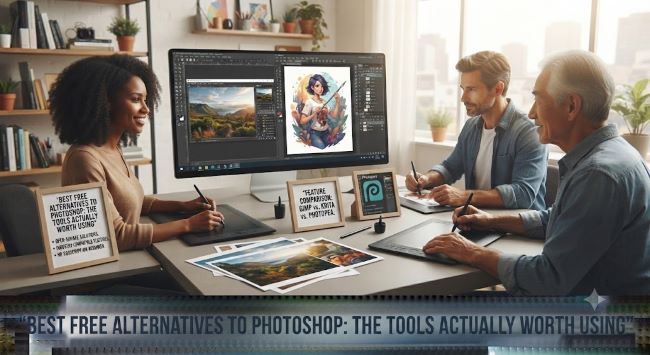
Best Free Alternatives to Photoshop: The Tools Actually Worth Using
Photoshop remains the industry standard, and its subscription price remains the reason a lot of people give up on it. The good news is that the free-tool landscape now covers everything from professional layer-based editing to social-media touch-ups to AI-powered magic that even Photoshop struggled with a decade ago. If you have been searching for the best free alternatives to photoshop, whether to escape a subscription, avoid one, or just find the right tool for a specific job, here is the honest breakdown of what works, what each tool is genuinely good at, and where each one still falls short.
The Free Desktop Heavyweight of Best Free Alternatives to Photoshop
If you want a professional layer-based editor that runs locally on your computer with no accounts and no data sent anywhere:
GIMP. The GNU Image Manipulation Program, free and open source, has been the anchor of this category for over 25 years. Full layers, masks, filters, brushes, plug-ins, scripting, and format support that reads and exports nearly everything Photoshop does. The interface has a learning curve and a slight open-source rough edge, but a GIMP user can do 90 percent of what a Photoshop user does. Recent releases have modernized the UI meaningfully, and the tool remains the honest answer to “I want Photoshop without paying.”
Krita. Built for digital painters and illustrators, Krita is technically not a Photoshop clone, but it edits photos capably and vastly outperforms Photoshop for anyone drawing anything from concept art to comics. The brush engine is genuinely world-class, and the tool is completely free.
Browser-Based Best Free Alternatives to Photoshop
Free alternatives that run in a browser tab without installing anything:
Photopea. The most Photoshop-like of the best free alternatives to photoshop available today. Photopea opens PSD files with layers intact, replicates the Photoshop interface closely enough to feel familiar in five minutes, and runs entirely in the browser. It is ad-supported (removable with a small subscription that still undercuts Adobe wildly) and remains the go-to recommendation for anyone who needs to open a client’s PSD without owning Photoshop.
Pixlr. Two products, Pixlr E (advanced) and Pixlr X (simple), both browser-based, both AI-enhanced, both free with an optional paid tier. Fast, capable for social-media and web work, and the fastest onboarding of any tool in this list.
Photoshop Express (Adobe’s own free tier). Worth mentioning: Adobe offers a free browser and mobile version of Photoshop with core edits and effects. Limited compared to full Photoshop, but coming from Adobe with familiar behavior.
The Mobile-First Options
For phone-based editing, the field is deep:
Snapseed (Google). The mobile editor professionals actually use for photo touch-ups on the go. Free, ad-free, and remarkably powerful, with selective editing that rivals desktop tools for common tasks.
VSCO and Lightroom Mobile (free tiers). VSCO for filter-forward editing, Lightroom Mobile for RAW file handling and color grading, both offering meaningful free tiers.
Photoshop Express Mobile. The mobile counterpart to the browser version, useful for Adobe-workflow users.
The AI-First Newcomers
The category that did not meaningfully exist five years ago now delivers what used to take Photoshop hours in seconds:
- Background removal. Remove.bg, Adobe’s free tools, and Canva’s free tier all handle backgrounds in a click. This alone eats a Photoshop task that once required masking skills.
- Object removal and generative fill. Cleanup.pictures and Photoroom offer free tiers for erasing unwanted elements with results approaching the paid gold standard.
- Upscaling. Free tiers from Upscayl, Let’s Enhance, and similar tools produce genuinely useful larger images from small originals.
- Canva. Not a Photoshop replacement for photo editing per se, but for the huge middle ground of social media graphics, presentations, and simple designs, Canva’s free tier replaces enough Photoshop work that many users never go back.
The strategy that emerges from surveying the best free alternatives to photoshop is stacking: use a heavy tool for the core edit, then one AI tool for the specific task it excels at. A Photopea layered composite plus a Remove.bg cutout plus a Cleanup.pictures fix produces professional output entirely free.
Matching the Tool to the Job
The best free alternatives to photoshop depend on what you are trying to do:
| Job | Best Free Tool |
|---|---|
| Open and edit PSD files | Photopea |
| Full desktop replacement | GIMP |
| Digital painting/illustration | Krita |
| Phone photo touch-ups | Snapseed |
| Social media graphics | Canva |
| Background removal | Remove.bg or Canva |
| RAW photo processing | Darktable (desktop) or Lightroom Mobile free tier |
| Quick web/social edits in browser | Pixlr X |
| Object removal | Cleanup.pictures |
| Upscaling low-res images | Upscayl |
Darktable deserves a call-out for photographers: it is a free, open-source, RAW-processing tool that rivals Lightroom Classic in capability, with a steep but rewarding learning curve.
What Free Tools Still Do Not Do Well
Honest limits worth naming, because expectations shape satisfaction:
- Best-in-class generative AI in Photoshop’s league remains a moving target; free tiers of specialty tools deliver close results but usually gate the top features behind small paywalls.
- Fine typography and print production still tilt toward paid tools; the free options handle most web and social needs.
- Studio-grade color management for print professionals: free tools can do it, but the workflow is rougher than Photoshop’s.
- Support and tutorials. Photoshop has an ocean of tutorials; the free tools have smaller (but growing) communities, so unusual problems take longer to solve.
For most people, none of these limits on the best free alternatives to photoshop actually bites in daily use. The best free alternatives to photoshop have crossed the threshold where the answer to “can I do this without paying Adobe” is almost always yes; the only real question left is which free tool suits the specific task at hand.
Key Takeaways
- GIMP is the free desktop heavyweight for professional layer-based editing, doing about 90 percent of what Photoshop does, with a modernized recent interface.
- Krita is unmatched among free tools for digital painting and illustration.
- Photopea runs in a browser, opens PSD files with layers intact, and is the closest Photoshop clone available.
- Pixlr E/X are quick browser editors with AI features and a friendly learning curve.
- Snapseed leads mobile photo editing; Lightroom Mobile’s free tier handles RAW files.
- Remove.bg, Cleanup.pictures, and Upscayl cover AI tasks (background removal, object removal, upscaling) in seconds.
- Canva replaces Photoshop entirely for the social media, presentation, and simple design middle ground.
- Match the tool to the job rather than seeking one replacement; stacking specialized free tools covers essentially every real editing task.