Desktop Application or Online STL Viewer: Which Is Better for Checking a 3D Model?
You have created or received an STL file and want to check it before printing. Should you install a desktop application or open the model in a browser?
Both approaches can work, but they suit different tasks. Choosing the right one can save time and reduce the chance of a failed print.
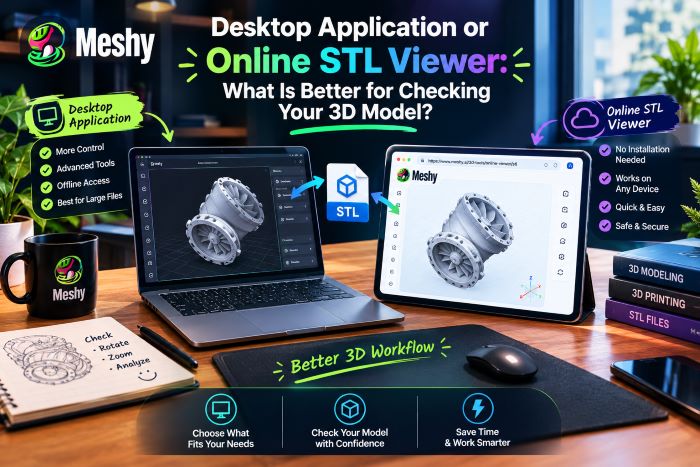
What Does Checking a 3D Model Involve?
Before comparing tools, define what an STL check may include:
- Confirming the model opens and looks like what you expected
- Rotating and zooming to spot obvious flaws, like holes, flipped faces or floating parts
- Checking dimensions and scale
- Deciding whether the file needs repair before slicing
Some of these are quick visual checks. Others need deeper analysis. That split is what decides which type of tool makes sense.
The case for an online STL viewer
The biggest advantage is speed. With an online STL viewer, there’s nothing to download or install. You open a page, drop in your file and you’re looking at the model within seconds.
That matters more than it sounds. If you’re a freelancer receiving files from several clients, or a hobbyist downloading models from community sites, you often just want to know “is this the right file?” Launching a full application for that feels like overkill.
A few other points in its favor:
It works on many devices. A laptop, tablet, or borrowed computer at a makerspace may be enough. As long as there is a compatible web browser, you can inspect the model.
It is easy to share a workflow. A colleague or client who does not have 3D software can use a browser-based viewer without installing a large application.
There’s no maintenance. No updates required, no licensing, no compatibility issues upon changing your operating system. Many tools are also free for basic use.
It can be lightweight. Older computers that struggle with professional software may still handle a basic web viewer, although performance depends on the file and browser.
Where an online viewer falls short
Web-based tools can struggle with very large models. A scan containing millions of triangles may load slowly or fail, depending on the browser, device memory, and implementation.
Privacy behavior varies. Some online viewers upload files to a server, while Meshy’s online STL viewer processes the model locally in the browser. For any service, read the privacy policy before opening confidential client designs or unreleased products.
Lastly, online viewers are typically designed to view rather than edit. You may look at a mesh, but correcting non-manifold edges or redoing geometry requires more.
The case for desktop software
Desktop applications—including slicers, mesh editors, and CAD software—handle more advanced work. They can use local computing resources, work offline, and provide editing or analysis tools.
Depth is really the key. Desktop software can usually:
- Run automatic mesh repair
- Measure wall thickness and flag weak areas
- Show overhangs and predict support needs
- Modify, reduce, combine, or otherwise edit the geometry
When preparing your model for manufacturing, these abilities are difficult to replace. A slicer, for instance, will reveal precisely how the object will be built in layers, an ability not offered by a basic viewer.
Privacy is also simpler. Your files stay on your own drive, which is a real consideration for commercial and client work.
The trade-offs mirror the online option: installation takes time, some tools have steep learning curves or licensing costs, and launching a large application for a simple check may be inefficient.
Which One Should You Choose?
Well, that really depends on what you’re doing right now.
Use an online viewer when you need a quick visual check, are reviewing models created by others, are away from your usual workstation, or want to let someone inspect a file without installing software.
Choose desktop software when you need to repair or edit a mesh, handle a large or complex file, work offline on confidential material, or prepare the final model for printing.
The Best Approach Is Often Both
Experienced designers rarely treat this as an either-or choice. A common workflow is to inspect a file quickly in the browser, then switch to desktop software when the task requires deeper analysis or editing.
This combination saves time. Many files are corrupt, incorrectly scaled, or simply not what you expected, and a quick browser check can reveal that before you open a large desktop application. When you need a fast first look, an online STL viewer is a practical starting point.
Final Words
Neither option is inherently better. Online viewers emphasize convenience; desktop software provides deeper analysis and editing. Use the tool that matches the immediate job.