json.decoder.JSONDecodeError: Expecting Value: Line 1 Column 1 (char 0) — Causes and Fixes
Few Python errors are as terse and unhelpful as this one: json.decoder.JSONDecodeError: expecting value: line 1 column 1 (char 0). The message tells you something went wrong with JSON parsing. What it doesn’t tell you is why, which leaves most developers staring at a stack trace trying to figure out which of several possible causes they’re dealing with. This guide covers every common trigger for this error, explains what each one means, and gives you the exact fix for each scenario.
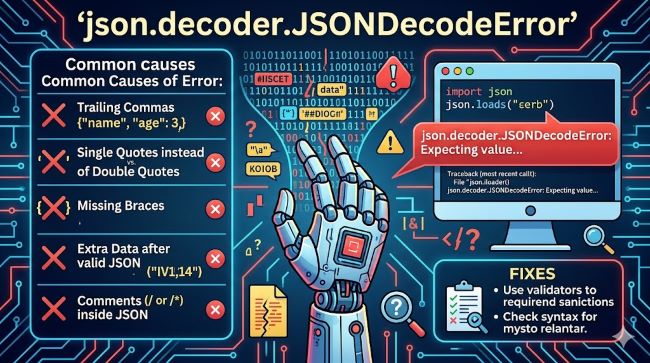
What the Error Is Actually Saying
The error comes from Python’s json module, specifically from json.loads() or json.load() when called on something that isn’t valid JSON. The coordinates in the message, line 1, column 1, char 0, are telling you the parser got to the very first character and immediately found something it couldn’t parse.
“Char 0” is the giveaway. It doesn’t mean the JSON is malformed halfway through. It means there was nothing to parse at all, or what was there was so far from JSON format that the parser stopped at position zero.
The most likely explanation in almost all cases: the string you tried to parse was empty, or it wasn’t JSON at all.
Cause 1: Empty String Passed to json.loads
This is the most common trigger. You called json.loads() on an empty string:
import json
json.loads("")  # json.decoder.JSONDecodeError: Expecting value: line 1 column 1 (char 0)
Python json decode error from an empty string happens because json.loads expects at least one valid JSON value. An empty string isn’t one.
Fix:
import json

raw = ""

if raw.strip():
    data = json.loads(raw)
else:
    data = {}  # or None, or whatever default makes sense
Always strip whitespace before checking. A string containing only spaces or newlines is functionally empty but won’t evaluate as falsy without .strip().
Cause 2: API Response Returning Empty Body
This is the most frequent real-world cause. You make an HTTP request, the API returns a 200 status code, and you assume that means the body contains JSON. It doesn’t always:
import requests
import json

response = requests.get("https://api.example.com/data")
data = json.loads(response.text)  # Fails if response.text is ""
Some API endpoints return 200 with an empty body when there’s no content to return. Others return HTML error pages when the server is down, even with a 200 status.
Fix:
Check the response before parsing. Use response.json() instead of json.loads(response.text) when working with the requests library:
import requests

response = requests.get("https://api.example.com/data")

if response.status_code == 200 and response.text.strip():
    data = response.json()
else:
    print(f"Unexpected response: {response.status_code}")
    print(f"Body: {response.text[:200]}")  # Show first 200 chars for debugging
    data = {}
response.json() raises its own JSONDecodeError on empty responses, but the fix is the same: check response.text before calling it.
Cause 3: API Returns HTML Instead of JSON
This produces the expecting value: line 1 column 1 (char 0) error because HTML starts with <, and < is not a valid JSON character:
# response.text might contain:
# "<!DOCTYPE html><html>..."
# Which immediately fails JSON parsing at char 0
This happens when:
- The API endpoint URL is wrong (redirects to an error page)
- The server is down and returning a maintenance page
- Authentication failed and the server returned a login redirect
- Rate limiting triggered an HTML error response
Fix:
Check the Content-Type header before parsing:
import requests
import json

response = requests.get("https://api.example.com/data", headers={"Accept": "application/json"})

content_type = response.headers.get("Content-Type", "")

if "application/json" in content_type:
    data = response.json()
else:
    print(f"Expected JSON but got: {content_type}")
    print(f"Response body: {response.text[:500]}")
    data = {}
Adding "Accept": "application/json" to your request headers also signals to the server that you expect JSON back, which can prevent HTML error responses on some APIs.
Cause 4: File Is Empty or Contains Only Whitespace
If you’re reading JSON from a file using json.load(), an empty file or a file containing only whitespace produces the same error:
import json

with open("data.json", "r") as f:
    data = json.load(f)  # Fails on empty file
Fix:
import json
import os

filepath = "data.json"

if os.path.getsize(filepath) == 0:
    data = {}
else:
    with open(filepath, "r") as f:
        content = f.read().strip()
        data = json.loads(content) if content else {}
Cause 5: Wrong Encoding or BOM Characters
Some files contain a BOM (Byte Order Mark) at the start, particularly files saved by certain Windows editors or exported from Excel. The BOM character \ufeff appears before the first {, which causes the parser to fail at position 0 because it sees \ufeff{ instead of {:
# File content: '\ufeff{"name": "test"}'
json.loads('\ufeff{"name": "test"}')  # JSONDecodeError at char 0
Fix:
Open the file with UTF-8-sig encoding, which automatically strips the BOM:
import json

with open("data.json", "r", encoding="utf-8-sig") as f:
    data = json.load(f)
Or strip it manually when working with strings:
import json

raw = raw.lstrip('\ufeff')
data = json.loads(raw)
Cause 6: Using json.loads on Bytes Instead of a String
In Python 3, json.loads() accepts both strings and bytes objects. But if the bytes object is empty, you still get the error:
import json
json.loads(b"")  # JSONDecodeError: Expecting value: line 1 column 1 (char 0)
This comes up when reading binary responses from HTTP clients or reading files opened in binary mode:
import json

with open("data.json", "rb") as f:  # binary mode
    data = json.load(f)  # Can fail if file is empty
Fix:
Use text mode for JSON files, or decode bytes before parsing:
import json

raw_bytes = b'{"key": "value"}'
data = json.loads(raw_bytes.decode("utf-8"))
Or check for empty bytes first:
data = json.loads(raw_bytes.decode("utf-8")) if raw_bytes.strip() else {}Cause 7: Multiline String or Trailing Newline Issues
A string that looks valid can still fail if it contains only whitespace characters that json.loads rejects. This shows up when building JSON strings from multiline templates:
import json

raw = """
"""
json.loads(raw)  # JSONDecodeError — only whitespace
Fix: Always call .strip() before passing to json.loads:
data = json.loads(raw.strip()) if raw.strip() else {}The Safe Parsing Pattern
The cleanest way to handle all of these cases is a reusable wrapper that handles empty input, encoding issues, and bad format:
import json
from typing import Any, Optional

def safe_json_loads(raw: str, default: Any = None) -> Optional[Any]:
    if not isinstance(raw, str):
        try:
            raw = raw.decode("utf-8")
        except (AttributeError, UnicodeDecodeError):
            return default

    raw = raw.strip().lstrip('\ufeff')

    if not raw:
        return default

    try:
        return json.loads(raw)
    except json.JSONDecodeError as e:
        print(f"JSON parse failed: {e}")
        print(f"Raw content (first 200 chars): {raw[:200]}")
        return default
Usage:
data = safe_json_loads(response.text, default={})This pattern handles empty strings, bytes, BOM characters, whitespace-only inputs, and actual JSON errors, all in one place.
Debugging When You Don’t Know What’s in the Response
If you’re not sure what you’re getting, print it before parsing:
import requests

response = requests.get("https://api.example.com/data")

print(f"Status: {response.status_code}")
print(f"Content-Type: {response.headers.get('Content-Type')}")
print(f"Length: {len(response.text)}")
print(f"First 500 chars: {response.text[:500]!r}")  # !r shows escape sequences
The !r format shows you exactly what’s in the string including invisible characters, which is how you spot BOM characters, null bytes, and encoding issues that don’t appear in plain print output.
Web development workflows that rely on API responses need defensive parsing at every layer. A single unguarded json.loads() call in a data pipeline is a production incident waiting to happen when the API changes its response format or goes down.
json.loads vs json.load: Which to Use When
Both functions raise the same error, but they take different inputs:
json.loads(string): parses a string or bytes object. Use this for API responses and any JSON you have in memory.json.load(file_object): reads from a file object. Use this when reading JSON files from disk.
The s in json.loads stands for “string”. When you see python json decode error in code that reads files, check whether the developer accidentally used json.loads with a file object or json.load with a string. These two are frequently mixed up.
AI tools can help catch these patterns during code review by flagging common misuse patterns, but the underlying fix always requires understanding which input type each function expects.
Validating Your JSON Outside of Python
When you’re not sure whether the problem is your data or your code, paste your JSON into an online validator like jsonlint.com. If the validator accepts it, the problem is in how your Python code is reading or passing the data. If it rejects it, the data itself is malformed and needs to be fixed at the source.
Software testing principles apply here: isolating the component that’s failing is the first step. Is it the JSON? Is it the network layer? Is it the file reading? Testing each in isolation narrows the problem faster than debugging the full stack at once.
Key Takeaways
- json.decoder.JSONDecodeError: expecting value: line 1 column 1 (char 0) means the parser got to position zero and found nothing parseable. The input was empty, whitespace-only, or not JSON at all.
- The most common cause is an empty API response body. Check
response.text.strip()before callingjson.loads()orresponse.json(). - json.loads takes strings or bytes. json.load takes file objects. Mixing them up causes errors.
- Expecting value: line 1 column 1 (char 0) from a file often means the file is empty or contains a BOM character. Use
encoding="utf-8-sig"to strip BOM automatically. - Check
Content-Typeheaders to catch APIs returning HTML error pages instead of JSON. - Always call
.strip()and.lstrip('\ufeff')beforejson.loads()in production code. - Build a reusable
safe_json_loads()wrapper to handle all edge cases in one place. - Use
!rin print statements to see invisible characters when debugging encoding issues. - Python json decode error at position 0 is almost never a problem with your parsing logic. It’s almost always a problem with the data before it reaches the parser.