How Many Words Is 3 Pages Double Spaced 12 Font?
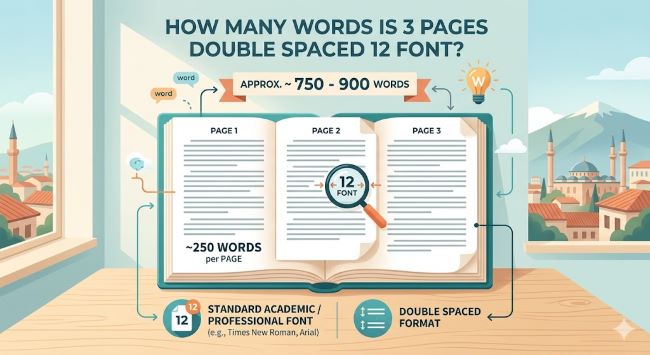
How many words is 3 pages double spaced 12 font? The answer is approximately 750 words. Here is what affects that number and how to format your document correctly every time.
You have a 3-page paper due and you need to know how much you actually have to write. Or you have been working on a draft and want to check whether your word count will get you there. Either way, the question is straightforward: how many words is 3 pages double spaced at 12 point font?
The answer is 750 words.
That holds for standard academic formatting. But a few settings can shift that number up or down, and knowing which ones matter helps you set up your document correctly before you start rather than fixing it afterward.
The Standard Answer: 3 Pages Double Spaced at 12 Font
Under the most common formatting conditions, one page of double spaced 12pt text holds approximately 250 words. Multiply that by three and you get 750 words.
The formatting assumptions behind that number are:
- Font: Times New Roman 12pt (or a similarly sized standard font)
- Spacing: Double spaced throughout
- Margins: One inch on all four sides
- No extra spacing added between paragraphs beyond the double spacing
This is the combination that most academic assignments default to, including MLA, APA, and Chicago style papers at the high school and college level. If your assignment matches these settings, 750 words fills 3 pages cleanly.
What Can Change Your Word Count Per Page
The 250 words per page estimate is reliable but not fixed. A handful of formatting decisions shift it in ways worth knowing about.
Font choice. Not all 12pt fonts take up the same amount of space on the page. Times New Roman at 12pt is narrower than Arial at 12pt, which means it fits slightly more words per line. Georgia and Calibri run a little wider. The difference per page is small, maybe 10 to 20 words, but across three pages it can mean finishing a little short or over.
Margins. The standard is one inch on all sides. If your document has 1.25 inch margins (a former Word default still present in some templates), each page holds fewer words. Your 750 words might stretch to 3.5 pages rather than 3. Always check your margin settings before you start writing.
Paragraph spacing. Double spacing applies to the lines within your text. Some style guides add space between paragraphs on top of that. APA 7th edition, for example, does not add extra paragraph spacing, but some Word templates do by default. If your document adds space after each paragraph, expect each page to hold closer to 230 words.
Title blocks and headers. If your paper includes a header with your name, course, instructor, and date at the top of the first page, that block takes up space that does not count as body text. A standard MLA header can occupy the equivalent of 50 to 75 words worth of space. Factor that in when you are evaluating whether you are close to your page target.
Word Count to Page Reference Table
If your assignment is a different length, here is how the numbers work out under standard double spaced, 12pt formatting:
| Word Count | Pages (approx.) |
|---|---|
| 250 words | 1 page |
| 500 words | 2 pages |
| 750 words | 3 pages |
| 1,000 words | 4 pages |
| 1,250 words | 5 pages |
| 1,500 words | 6 pages |
| 2,000 words | 8 pages |
| 2,500 words | 10 pages |
Set Up Your Formatting Before You Write
The most common reason a word count does not match an expected page count is formatting that was set up after writing rather than before. If you write 750 words and then discover your margins were wrong or your spacing had extra paragraph gaps, your page count will not match what you expected.
Set everything up first:
- Set your font to the required typeface and size. For most academic papers, that is Times New Roman, 12pt.
- Set line spacing to double. In Word, go to Home > Line and Paragraph Spacing > 2.0. In Google Docs, go to Format > Line and paragraph spacing > Double.
- Remove extra paragraph spacing. In Word, click Line and Paragraph Spacing > Remove Space After Paragraph. In Google Docs, uncheck “Add space before paragraph” and “Add space after paragraph” under Format > Line and paragraph spacing.
- Set all margins to one inch. In Word, go to Layout > Margins > Normal. Google Docs defaults to one inch already.
- Add your name block, title, or header if required by your style guide.
Once that is done, the page count you see at the bottom of your screen as you write will match what you submit.
How to Track Your Progress Toward 3 Pages
Both Word and Google Docs show you your current page count and word count in real time.
In Microsoft Word, look at the bottom left corner of the screen. It displays your current page and total page count as you type. Word count appears there too, or under Review > Word Count.
In Google Docs, go to Tools > Word Count for a snapshot, or turn on the live word count display through the same menu by checking “Display word count while typing.” It sits in the bottom left corner of your document.
Use the live page count rather than calculating manually. It accounts for your specific formatting and updates as you write.
The Short Answer
3 pages double spaced at 12pt font is approximately 750 words under standard formatting. Set up your document correctly before you start writing, keep an eye on the live page count as you go, and you will hit your target without any last-minute formatting adjustments. The math is simple once the document is set up right.
How Many Pages Is 1000 Words Double Spaced 12 Font?
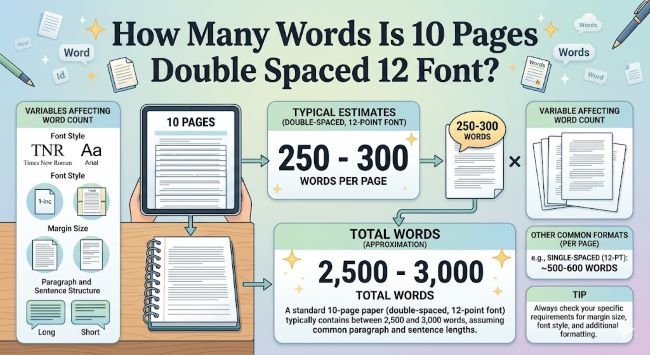
Wondering how many words is 10 pages double spaced 12 font? The answer is around 2,500 words. Here is what affects that number and how to hit your page count accurately.