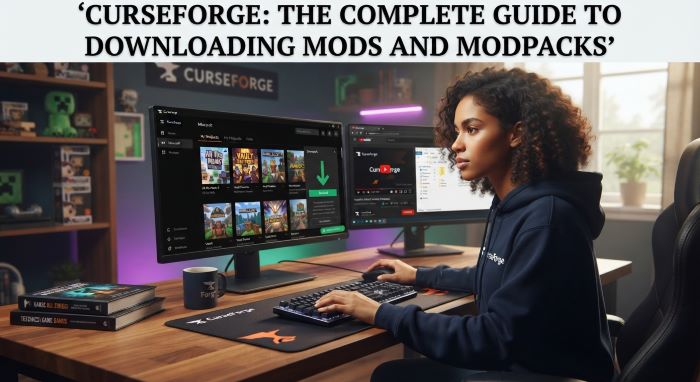
CurseForge: The Complete Guide to Downloading Mods and Modpacks
CurseForge is one of the largest platforms for finding and installing mods for video games, best known in the Minecraft community but used across dozens of other titles as well. Whether you want to add new content to Minecraft, install addons for World of Warcraft, or manage a large collection of mods without digging through folders by hand, CurseForge is usually the first stop most players reach for.
This guide explains what CurseForge is, how it works, how to download and set it up, how to find and install mods and modpacks, which games it supports, whether it is safe, and how it compares to alternatives like Modrinth and Minecraft Forge.
What Is CurseForge?
CurseForge is a mod hosting and management platform made up of a website and a companion desktop app, both used to browse, download, install, and update mods for a wide range of video games. It started years ago as a community site focused mainly on World of Warcraft addons and Minecraft mods, and it has since grown into one of the biggest modding hubs on the internet, hosting content for dozens of games.
Who Owns CurseForge?
CurseForge is owned and operated by Overwolf, a company that builds in-game overlay and app development tools. Overwolf acquired the CurseForge platform from Twitch in 2021 and has continued to run and update both the website and the desktop app since then.
Is CurseForge an Official Minecraft Mod Launcher?
CurseForge is not made by Mojang or Microsoft, so it is not an official Minecraft product, but it is widely trusted and used throughout the Minecraft modding community as a reliable, well established third-party tool. It works alongside the official Minecraft launcher rather than replacing it, since the official launcher is still needed to actually run the game.
How Does CurseForge Work?
CurseForge works by scanning your computer for installed games, then connecting you to a library of mods, modpacks, and addons built specifically for those titles. Mod creators upload their files to the CurseForge website, where they get organized by game, category, and game version, making them easy to search and filter.
When you install a mod through the app, CurseForge automatically places the files in the correct folder for that specific game and version, which removes most of the manual file management that modding used to require. The app can also track which mods you have installed, alert you when updates are available, and manage multiple separate mod setups, called profiles or instances, at once.
CurseForge Website and Desktop Application
The CurseForge website lets anyone browse and read about mods without installing anything, including descriptions, screenshots, and version history. The desktop app adds the ability to actually install, launch, and manage those mods directly, and it is the piece most regular users end up relying on for day to day modding.
What Is CurseForge Used For?
CurseForge is used mainly for three things: finding new mods and addons for supported games, installing them correctly without manual file editing, and keeping an organized library of different mod setups for different games or different playthroughs. For Minecraft specifically, it is also widely used to build and manage modpacks, which are curated collections of mods bundled together to create a particular gameplay experience.
Content creators and mod developers also use CurseForge as a distribution platform, uploading their work so that millions of players can find, download, and rate it. For popular creators, the platform can even generate revenue, since CurseForge shares advertising income with mod authors based on how many times their content is downloaded.
How Do Mod Authors Make Money on CurseForge?
CurseForge runs a rewards program that pays mod creators a share of advertising revenue based on download numbers and site traffic generated by their pages. The exact payout structure has changed over time, so creators are encouraged to check the current program details directly through their CurseForge author account rather than relying on older figures.
How to Download and Install CurseForge
Getting started with CurseForge takes only a few minutes on most computers.
How to Download CurseForge for Windows and Mac
The CurseForge app is available for Windows 10 and 11, macOS 13 and later, and Linux, specifically official Ubuntu distributions. To install it, visit the official CurseForge download page, choose the version that matches your operating system, and run the installer once the download finishes. Windows users will see the app listed as the Overwolf CurseForge app, since Overwolf’s launcher technology powers the installation and update process behind the scenes.
Can You Use CurseForge Without the Desktop App?
Yes, to an extent. You can browse mods, read descriptions, and even download individual mod files directly from the CurseForge website without installing the app. However, the app handles the more complex work of placing files in the right folders and managing versions automatically, so most users who plan to install more than a mod or two will find the app far more convenient than manual downloads.
How to Use CurseForge to Find and Install Mods
Once the app is installed and has detected your games, finding and adding mods is a straightforward process.
Browsing and Searching for Popular Mods
The app’s Discover and Browse sections show trending and popular mods for each game, which is a good starting point if you are not sure what to look for. A search bar lets you look up mods by name, and filters let you narrow results by game version, category, and sort order, such as most downloaded or most recently updated.
How to Find the Best Minecraft Mods on CurseForge
Sorting by total downloads or by rating is usually the fastest way to surface well established, widely trusted mods rather than obscure or abandoned projects. Reading recent comments and checking when a mod was last updated also helps confirm that it is still actively maintained and compatible with current Minecraft versions.
Installing Mods With One Click
Once you find a mod you want, clicking Install inside the app adds it directly to the matching game profile. From the website, clicking Install on a mod’s page will prompt the browser to open the CurseForge app, which then completes the download and installation automatically.
Which Games Are Supported by CurseForge?
CurseForge supports a wide range of games beyond its two most famous titles. Minecraft and World of Warcraft remain its biggest and most active communities by far, but the platform also hosts mods and addons for games including Stardew Valley, The Sims 4, Kerbal Space Program, Rift, and several other titles with active modding scenes. Survival games have their own modding scene too, and players curious how to add mods to an ARK server can use a similar workflow to what CurseForge offers for other titles. The exact list of supported games has grown and shifted over the years, so checking the app’s own game list is the most reliable way to confirm support for a specific title.
Does CurseForge Work With Minecraft Java Edition?
Yes. CurseForge’s Minecraft support is built specifically around Java Edition, which is the version of the game most mods are designed for. Minecraft Bedrock Edition, used on consoles and mobile devices, does not support traditional mods in the same way and is not covered by CurseForge.
How to Install Minecraft Mods With CurseForge
Installing a mod for Minecraft through CurseForge generally follows these steps:
- Open the CurseForge app and make sure Minecraft has been detected under your installed games, adding it manually if needed.
- Create or select a Minecraft profile matching the version and mod loader, such as Forge or Fabric, that the mod requires.
- Search for the mod you want and confirm it is compatible with your chosen Minecraft version.
- Click Install, and the app will download the mod and any required dependencies automatically.
- Launch Minecraft through the CurseForge app itself, which loads the correct modded profile rather than the vanilla game.
Why Is CurseForge Not Detecting Minecraft?
This usually happens when Minecraft was installed in a nonstandard location or through a launcher the app does not automatically scan. Manually adding the game through Settings, then pointing CurseForge to the correct installation folder, almost always resolves the issue.
Why Are Mods Not Showing Up in CurseForge?
If an installed mod does not appear to be working in game, the most common causes are a mismatch between the mod’s required Minecraft version and the active profile, a missing dependency the mod needs to function, or a mod that was downloaded but never actually added to the active profile. Checking the mod’s listed compatible versions against your profile settings usually identifies the problem quickly.
How to Create and Manage Minecraft Modpacks
What Are CurseForge Modpacks?
A modpack is a curated bundle of mods, often with custom configuration settings, packaged together so that players can install an entire themed gameplay experience in one step instead of adding dozens of mods individually. Popular modpacks range from large overhaul packs that completely change how Minecraft plays to smaller, more focused packs built around a single theme, like exploration or technology.
Creating Custom Minecraft Modpacks
CurseForge also lets users build their own modpacks by creating a new profile, adding whichever mods they want included, and then exporting that profile as a shareable modpack file. This is useful for players who want a personalized combination of mods that is not available as a premade pack, or for server communities that want everyone running an identical setup.
How to Share a CurseForge Modpack With Friends
Once a custom modpack is exported, the resulting file can be shared with friends, who can then import it into their own CurseForge app to get an identical mod setup without manually finding and installing each mod themselves. Many modpacks are also published publicly on the CurseForge website for anyone to download and use.
Can You Play Multiplayer Using CurseForge Modpacks?
Yes, as long as every player in the server and every player connecting to it has the exact same modpack and version installed. Mismatched mods or versions between players is one of the most common reasons a modded multiplayer session fails to connect properly.
How to Install World of Warcraft Addons With CurseForge
World of Warcraft addons work similarly to Minecraft mods within the CurseForge app, though they change the game’s interface and functionality rather than adding new content to the game world itself. After installing the app and adding World of Warcraft as a detected game, players can browse popular addons such as interface overhauls, damage meters, and quest trackers, then install them with a single click.
The app automatically places addon files into World of Warcraft’s Interface and AddOns folders, and it can check for and apply addon updates whenever a new version is released, which used to require manually downloading and replacing files before tools like CurseForge existed.
Does CurseForge Automatically Update Mods?
Yes, when enabled. Under the app’s settings, users can turn on automatic updates for installed mods and addons, so new versions install in the background without requiring a manual check each time. This setting can also be turned off for anyone who prefers to control updates manually, which is useful if a particular mod version needs to stay unchanged for compatibility reasons.
Is CurseForge Free to Use?
Yes, CurseForge is free for anyone browsing, downloading, and installing mods. The platform makes money primarily through advertising on its website and app, some of which is shared with mod creators through its rewards program. A free account is only required for certain extra features, such as commenting on mod pages or managing uploaded content as a creator, and is not needed simply to download and play with mods.
Is CurseForge Safe for Downloading Mods?
CurseForge is generally considered a safe platform, since every mod hosted there goes through the site’s upload and moderation process rather than being hosted on random third-party file sharing sites. That said, as with any platform that hosts user submitted content, it is still worth sticking to well reviewed, actively maintained mods with a solid download history rather than obscure, rarely updated files.
Does CurseForge Have Malware or Viruses?
The CurseForge platform itself is not known for distributing malware through its official app and website, and its content moderation process is designed to catch malicious uploads. Problems are far more likely to come from fake or lookalike websites impersonating CurseForge rather than from the real platform, so always download the app directly from the official CurseForge or Overwolf website rather than through a search engine ad or an unfamiliar link.
CurseForge Safety and Malware Protection
Keeping your antivirus software active, avoiding unofficial mirrors of popular mods, and reading recent reviews before installing anything unfamiliar are all simple habits that keep modding safe, regardless of which platform you use.
CurseForge App vs. Website: What Is the Difference?
The CurseForge website is primarily for browsing, reading about, and discovering mods, while the desktop app is where actual installation, file management, and game launching happen. Many users browse on the website first, since its search and filtering tools can feel faster in a browser, then click Install to hand the actual download off to the app.
CurseForge vs. Modrinth: Which Is Better?
Modrinth is a newer, Minecraft-focused modding platform that has grown quickly as an alternative to CurseForge, and the two are often compared directly by players deciding where to get their mods.
CurseForge generally has the larger overall mod library, with especially strong coverage of older Minecraft versions and classic modpacks from past years, along with the unique ability to offer full world downloads alongside mods. Modrinth, by contrast, is known for a faster, cleaner, ad-free website, an open programming interface that any launcher can use freely, and a modding community that leans toward open source projects.
For most popular, actively maintained mods, both platforms host the same content, so the choice often comes down to preference. Players chasing older or more obscure Minecraft content tend to find more on CurseForge, while players who want a faster browsing experience without ads often prefer Modrinth. Some third-party launchers, including GDLauncher, search both platforms at once, which removes the need to choose only one.
What Is the Difference Between CurseForge and Forge?
CurseForge and Minecraft Forge are often confused, but they serve completely different purposes. Forge is a mod loader, meaning it is the underlying software that allows Minecraft to actually run most Java Edition mods in the first place. CurseForge is a mod hosting and management platform that helps you find, download, and organize those mods, and it works together with Forge, or alternatives like Fabric, rather than replacing it.
In practice, installing a Forge based mod through CurseForge means the app will automatically install the correct version of Forge alongside the mod if it is not already present, so most users never need to manually install Forge on their own.
Common CurseForge Problems and How to Fix Them
Most CurseForge issues fall into a short list of common problems with straightforward fixes.
How to Fix CurseForge Installation Errors
If the app fails to install or update properly, first confirm your operating system meets the minimum requirements, then try running the installer as an administrator on Windows or reinstalling the app completely if a partial update caused the issue. Clearing the app’s cache through its settings menu can also resolve stubborn installation errors without requiring a full reinstall.
Common Download and Installation Issues
Slow or failed mod downloads are often caused by a temporary server issue on CurseForge’s end rather than a problem with your own setup, so waiting a few minutes and retrying usually works. If a specific mod consistently fails to install, checking its page for reported issues or recent comments from other users often reveals whether the problem is isolated to your computer or affecting everyone.
How to Update, Disable, or Remove Mods in CurseForge
Managing installed mods inside CurseForge is handled entirely within each game’s profile view. Clicking on an installed mod gives you the option to update it to the latest version, disable it temporarily without deleting it, or remove it from the profile completely. Disabling a mod rather than deleting it is useful for troubleshooting, since it lets you test whether a specific mod is causing a crash or conflict without losing your configuration if you decide to turn it back on later.
Compatibility Between Mods and Game Versions
Before updating any mod, it is worth checking whether a newer version is compatible with your current Minecraft or game version, since updating a mod without updating the game, or the reverse, is one of the most common causes of crashes in modded setups. CurseForge profiles help manage this by keeping each modpack or custom setup tied to a specific game version, so mods are less likely to silently become incompatible after an unrelated update. Large modpacks can also crash or run poorly simply because the game does not have enough memory allocated to it, so learning how to allocate more RAM to Minecraft is one of the first troubleshooting steps worth trying for a heavily modded setup.
Frequently Asked Questions About CurseForge
Can you use CurseForge mods with other launchers? Yes, in many cases, though third-party launchers need special permission from CurseForge to access its download links directly, so support can vary by launcher. Some launchers, like GDLauncher, have this access and let you search and install CurseForge content alongside other sources.
Can you upload your own mods to CurseForge? Yes. Creating a free CurseForge account allows mod developers to upload their own projects, manage versions, and potentially earn a share of advertising revenue through the platform’s creator rewards program.
Does CurseForge require an account to download mods? No, browsing and downloading most mods does not require an account, though logging in unlocks extra features like commenting, following projects, and managing your own uploads.
What is the difference between a mod and a modpack? A mod is a single piece of content that changes or adds to a game, while a modpack is a curated bundle of many mods packaged together into one combined installation.
Is CurseForge better than the official Minecraft launcher for mods? CurseForge and the official Minecraft launcher serve different purposes, since CurseForge manages mod installation while the official launcher still handles core game updates and accounts, so most modded players end up using both together.
Final Thoughts
CurseForge remains one of the most reliable and widely used platforms for finding mods, addons, and modpacks across dozens of games, with Minecraft and World of Warcraft as its biggest communities. Its desktop app removes most of the manual work that modding used to involve, automatically placing files, checking for updates, and managing multiple game profiles at once. Whether you choose CurseForge, Modrinth, or a mix of both, understanding how the platform works makes it far easier to build the exact modded experience you want.
Key Takeaways
- CurseForge is a mod hosting and management platform owned by Overwolf, covering Minecraft, World of Warcraft, and dozens of other games.
- The desktop app handles mod installation, updates, and profile management, while the website is mainly for browsing and discovery.
- Minecraft modpacks let players install large, curated collections of mods in one step, and custom modpacks can be created and shared with friends.
- CurseForge is free to use, with revenue coming from advertising shared with mod creators through its rewards program.
- The platform is generally considered safe, though downloads should always come from the official CurseForge website or app rather than unofficial mirrors.
- Modrinth offers a faster, ad-free alternative with an open API, while CurseForge tends to have the larger overall mod library, especially for older content.