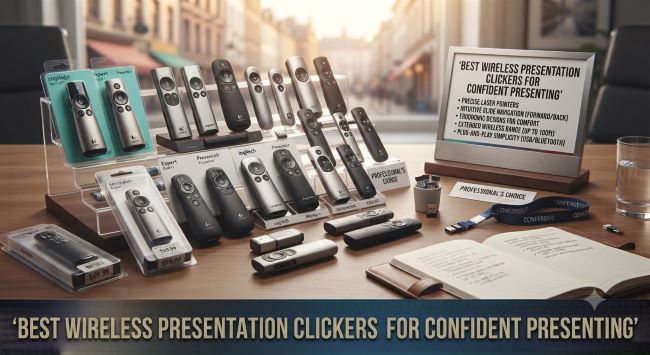
Best Wireless Presentation Clickers for Confident Presenting
Standing next to a laptop, leaning over to tap the arrow key between slides, is the surest way to look tethered and tentative during a presentation. A wireless presentation clicker, sometimes called a presentation remote or a clicker, fixes that instantly: you advance slides from anywhere in the room, walk toward your audience, and use your hands to gesture rather than to hunt for keys. The best wireless presentation clickers are inexpensive, work instantly, and make any presenter look more polished. Here is the guide to the features that matter and the models worth buying.
Why a Clicker Changes Your Presenting
The difference the best wireless presentation clickers make is bigger than it sounds. Freed from the laptop, you can move around the room, approach your audience, stand where the room’s attention naturally falls, and keep your body open rather than hunched over a keyboard. Presenters who use clickers appear more confident and prepared because they physically are more free, and the audience reads that freedom as command of the material. It is a small tool with an outsized effect on how you come across.
The Features That Actually Matter
Before the picks, here are the features worth understanding when choosing the best wireless presentation clickers:
Range. Most clickers work within 30 to 100 feet. For a normal conference room, any range works; for a large auditorium, longer range matters. 50 feet suits most situations comfortably.
Connection type. Nearly all use a USB receiver (a small dongle that plugs into the computer) with a plug-and-play connection requiring no software. Some newer models use Bluetooth, which frees the USB port but can require pairing.
Controls. The essentials are next slide, previous slide, and start/end presentation (usually a black-screen button that blanks the display to redirect attention). More buttons add volume control, hyperlink clicking, and custom functions.
The laser pointer or spotlight. Traditional clickers include a laser pointer. Newer digital models offer an on-screen spotlight or highlight that works on any display, including screens where a physical laser is invisible (like LED walls and video calls), which is increasingly important.
Battery. Most use AAA batteries lasting months; some are rechargeable. Long battery life matters because a dead clicker mid-presentation is a small disaster.
Ergonomics. The clicker should sit comfortably in your hand with intuitive buttons you can find without looking, since glancing down at the clicker undercuts the whole point.
The Best Wireless Presentation Clickers
The standout models among the best wireless presentation clickers across price points:
Logitech R400 and R500. The category standard. The R400 is the reliable, affordable classic with a red laser and simple controls. The R500 adds a longer range, more controls, and a version with a green laser (visible on more surfaces). Plug-and-play, ergonomic, and dependable, these are the default recommendations for most presenters.
Logitech Spotlight. The premium pick that replaces the physical laser with a digital on-screen spotlight, magnifier, and highlight that works on any display and even in video calls. It also enables cursor control and gesture features. More expensive, but the digital spotlight solves the modern problem of laser pointers being invisible on LED screens and useless on remote calls.
Kensington presenter remotes. Reliable, affordable alternatives with solid range and simple controls, a good value option.
DinoFire and budget clickers. Inexpensive models with rechargeable batteries and green lasers or digital pointers, delivering strong value for occasional presenters.
Bluetooth models for presenters who want to keep the USB port free, though these require pairing and are slightly less foolproof than plug-and-play receivers.
Matching the Clicker to Your Needs
| Situation | Best Choice |
|---|---|
| Standard business presentations | Logitech R400/R500 |
| Large auditoriums | Long-range model, green laser |
| Video calls and LED screens | Logitech Spotlight (digital pointer) |
| Occasional/budget use | Kensington or budget rechargeable |
| Frequent professional presenting | Logitech Spotlight or R500 |
| Keeping USB port free | Bluetooth model |
The single most important modern consideration is the laser question. If you present on traditional projectors and screens, a physical laser (green is more visible than red) works fine. If you present on LED video walls, large TVs, or in video calls, a physical laser is invisible, and a digital spotlight model is the better choice.
Practical Tips for Using One Well
Even the best wireless presentation clickers only help if you use them smoothly:
- Test it before presenting. Plug in the receiver, confirm it advances slides, and check the battery before your audience arrives.
- Carry a spare battery or charge fully beforehand.
- Learn the buttons by feel so you never look down at the clicker.
- Use the black-screen button to blank the display when you want attention on you rather than the slide, a genuinely powerful technique.
- Do not over-click. Advancing slides confidently, not nervously tapping, reads as command.
- Keep the receiver with the clicker, since losing the tiny USB dongle renders the clicker useless.
The Clicker Is Part of a Bigger Presentation Toolkit
A great clicker frees your body, but the slides themselves still have to earn the audience’s attention. The tool and the content work together: a confident presenter clicking through a cluttered, hard-to-read deck still loses the room. Pairing one of the best wireless presentation clickers with well-designed slides, like the clean layouts in Best Data Presentation Powerpoint Templates, gives you both the physical freedom to command the room and the visual clarity to hold attention, which is the combination that separates a memorable presentation from a forgettable one.
The bottom line: a wireless clicker is one of the highest-value, lowest-cost upgrades any presenter can make. For the price of a nice lunch, the best wireless presentation clickers transform you from someone tethered to a laptop into someone commanding a room, and that shift in presence is worth far more than the modest cost.
Key Takeaways
- A wireless clicker frees you from the laptop, letting you move around the room and present with more confidence and presence.
- Key features: range (50 feet suits most rooms), plug-and-play USB connection, essential slide controls, and a black-screen button.
- Traditional clickers use a physical laser (green is more visible than red); digital-spotlight models work on any display including LED walls and video calls.
- The Logitech R400 and R500 are the reliable, affordable category standards for most presenters.
- The Logitech Spotlight replaces the physical laser with a digital on-screen pointer, ideal for video calls and LED screens.
- Choose a digital-pointer model if you present on LED video walls or in remote meetings where physical lasers are invisible.
- Test the clicker and battery before presenting, learn the buttons by feel, and use the black-screen button to redirect attention.
- Pair a good clicker with well-designed slides, since physical freedom and visual clarity together make a presentation land.