Carrier Device Manager Requests Are Processing: What It Means and What to Do
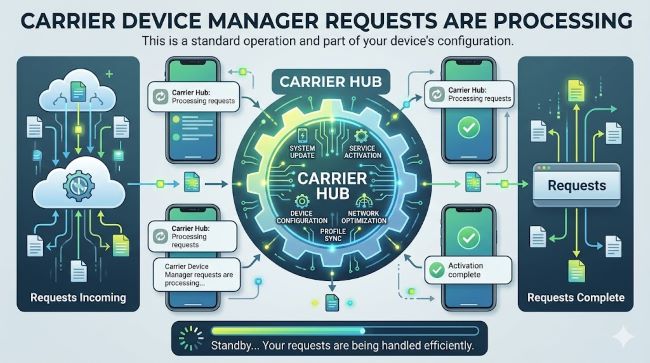
“Carrier device manager requests are processing” is a notification from T-Mobile’s Carrier Hub app managing network configurations on your Android phone. This guide explains what it means, whether it is safe, and how to stop it if needed.
You pick up your phone, see a notification that says “carrier device manager requests are processing,” and immediately wonder what is happening on your device without your knowledge. It is a reasonable reaction. The message appears without warning, uses language that sounds either technical or vaguely suspicious depending on your mood, and gives you no obvious way to interact with it.
The good news is that this notification is not a sign of malware, unauthorized access, or anything to be concerned about. It comes from a legitimate pre-installed carrier application that manages network-related settings on your Android device. This guide explains exactly what carrier device manager requests are processing means, what the carrier hub app is, why this notification appears, and what your options are if you want it to stop.
What Is Carrier Hub?
Before understanding the notification, it helps to know what carrier hub is and why it exists on your phone.
Carrier Hub is a pre-installed application developed by T-Mobile (and used by T-Mobile-connected carriers and MVNOs). It serves as a management layer between your phone’s operating system and T-Mobile’s network services. Its primary functions include:
- Delivering network configuration updates to your device
- Managing carrier-specific features and settings
- Supporting T-Mobile’s enhanced calling features (HD Voice, Wi-Fi Calling, Advanced Messaging)
- Enabling RCS (Rich Communication Services) messaging
- Handling device provisioning for carrier-specific services
Carrier hub on android works silently in the background on most days. You do not normally see it or interact with it directly. It updates network settings, provisions services, and manages configurations the same way that a system update does, without requiring your input.
The carrier hub app typically comes pre-installed on Android devices sold through T-Mobile and its network partners. If you bought an unlocked phone and activated it on T-Mobile, Carrier Hub may have been installed as part of the activation process or through a system update.
What Does “Carrier Device Manager Requests Are Processing” Mean?
The notification “carrier device manager requests are processing” appears when the Carrier Hub application is actively pushing or applying configuration changes to your device. It means the app is doing its job: updating network settings, enabling or adjusting carrier features, or provisioning services that require device-level changes.
Carrier hub processing requests is the same process as the notification itself. The two phrases refer to the same event. When the app receives instructions from T-Mobile’s servers (a configuration update, a new feature activation, an account-level service change), it processes those instructions on your device. The notification tells you that this processing is happening.
The notification may appear in several forms:
- “Carrier device manager requests are processing”
- “Carrier Hub: Requests are processing”
- “AppHub requests are processing” (apphub requests are processing)
- “AppSelector requests are processing” (appselector requests are processing)
- “App selector requests are processing”
These are all variations of the same underlying event from the same app or its related components. The slight naming variations depend on your Android version, your device manufacturer, and which component of Carrier Hub is doing the processing at that moment.
What Is Carrier Hub on My Phone Specifically Doing?
What is carrier hub on my phone doing when this notification appears? In most cases, one of the following:
Network profile updates: Your carrier periodically updates the network access point configuration (APN settings), which controls how your device connects to cellular data. Carrier Hub applies these updates without requiring you to manually change settings.
RCS activation or reconfiguration: If you use Android Messages (or another RCS-compatible app), Carrier Hub handles the provisioning of RCS features on T-Mobile’s network. Changes to your plan or T-Mobile’s RCS infrastructure trigger processing events.
Wi-Fi Calling activation: When you enable or change settings related to Wi-Fi Calling or VoLTE, Carrier Hub registers your device with the carrier’s voice-over-network systems. This registration generates a processing notification.
Device provisioning during activation: When you first set up a device on T-Mobile, Carrier Hub does significant initial provisioning work. This is when you are most likely to see the notification repeatedly.
Service changes: If you change your plan, add a line, or modify account features, the carrier pushes those changes to your device through Carrier Hub, which triggers processing.
In all of these cases, the app is working on behalf of T-Mobile to keep your service configuration current. It is not accessing your personal files, your photos, your messages, or anything unrelated to network configuration.
Is Carrier Hub Safe?
Yes. Carrier hub is a legitimate, pre-installed carrier application that T-Mobile develops and maintains. It does not steal personal data, and it does not give third parties access to your device.
That said, it is worth understanding what the app does have access to, because what is carrier hub doing goes beyond just showing a notification:
- It has permission to modify network settings
- It can run in the background
- It communicates with T-Mobile’s servers
- It can install carrier-related configuration profiles
These are elevated permissions, but they are consistent with what a carrier provisioning app needs to do its job. Every major carrier has an equivalent application. On AT&T devices it is called Device Unlock or AT&T Mobile Security. On Verizon devices it is part of Verizon Apps. On T-Mobile devices it is Carrier Hub.
If you are concerned about what specifically the carrier device manager is accessing on your device, you can check its permissions through Settings > Apps > Carrier Hub > Permissions. You will see that its permissions are network and configuration focused, not file or media focused.
Companion Device Manager: Related Notification
You may see the phrase companion device manager alongside carrier hub-related notifications. These are different systems.
Companion Device Manager is a built-in Android system component (not T-Mobile specific) that manages the pairing of companion devices such as smartwatches, fitness trackers, and Bluetooth accessories with your phone. It is part of Android itself rather than a carrier application.
If you see a companion device manager notification, it typically means:
- A paired companion device is connecting or syncing
- Android is managing a Bluetooth pairing in the background
- A wearable device app is being updated or configured
Companion device manager notifications are separate from carrier hub processing requests. They happen to appear similar because both run silently in the background and generate notification-style system messages.
Why Does This Notification Appear Repeatedly?
Most people search for information about this notification because it keeps appearing. There are a few reasons why carrier hub processing requests might show up repeatedly rather than once and done.
Ongoing account changes: If you recently changed plans, added services, or made account changes, T-Mobile may push multiple configuration updates over a period of hours or days.
RCS troubleshooting: RCS registration sometimes fails and retries. Each retry attempt generates a processing notification. If RCS is not successfully provisioning on your device, you may see this notification many times as the app retries in the background.
Network changes in your area: T-Mobile’s network upgrades (5G expansion, LTE band additions) can push configuration updates to devices in affected areas.
App updates: When Carrier Hub itself updates, it often runs a reconfiguration process that generates the notification.
Fresh device setup: During the first 24 to 48 hours of a new device setup or SIM activation, this notification may appear frequently as the full provisioning process completes.
How to Stop or Manage the Carrier Device Manager Notification
You have several options if the notification is bothering you.
Option 1: Wait It Out
If the notification appeared after a plan change, new device setup, or carrier update, it will typically stop on its own once the provisioning process completes. Give it 24 to 48 hours before taking further action.
Option 2: Disable the Notification Channel
You can disable the specific notification from Carrier Hub without disabling the app itself:
- Long-press the notification when it appears
- Tap the settings icon or “Turn off notifications”
- Toggle off “Processing requests” or the relevant notification channel
This stops the notification from appearing while allowing the app to continue functioning in the background. Your carrier services continue working; you just stop seeing the notification.
Option 3: Clear the App Cache
Sometimes Carrier Hub gets stuck in a processing loop because of cached data. Clearing the cache can resolve repeated notifications:
- Go to Settings > Apps
- Find and tap Carrier Hub (you may need to show system apps to find it)
- Tap Storage
- Tap Clear cache
- Restart your phone
This does not delete any data. It clears temporary files that might be causing the app to retry operations unnecessarily.
Option 4: Force Stop and Restart
If the notification is stuck or the app appears to be looping:
- Go to Settings > Apps > Carrier Hub
- Tap Force Stop
- Wait 30 seconds
- Open the app or restart your phone
The app restarts fresh and reattempts its provisioning process, which often completes successfully after a clean restart.
Option 5: Disable Carrier Hub (Advanced)
On some devices, you can disable Carrier Hub entirely through Settings > Apps > Carrier Hub > Disable. This stops the app from running. Be aware that disabling it may affect:
- RCS messaging features
- Wi-Fi Calling on some configurations
- Carrier-specific service activations
If you primarily use iMessage, WhatsApp, or other third-party messaging apps and do not rely on RCS, disabling Carrier Hub has minimal impact on your day-to-day use. If you depend on native Android messaging features, leave it enabled.
App Selector Requests Are Processing: The Related Notification
The “app selector requests are processing” notification (also appearing as “appselector requests are processing”) is another variation from the Carrier Hub ecosystem. The App Selector component of Carrier Hub helps manage which apps are used for specific functions on carrier-provisioned devices. When the carrier updates how app selection is configured (for example, setting the default messaging app on a new activation), App Selector generates its own processing notification.
It resolves the same way as the main Carrier Hub notification: wait for it to complete, clear the app cache, or disable the notification channel if it persists.
For users managing multiple Android devices or corporate device fleets and encountering these notifications at scale, device and project management tools can help track device configuration states across a team. Understanding carrier software is part of broader mobile app development and device management knowledge. And for anyone building or managing Android-based workflows, web and software security principles are relevant context for evaluating what pre-installed apps do on managed devices.
Key Takeaways
- Carrier device manager requests are processing is a notification from T-Mobile’s Carrier Hub app. It means the app is applying network configuration updates, provisioning carrier services, or registering your device with T-Mobile’s systems.
- What is Carrier Hub? A pre-installed T-Mobile application that manages network settings, RCS messaging, Wi-Fi Calling, and carrier-specific device configurations. It is legitimate and not malware.
- Carrier hub processing requests notifications appear after plan changes, new device setup, RCS provisioning, network updates, or app updates. They typically resolve within 24 to 48 hours.
- Apphub requests are processing and app selector requests are processing are variations of the same event from related Carrier Hub components.
- Companion device manager is a separate Android system component that manages smartwatch and Bluetooth device pairing. It is not the same as Carrier Hub.
- To stop the notification: disable the notification channel by long-pressing the notification, clear the Carrier Hub app cache, or force stop and restart the app.
- Disabling Carrier Hub entirely is possible but may affect RCS messaging and Wi-Fi Calling features. For users who do not rely on these features, disabling it has minimal impact.