IndexError: List Index Out of Range — What It Means and How to Fix It
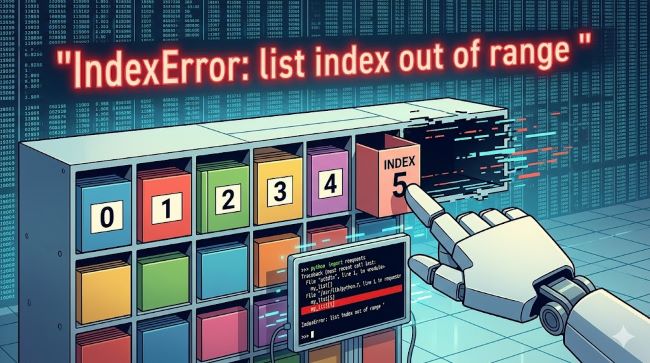
The indexerror: list index out of range error is one of the most common errors Python developers encounter, whether they are writing their first loop or debugging a complex data pipeline. It has a clear meaning, and once you understand why Python raises it, you can fix it fast and prevent it from coming back. The error appears when your code tries to access a position in a list using an index number that does not exist in that list. Python lists are zero-indexed, meaning the first element is at index 0, not index 1. If your list has five elements but you ask for the element at position 5, Python raises this error because position 5 does not exist. This guide covers every form of the error, the code patterns that cause it, and the fixes for each one.
Why Python Raises This Error: The Core Concept
Python lists are ordered sequences. Each element sits at a numbered position called an index. The indexing starts at 0 and ends at the length of the list minus one.
fruits = ["apple", "banana", "cherry"]
# Index:      0          1         2
# len(fruits) = 3
# Valid indices: 0, 1, 2
# Invalid:       3, 4, any number >= 3
When you write fruits[3], Python looks for the element at position 3. That position does not exist. Python raises IndexError: list index out of range to tell you the index you used falls outside the valid range.
The same applies to negative indexing. Negative indices count from the end: fruits[-1] gives you "cherry", fruits[-3] gives you "apple". But fruits[-4] raises the same IndexError because there is no fourth-from-last element in a three-element list.
The Most Common Patterns That Cause This Error
Using len() as an Index
This is the most frequent mistake. It comes from the off-by-one nature of Python’s indexing.
fruits = ["apple", "banana", "cherry"]
print(fruits[len(fruits)])  # IndexError
len(fruits) returns 3. The valid indices are 0, 1, and 2. Index 3 does not exist. The fix is to subtract 1:
print(fruits[len(fruits) - 1])  # "cherry"
# Or more simply:
print(fruits[-1])  # "cherry"
Loop Index Out of Sync with List Length
Loops that use a range not based on the actual list length often cause the list index out of range error.
numbers = [10, 20, 30]
for i in range(5):       # range(5) produces 0, 1, 2, 3, 4
    print(numbers[i])    # Fails at i=3
Fix: base the range on the actual list length:
for i in range(len(numbers)):    # range(3) produces 0, 1, 2
    print(numbers[i])
Or better, iterate directly:
for number in numbers:
    print(number)
Direct iteration is cleaner, less error-prone, and the preferred Python style when you do not need the index value.
Accessing an Empty List
When a list is empty, every index is out of range. This often happens when you assume a function or operation returned results, but it returned nothing.
results = []
print(results[0])  # IndexError
Fix: check whether the list has elements before accessing it:
if results:
    print(results[0])
else:
    print("List is empty")
Nested List Index Problems
Accessing nested lists (lists inside lists) doubles the opportunity for index errors.
data = [[1, 2], [3, 4], [5, 6]]
print(data[3][0])   # IndexError: outer list has no index 3
print(data[0][5])   # IndexError: inner list has no index 5
Fix: validate both dimensions before accessing:
if len(data) > 3 and len(data[3]) > 0:
    print(data[3][0])
Modifying a List While Iterating Over It
Removing items from a list while looping through it shifts the indices, which causes the loop to skip elements or run past the end of the list.
items = [1, 2, 3, 4, 5]
for i in range(len(items)):
    if items[i] % 2 == 0:
        items.remove(items[i])  # Modifies list while iterating
This raises IndexError: list index out of range when the list shrinks during the loop. The fix is to iterate over a copy of the list or build a new list instead of modifying in place:
items = [x for x in items if x % 2 != 0]IndexError: List Assignment Index Out of Range
The indexerror: list assignment index out of range is a variant that appears when you try to assign a value to an index that does not exist yet.
my_list = [1, 2, 3]
my_list[5] = 10  # IndexError: list assignment index out of range
Python lists do not auto-expand when you assign to an out-of-range index the way some other languages do. Index 5 does not exist, so the assignment fails.
Fix: use .append() to add to the end:
my_list.append(10)Fix: use .insert() to add at a specific position:
my_list.insert(3, 10) # Inserts 10 at index 3Fix: pre-populate the list to the required size:
my_list = [None] * 6   # Creates [None, None, None, None, None, None]
my_list[5] = 10        # Now works fine
The assignment variant catches a lot of people coming from languages like JavaScript, where arrays extend automatically when you assign to a new index.
Python IndexError List Index Out of Range Fix: The Safe Access Patterns
When you are working with lists where the index might not always be valid, build the safety check into the access pattern.
Using try/except
my_list = [10, 20, 30]

try:
    value = my_list[5]
except IndexError:
    value = None   # or a default value
    print("Index out of range, using default")
This is the cleanest pattern when you expect the error might occur legitimately and want to handle it without crashing.
Checking Length Before Access
index = 5
if index < len(my_list):
    value = my_list[index]
else:
    value = None
This is more explicit and works well when you want to make the guard condition visible in the code.
Using .get() via a Dictionary Instead of a List
If you find yourself frequently accessing lists by index with uncertain validity, consider whether a dictionary with explicit keys would serve better. Dictionaries return None by default when you use .get() on a missing key, which avoids the error entirely.
data = {0: "apple", 1: "banana", 2: "cherry"}
value = data.get(5, "not found")   # Returns "not found" instead of raising
Single Positional Indexer Is Out-of-Bounds: The Pandas Version
If you work with pandas DataFrames and Series, you will encounter single positional indexer is out-of-bounds as the pandas equivalent of the standard Python IndexError. It appears when you use .iloc[] to access a row or column position that does not exist.
import pandas as pd

df = pd.DataFrame({"name": ["Alice", "Bob"], "score": [90, 85]})
print(df.iloc[5])   # IndexError: single positional indexer is out-of-bounds
The DataFrame has two rows (at positions 0 and 1). Position 5 does not exist.
Common causes:
- Slicing a DataFrame down to fewer rows than expected, then using a hardcoded
.iloc[]position - Filtering a DataFrame and then assuming it still has the same row count
- Iterating over DataFrame rows with a counter that exceeds the filtered length
Fix: check the DataFrame length before positional access:
if len(df) > 5:
    print(df.iloc[5])
Fix: use .iloc[-1] for the last row safely:
print(df.iloc[-1]) # Always gives the last row, regardless of lengthFix: reset the index after filtering:
When you filter a DataFrame, the original integer index is preserved but the positional order changes. Using .reset_index(drop=True) gives you a clean 0-based positional index that matches the new length.
filtered_df = df[df["score"] > 80].reset_index(drop=True)
print(filtered_df.iloc[0])   # Now safely the first filtered row
Debugging IndexErrors Faster: A Checklist
When you hit indexerror: list index out of range and are not immediately sure why, run through this checklist:
- Print the list length at the point where the error occurs:
print(len(my_list)) - Print the index value you are using:
print(index) - Check whether the list is empty:
if not my_list: ... - Verify loop range: confirm your
range()call matches the list it is indexing - Check for list modification inside a loop: look for
.remove(),.pop(), or.append()inside loops that also access by index - In pandas: print
len(df)anddf.shapebefore.iloc[]calls
Most IndexErrors become obvious the moment you print the length and the index side by side.
Key Takeaways
IndexError: list index out of rangemeans you accessed a list at a position that does not exist. Python lists are zero-indexed: a list of length 3 has valid indices 0, 1, and 2.- The most frequent cause is using
len(list)as an index. Uselen(list) - 1orlist[-1]for the last element. indexerror: list assignment index out of rangeoccurs when you assign to an index that does not exist. Use.append()or.insert(), or pre-populate the list.python indexerror list index out of range fixpatterns: usetry/except IndexError, check length before access, or iterate directly withfor item in listinstead of indexing.single positional indexer is out-of-boundsis the pandas version, raised by.iloc[]when the row or column position does not exist. Checklen(df)before access and use.reset_index()after filtering.- When debugging, print the list length and the index value at the same time. The gap between them is always the answer.
For developers building Python tools and data pipelines, understanding how software environments and updates affect code behavior is useful background. When working across different Python versions and tracking dependency changes, project management and tracking tools keep complex development work organized. And for teams building applications on top of Python data tools, mobile and app development principles apply when shipping code that depends on reliable list and data access patterns.