Crane M3 Compatibility with Sony ZV-E10: The Record Button Problem Explained
Wondering about Crane M3 compatibility with the Sony ZV-E10 record button? This guide breaks down exactly what works, what doesn’t, and how to get the most out of this pairing.
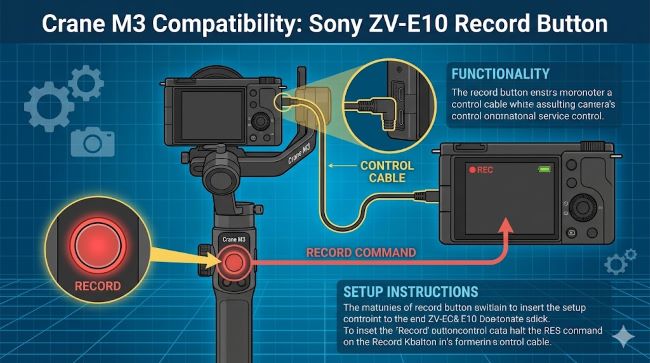
If you have been trying to get the Crane M3 compatibility with the Sony ZV-E10 record button working and hitting a wall, you are not alone. This is one of the most common frustrations for ZV-E10 users who pick up the Crane M3. The gimbal works fine for stabilization, but triggering record through the gimbal’s button is a different story. Here is a clear breakdown of what is actually supported, why the limitation exists, and what your real options are.
What the Official Zhiyun Compatibility List Says About the ZV-E10
Zhiyun publishes a detailed camera compatibility list for the Crane M3, updated regularly with firmware versions. According to the latest version (V2.10, updated July 2023), here is what the Sony ZV-E10 is listed for:
- Video Filming (Save/Playback via USB cable): Not supported (“-” in the table)
- Camera Charging (camera off via USB cable): Supported
- Camera Charging (camera powered on via USB cable): Supported
- Cable type required: Type-C to Type-C USB
That “-” under video filming is the key detail. Zhiyun uses three markers in their compatibility table: a checkmark means the function works, an “x” means it does not work currently but may be added later, and a “-” means it is not available because of an “unopened camera protocol.” That last one is the hard stop. It is not a firmware issue on Zhiyun’s side. The ZV-E10 does not expose the USB control protocol that would allow the gimbal to trigger recording over a cable connection.
Crane M3 Charging via USB: What Actually Works with the ZV-E10
Even though you cannot trigger the record button over USB, crane m3 charging via USB is fully supported with the ZV-E10. You can keep the camera powered while shooting, which matters a lot for extended sessions.
A few things to know about this:
- The Crane M3 charges the camera at a maximum of 5V at 1A. This is not fast charging, so it maintains the battery level rather than rapidly topping it up.
- You need a Type-C to Type-C cable specifically. The Multi-USB cable that works with older Sony cameras like the A7 III or A7R IV will not work with the ZV-E10. The ZV-E10 uses a USB-C port, not Sony’s older Multi port.
- For Sony cameras, Zhiyun recommends powering on the gimbal first, then the camera, and making sure the camera starts with a full battery before you connect.
This makes the cable useful for power delivery, but it stops there as far as camera control goes. The crane m3 charging usb camera compatibility with the ZV-E10 is real, just limited to power only.
Why USB Control Does Not Work: Understanding the Protocol Limitation
To understand why the record button does not trigger over USB, it helps to know how Zhiyun’s USB camera control works in general.
When the Crane M3 connects to a compatible camera via USB, it uses the camera manufacturer’s USB protocol to send commands: start recording, stop recording, trigger autofocus, adjust shutter speed, and so on. This only works if the camera manufacturer has made that protocol available, what Zhiyun calls an “opened” camera protocol.
Sony has opened this protocol for many of its cameras, including the A7 III, A7R IV, A6600, A6400, and others. But the ZV-E10, despite being a capable little camera, does not have this level of USB remote control exposed in the same way. This is a Sony-side decision, not a Zhiyun firmware gap.
The result: you get USB charging, but no USB record button, focus control, shutter speed adjustment, or any of the other functions available on more fully supported bodies.
The Crane M3 USB Shutter Control Camera List: Who Gets Full USB Control?
For context, here are some Sony cameras that do get full USB shutter and record control on the Crane M3:
- Sony A7R II, A7S II, A7 III, A7R III, A7R IV
- Sony A6100, A6300, A6400, A6500, A6600
- Sony ZV-1, DSC-RX100 M5/M6/M7, DSC-HX90
These all use the Multi-USB connection type and get full video filming control over the cable. The ZV-E10 is not on this list for filming control.
Understanding the crane m3 usb shutter control camera list before buying makes a real difference, especially if you plan to run a one-person operation where triggering record from the gimbal matters.
Crane M3 USB Control Cable Charging Limitations: What to Keep in Mind
There are a few practical crane m3 usb control cable charging limitations worth knowing before you head out on a shoot:
- 5V at 1A ceiling. This is slower than USB Power Delivery. You will maintain battery, not gain much, especially if the camera is under heavy processing load.
- Type-C to Type-C only for the ZV-E10. The cable that comes in the box with the Crane M3 standard kit is a Type-C to Multi USB cable, which is meant for older Sony bodies. You need a Type-C to Type-C cable separately for the ZV-E10.
- Camera must have a full charge going in. Zhiyun recommends starting with a fully charged battery when connecting Sony cameras to the gimbal via USB. The trickle charge may not keep up if the battery is already low.
- Charging stops when cable is disconnected. There is no state memory. If you unplug and replug mid-shoot, the camera starts treating it as a fresh connection.
So How Do You Control Recording on the ZV-E10?
This is the part most people actually want to know. If USB does not work for the record button, what does?
Option 1: Use the Bluetooth Control Module
The Crane M3 has an optional Bluetooth Control Unit accessory. This module attaches to the expansion base and connects to the camera over Bluetooth for camera control. However, there is a catch: the Bluetooth Control Module also comes in different variants based on connection type. You need the Type-C variant, not the Multi-USB variant, for the ZV-E10.
There is an important note from user reports: the module marketed as “Multi-USB” will not work with ZV-E10 because the ZV-E10 uses USB-C. Make sure you buy the correct version.
Option 2: Use the Physical Record Button on the ZV-E10 Itself
The ZV-E10 has a dedicated movie record button on the body. On a run-and-gun shoot where the camera is mounted on the gimbal, you can still reach it with your thumb if you position your grip correctly. It is not as clean as pressing a button on the gimbal handle, but it works reliably with zero compatibility concerns.
Option 3: Use the ZY Play App
Zhiyun’s ZY Play app connects to the gimbal over Bluetooth and lets you control some shooting functions from your smartphone. The range of camera control through the app depends on camera compatibility, but it gives you another option beyond reaching for the body button.
Final Summary: What Works and What Does Not
Here is a clear breakdown for anyone pairing the ZV-E10 with the Crane M3:
| Function | Status |
|---|---|
| Gimbal stabilization | Works perfectly |
| Camera charging via USB-C cable | Works (5V/1A) |
| USB record/shutter button control | Not supported |
| USB focus or exposure control | Not supported |
| Bluetooth shutter control (with correct module) | Works with Type-C Bluetooth module |
The good news is that the gimbal itself balances the ZV-E10 well and the stabilization is solid. The charging cable being USB-C to USB-C is something worth confirming before you assume the included cable will work.
For anyone shooting content creation setups and looking at how creative workflows come together around compatible tools, the lesson here applies broadly: knowing the exact compatibility matrix before you build a rig saves a lot of frustration in the field. And understanding what software and hardware work together versus what only looks like it should is a skill that pays off whether you are troubleshooting a gimbal setup or a full production workflow.
If you are building a content creation rig and evaluating your camera-gimbal combination, it also helps to understand the broader technology tools landscape so you can make informed decisions rather than relying on marketing descriptions that may not reflect actual protocol support.
Key Takeaways
- The Crane M3 and Sony ZV-E10 pair well for stabilization, but the record button does not work over USB.
- The crane m3 charging via USB compatible camera list includes the ZV-E10 for power delivery only, at 5V/1A.
- The crane m3 usb control cable charging limitations for ZV-E10 mean you need a Type-C to Type-C cable and you only get charging, not camera control.
- The zhiyun crane m3 usb shutter control camera list for full filming control is limited to cameras with opened USB protocols, and the ZV-E10 is not one of them.
- The workaround for remote record triggering is the Bluetooth Control Module using the Type-C version, not Multi-USB.
- Always check the official Zhiyun compatibility PDF before assuming a function works, as the “-” designation means the limitation is permanent, not firmware-fixable.