Best CRM Free Plan for Small Businesses: 10 Free Forever Picks Compared by Users
A free CRM can run a small sales team for years, or it can box you in after a month. The difference sits in the fine print: how many users, how many contacts, how many pipelines, and what the first paid tier costs when you outgrow it. This guide to the best crm free plan for small businesses compares ten tools that are free with no time limit, and it names four well-known tools that are not.
A note on method: we checked plan limits and prices on each vendor’s own pricing and help pages in October 2026. We did not run long-term hands-on tests of every tool. Vendors change free plans often and without notice, and prices differ by region and billing term. Where a page did not state a detail, we say so and tell you to check the vendor’s pricing page. Confirm the numbers before you move your data.
What a CRM Is and Why a Small Business Needs One
CRM stands for customer relationship management. A CRM is a shared database of the people and companies you sell to, plus a record of every call, email, meeting, and deal linked to them.
Most small teams start with a spreadsheet and an inbox. That works until one of these things happens:
- Two people email the same lead, or nobody does.
- A deal goes cold because no one set a reminder.
- A salesperson leaves and their contacts leave with them.
- The owner cannot say how much revenue is likely to close this month.
A CRM fixes these problems with a few simple parts: contact records, a deal pipeline, tasks and reminders, email logging, and reports. Of all the software for small business owners can adopt, a CRM is one of the few that pays back in the first month, because it stops leads from slipping away.
You do not need to pay to get those basics. Many crm management tools offer a free tier that covers contacts, one pipeline, and tasks. The catch is that each vendor limits something different.
What “Free” Really Means
The word “free” covers three different offers. Know which one you are signing up for.
| Type | What It Means | What to Watch |
|---|---|---|
| Free forever plan | No charge and no end date, with fixed limits | Caps on users, contacts, pipelines, or automation |
| Free trial | Full features for a set period, then you pay or lose access | Trial length, and what happens to your data after it ends |
| Free one-app or free seat offer | One module or a few seats at no charge inside a larger paid suite | The moment you add a second app or an extra seat, billing starts |
Every pick in this guide is a free forever plan or a free one-app offer. A trial is useful for testing a paid tool, but it is not a plan. When you search for the best crm free plan for small businesses, skip any tool that only offers a trial.
Four popular tools did not make the list for this reason:
- monday CRM. Its pricing page says the way to use it for free is a 14-day trial. Paid plans start from three seats.
- Freshsales. Its product and signup pages promoted a 21-day trial when we checked. The pricing page’s search description still mentions a free plan, but the page itself gave no details of one. Treat it as trial only until the vendor confirms otherwise.
- Folk. Its pricing page listed only paid plans, with a two-week trial on new workspaces.
- Streak. It has a free plan inside Gmail, but the vendor states that the free plan does not include CRM pipelines. It works as an email tracking tool, not a free CRM.
Quick Comparison
This table shows the picks side by side. Prices are per user per month in U.S. dollars unless stated.
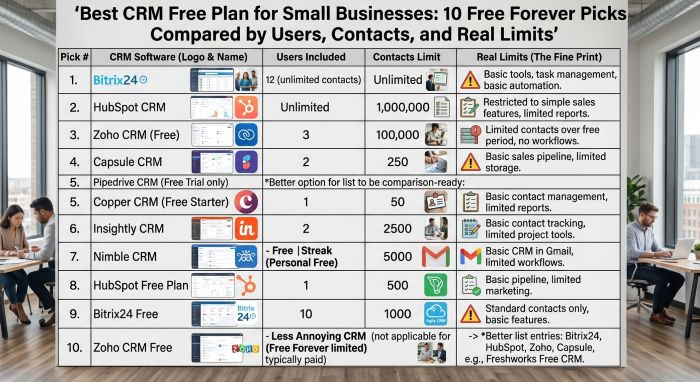
| Rank | CRM | Free Users | Contact Limit | Standout Free Feature | First Paid Tier |
|---|---|---|---|---|---|
| 1 | HubSpot CRM | 2 | 1,000 contacts | Email, live chat, meetings, and dashboards in one place | Starter, listed from $7 per seat; check the vendor’s pricing page |
| 2 | Zoho CRM | 3 | 5,000 records across all modules | Up to 5 workflow automations | Standard, about $14 billed annually (third-party figure) |
| 3 | Attio | 3 | 50,000 records | Large record allowance and email and calendar sync | Plus, $35 billed annually or $44 monthly |
| 4 | Agile CRM | 10 | 1,000 contacts and companies | Lead scoring and unlimited deals | Starter, “as low as $8.99” |
| 5 | EngageBay | 15 | 250 contacts | Sales, marketing, and helpdesk for a whole team | Basic, $12.74 to $14.99 by billing term |
| 6 | Brevo | 1 | 100,000 contacts | 300 emails per day beside a deal pipeline | Starter, about $9 per month (third-party figure) |
| 7 | Capsule CRM | 2 | 250 contacts | Clean, simple pipeline with almost no setup | Starter, about $18 billed annually (third-party figure) |
| 8 | Bitrix24 | See note | Check the vendor’s pricing page | CRM plus tasks, chat, and video calls | Basic, $49 per month billed annually for 5 users |
| 9 | Odoo CRM | Unlimited | Check the vendor’s pricing page | One full app free for unlimited users | Standard, US$31.10 intro price, US$38.90 regular |
| 10 | ClickUp | Unlimited members | No contact cap stated; 60MB storage | Flexible lists and boards you can shape into a CRM | Unlimited, $7 billed yearly or $10 monthly |
Note on Bitrix24: its plan card describes the free plan as for 1 to 2 users, while its FAQ says you can add an unlimited number of users. Check the vendor’s pricing page before you invite a team.
Best CRM Free Plan for Small Businesses: The 10 Picks
1. HubSpot CRM: Best Overall Free Plan
HubSpot’s free tools cover more ground than any other pick. You get sales, marketing, and service basics in one account, and the vendor states that free access has no time limit.
Why it stands out:
- Free for up to 2 users, with 1,000 contacts
- Deal management, email open notifications, and a reporting dashboard
- 2,000 marketing email sends per month
- Live chat, 1 meeting scheduling link, and up to 3 email templates
- 10 dashboards with up to 50 reports each
- Connects to Gmail and Outlook, with apps for iOS and Android
Weak points:
- Two users is a tight cap for a growing team.
- Emails, chat, and landing pages carry HubSpot branding.
- Sales automation workflows, calling, and sales analytics sit in paid tiers.
- The pricing page did not state how many pipelines the free plan allows.
- Starter pricing showed two figures, $7 and $20 per seat per month, so check the vendor’s pricing page for the one that applies to you.
Best for: Solo founders and two-person teams who want sales and marketing in one tool.
2. Zoho CRM: Best for a Three-Person Sales Team
Zoho’s free edition gives three people a real sales CRM with leads, contacts, and deals. Zoho says there is no trial period, no credit card, and no forced upgrade.
Why it stands out:
- Free for up to 3 users
- Up to 5,000 records across all modules
- Up to 5 workflow automations
- Standard reports, web forms, tasks, calls, and meetings
- 1GB of file storage for the organization
- Free data import from spreadsheets
Weak points:
- Multiple sales pipelines start at the Standard plan.
- The free edition allows up to 10 custom email templates.
- The pricing page says free users can export data up to 10 times.
- Zoho showed us regional pricing. A September 2026 review put Standard at about $14 per user per month billed annually, or $20 monthly. Confirm the price for your country.
Best for: Teams of up to three who want automation without paying.
3. Attio: Best for Modern B2B Teams
Attio is a newer CRM built around flexible records and lists. If you want the best crm for small b2b sales pipeline work on a free tier, its record allowance is the largest we found.
Why it stands out:
- Up to 3 seats
- 50,000 records
- Email and calendar sync, with 1 account per user
- 50GB of file storage
- Up to 3 objects and up to 3 reports
Weak points:
- Email sending is capped at 200 emails per month, and 10 at once in bulk.
- There are no access permissions on the free plan.
- Data enrichment and other advanced features are limited on Free.
- The step up is steep: Plus costs $35 per user per month billed annually, or $44 monthly.
Best for: Small B2B teams with a large account list and a simple outbound process.
4. Agile CRM: Best for Free Lead Scoring
Agile CRM gives ten users a set of sales features that most vendors keep for paid plans.
Why it stands out:
- Free for up to 10 users
- 1,000 contacts and companies
- Unlimited deals, tasks, and documents
- Lead scoring, email tracking, and appointment scheduling
- Custom deal milestones and custom data fields
- 5,000 branded emails, plus a landing page builder and helpdesk basics
Weak points:
- Only 1 campaign workflow with 5 nodes, and 1 automation rule
- Only 1 plugin, so integrations are limited
- Emails carry Agile CRM branding
- The Starter plan is listed “as low as $8.99,” but the page did not confirm the per-user rate or billing term. Check the vendor’s pricing page.
Best for: Teams of four to ten with a small contact list who want lead scoring.
5. EngageBay: Best All-in-One for a Larger Team
EngageBay packs sales, marketing, and support into one free plan, and it allows more free users than most rivals.
Why it stands out:
- Free for teams of up to 15 members
- Deals with custom deal milestones and tracks
- 1,000 branded emails and 2 email sequences
- Live chat, helpdesk, and appointment scheduling
- Gmail, Outlook, and Office 365 integrations
Weak points:
- Only 250 contacts
- Only 5 custom fields, 2 lists, and 1 landing page
- The first paid tier, Basic, raises the contact limit to just 500.
- Basic costs $12.74 to $14.99 per user per month, depending on the billing term.
Best for: Small teams with many staff and few customers, such as agencies and consultancies.
6. Brevo: Best for Email Marketing With a Simple Pipeline
Brevo started as an email tool and added a sales pipeline. Its free plan suits a business that sells mainly through email.
Why it stands out:
- Stores up to 100,000 contacts
- 300 email sends per day
- 1 pipeline with up to 50 open deals
- 1 connected inbox and 1 connected calendar
- Automations for up to 2,000 contacts
- No time limit
Weak points:
- Only the account owner can use the free plan.
- Unused daily sends do not carry over.
- Emails include a “Sent with Brevo” mark.
- Once you reach 50 open deals, you cannot create more.
- Brevo’s pricing page did not show a Starter price when we checked. A September 2026 review listed it at $9 per month. Check the vendor’s pricing page.
Best for: One-person businesses with a big mailing list and a short deal list.
7. Capsule CRM: Best for Simplicity
Capsule keeps things plain. If your team resists new software, this is the easiest free plan to adopt.
Why it stands out:
- Free for up to 2 users
- 250 contacts
- 1 sales pipeline
- Custom sales milestones and task categories
- Sends email through your Gmail or Outlook account
Weak points:
- 250 contacts fill up fast.
- Only 5 custom fields.
- AI features and automations need a paid plan.
- Basic reporting starts at the Starter plan.
- Capsule’s page did not show plan prices when we checked. A third-party price tracker listed Starter at $18 per user per month billed annually, with 30,000 contacts.
Best for: Freelancers and two-person firms with a short client list.
8. Bitrix24: Best for CRM Plus Team Tools
Bitrix24 bundles a basic CRM with the tools a team uses to work together.
Why it stands out:
- Basic CRM with deals and contacts
- Tasks with Kanban and Gantt views
- Shared calendars
- Chat and video calls
- 5GB of storage
- No time limit on the free plan
Weak points:
- The user limit is unclear. The plan card says 1 to 2 users, and the FAQ says unlimited users.
- “Sales pipelines” appears as a feature of the paid Basic plan, so the free pipeline may be limited.
- Telephony and Market apps need a paid plan.
- The interface is busy and takes time to learn.
Best for: Small teams that want CRM, tasks, and chat in one place. Basic costs $49 per month billed annually, or $69 monthly, and covers 5 users as a flat fee.
9. Odoo CRM: Best Free Plan for Unlimited Users
Odoo sells a large suite of business apps. Its One App Free plan lets you run one app, such as CRM, at no charge.
Why it stands out:
- One app free for unlimited users, with no end date
- Hosted on Odoo Online
- Apps that your chosen app depends on are also free
- A full CRM app, not a cut-down edition
Weak points:
- Installing a second app moves you to the paid Standard plan.
- In-app credits for SMS, lead generation, and contact auto-complete cost extra.
- Implementation services are not included.
- Standard is priced per user: US$31.10 for the first 12 months, then US$38.90. Prices vary by region.
- We could not confirm a contact limit, so check the vendor’s pricing page.
Best for: Larger small teams that need only a CRM today and may want a full suite later.
10. ClickUp: Best Flexible Workspace You Can Shape Into a CRM
ClickUp is a project tool, not a CRM. But you can build a pipeline from its lists and boards, and the Free Forever plan allows unlimited members.
Why it stands out:
- Unlimited free plan members and unlimited tasks
- Board and list views that work as a deal pipeline
- 5 active automation rules
- 1 form for lead capture
- Projects and sales in one tool
Weak points:
- Only 60MB of storage in total
- Automations stop after 100 executions
- Full custom fields, timeline, and Gantt views are trial features on Free
- No built-in email sync aimed at sales
- You must design the CRM yourself
Best for: Teams already using ClickUp for projects who want a light deal tracker. The Unlimited plan costs $7 per user per month billed yearly, or $10 monthly.
Which Free CRM to Choose by Need
| Your Need | Top Picks | Why |
|---|---|---|
| One or two users, sales and marketing together | HubSpot CRM | Broadest free feature set |
| Three users and basic automation | Zoho CRM | 5 workflows and 5,000 records |
| A large B2B account list | Attio | 50,000 records for 3 seats |
| Five to ten users | Agile CRM, Odoo CRM | 10 free users, or unlimited users on one app |
| Up to 15 users with few contacts | EngageBay | 15 members on the free plan |
| A big email list | Brevo | Up to 100,000 stored contacts |
| The simplest tool | Capsule CRM | One pipeline and little setup |
| CRM with chat and tasks | Bitrix24 | Team tools included |
| Projects and deals in one place | ClickUp | Unlimited members and tasks |
How to Choose the Right Free Plan
The best crm free plan for small businesses depends on which limit you will hit first. Work through these nine checks.
- Users. Count everyone who needs a login, including the owner and anyone who handles support. Free caps in this guide range from 1 to unlimited.
- Contacts. Count your current contacts, then double the number. A 250-contact cap suits a consultant. It does not suit a shop with a mailing list.
- Pipeline. One pipeline is enough for one sales process. If you sell two different products, or track renewals apart from new sales, you may need more.
- Email sync. Check that the CRM connects to Gmail or Outlook and logs emails on the contact record. Without this, people stop updating the CRM.
- Automation. Even one or two rules help, such as “create a follow-up task when a deal changes stage.” Free plans here offer from 1 rule to 5.
- Reporting. You need at least a pipeline value report and a won and lost report.
- Integrations. List the tools you already use, such as your form builder, accounting system, and calendar. Check that each one connects on the free tier.
- Mobile app. If you sell in the field, test the app before you commit.
- Data export. Make sure you can export contacts and deals to CSV. If you cannot get data out, do not put data in.
Compare the first paid tier too. When you weigh any software for small business use, the cost of year two matters more than the cost of month one. For a wider view that includes paid tools, see our guide to the Top-Rated CRM Platforms for Small Business.
Finding the Best CRM for Small B2B Sales Pipeline Work
B2B selling differs from selling to consumers. Deals take weeks or months. Several people at the buyer’s company have a say. One account can produce many deals over time. So the best crm for small b2b sales pipeline use must do four things well:
- Link contacts to companies. You need to see every person, email, and deal for one account on a single screen.
- Show deals by stage. A board view with stages such as New, Qualified, Proposal, Negotiation, and Won lets you spot stuck deals at a glance.
- Remind you to follow up. Tasks tied to deals keep long sales cycles moving.
- Forecast. A report of deal value by stage and expected close date tells you what next month looks like.
A simple pipeline has five to seven stages. Give each stage a clear exit rule. For example, a deal leaves “Qualified” only when the buyer confirms a budget and a decision date. Clear rules keep the forecast honest.
On free plans, Attio, Zoho CRM, and HubSpot CRM fit B2B work best. Attio holds the most records. Zoho adds workflow rules. HubSpot adds meeting links and email tracking.
A pipeline is only as good as the leads you feed it. A CRM stores contacts, but it does not find them. If you need verified emails and phone numbers for target accounts, our review of the Best Sales Intelligence Tools B2B Contact Data covers tools that fill that gap.
Hidden Costs and Common Limits
No free plan is free of trade-offs. Even the best crm free plan for small businesses earns its keep for the vendor by nudging you toward a paid tier. Watch these limits.
| Limit | How It Shows Up | Example From This Guide |
|---|---|---|
| User cap | You cannot invite another teammate | 2 users on HubSpot and Capsule, 1 on Brevo |
| Contact or record cap | You cannot add new contacts | 250 on Capsule and EngageBay |
| Deal cap | You cannot create new deals | 50 open deals on Brevo |
| Pipeline cap | One sales process only | 1 pipeline on Capsule and Brevo |
| Automation cap | Rules stop running or cannot be added | 100 executions on ClickUp, 1 rule on Agile CRM |
| Email cap | Sends stop for the day or month | 300 per day on Brevo, 200 per month on Attio |
| Branding | The vendor’s logo appears on your emails and chat | HubSpot, Brevo, Agile CRM, EngageBay |
| Storage cap | You cannot attach more files | 60MB on ClickUp, 1GB on Zoho CRM |
| Export limit | Fewer chances to pull your data out | 10 exports on Zoho CRM’s free edition |
| Support | Community and help articles only | HubSpot free tools |
Other costs do not appear on a price list:
- Per-seat jumps. When you outgrow a free plan, you usually pay for every user, not just the new one.
- Annual billing. The lowest advertised price often needs a yearly or two-year commitment.
- Add-ons. Removing branding, adding phone numbers, or buying extra contacts can cost more than the plan.
- Setup time. A flexible tool such as ClickUp or Odoo takes longer to configure.
- Migration. Moving to a different CRM later costs time, so choose with year two in mind.
When to Upgrade
Stay on the free plan as long as it does the job. Upgrade when one of these is true:
- You are deleting old contacts to stay under the cap.
- A teammate shares a login because you have no free seats. This is a security risk and often breaks the vendor’s terms.
- You need a second pipeline.
- Manual follow-ups take more than an hour or two each week.
- You cannot answer basic questions about win rate or sales cycle length.
- You need user permissions to keep some data private.
Before you pay, check whether a different free plan would fit better. A team that has outgrown two HubSpot seats might fit Zoho’s three, or Agile CRM’s ten.
How to Set Up a CRM in a Week
You do not need a consultant. Most crm management tools can be live in five working days.
- Day 1: Plan. Write down your sales stages, the fields you need, and who needs a login. Keep fields to the minimum.
- Day 2: Configure. Create the pipeline stages and custom fields. Invite users. Connect email and calendar.
- Day 3: Import. Clean your spreadsheet, run a small test import, then import the rest.
- Day 4: Automate and report. Add one or two automation rules. Build a pipeline report and an activity report.
- Day 5: Train. Walk the team through adding a contact, logging a call, and moving a deal. Agree on one rule: if it is not in the CRM, it did not happen.
In week two, review what people skipped and remove fields nobody fills in.
Data Import and Security Basics
Importing Your Data
- Export your contacts from every source into one CSV file.
- Remove duplicates. Match on email address.
- Split full names into first name and last name columns.
- Use one format for phone numbers, countries, and dates.
- Add a “source” column so you know where each contact came from.
- Import 20 rows as a test. Check that each column lands in the right field.
- Import companies first, then contacts, then deals, so the links hold.
- Keep the original file as a backup.
Keeping Data Safe
- Turn on two-factor authentication for every user.
- Give each person their own login. Never share accounts.
- Use the lowest permission level that lets each person do their job. Note that some free plans have no permission controls at all.
- Export a backup on a schedule, such as once a month, if your plan allows it.
- Remove a user’s access on the day they leave.
- Read the vendor’s privacy and data processing terms. If you hold data on people in the EU or UK, check how the vendor supports GDPR duties.
- Store only the personal data you need.
Frequently Asked Questions
What is the best crm free plan for small businesses overall? HubSpot CRM offers the broadest free feature set for one or two users. Zoho CRM is the better fit for three users who want workflow automation.
Is a free CRM really free forever? The ten picks here have no time limit as of October 2026. Vendors can change or remove a free plan, so export your data from time to time.
Which free CRM allows the most users? Odoo’s One App Free plan and ClickUp’s Free Forever plan allow unlimited users or members. EngageBay allows 15, and Agile CRM allows 10.
Which free CRM holds the most contacts? Brevo stores up to 100,000 contacts, and Attio allows 50,000 records. Zoho CRM allows 5,000 records.
What is the best crm for small b2b sales pipeline tracking on a free plan? Attio, Zoho CRM, and HubSpot CRM suit B2B work best, since each links contacts to companies and shows deals by stage.
Does Freshsales still have a free plan? We could not confirm one. Its product and signup pages offered a 21-day trial in October 2026. Check the vendor’s pricing page.
Is monday CRM free? No. Its pricing page offers a 14-day trial, and paid plans start from three seats.
Can I use a spreadsheet instead? Yes, for a handful of deals. Once two or more people share the sheet, a CRM saves time and prevents missed follow-ups.
Is a CRM the most useful software for small business sales teams? For most teams that sell through calls, emails, and meetings, yes. It keeps contacts, deals, and follow-ups in one shared place.
Can I switch CRMs later? Yes. Export contacts, companies, and deals as CSV files and import them into the new tool. Notes and email history are harder to move.
Final Thoughts
There is no single best crm free plan for small businesses, because each vendor limits a different thing. HubSpot limits users. Capsule and EngageBay limit contacts. Brevo limits users and open deals. Attio limits email sends. Odoo limits you to one app. Pick the plan whose limit you are least likely to hit.
Start with your head count and your contact count. Shortlist two crm management tools, import a sample of real data into each, and use them for a week. Then check the price of the first paid tier, since that is the bill you will face if the business grows. Plan limits in this guide were checked in October 2026 and can change, so confirm them on the vendor’s site before you commit.
Key Takeaways
- The best crm free plan for small businesses is HubSpot CRM for one or two users, with Zoho CRM the stronger choice for a three-person sales team.
- Attio offers 50,000 records for up to 3 seats, which suits small B2B teams with long account lists.
- Agile CRM allows 10 free users and EngageBay allows 15, but contact caps are 1,000 and 250.
- Brevo stores up to 100,000 contacts on its free plan, with one user, one pipeline, and 50 open deals.
- monday CRM, Folk, and Freshsales offered trials, not confirmed free forever plans, and Streak’s free plan has no pipelines.
- Check users, contacts, pipelines, email sync, automation, reporting, and data export before you choose, and price the first paid tier.
- Plan limits and prices were checked in October 2026 and can change, so confirm them on each vendor’s pricing page.