How Many Pages Is 1000 Words Double Spaced 12 Font?
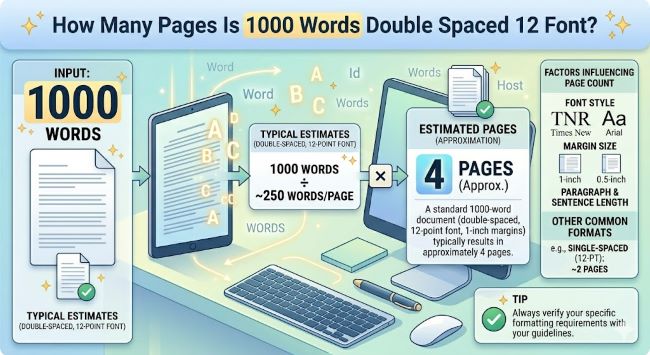
How many pages is 1000 words double spaced 12 font? The answer is 4 pages. Here is what affects that number and how to format your document correctly every time.
You have hit 1000 words and you are wondering if that is enough, or you have been assigned a 1000 word paper and you want to know what you are actually in for. Either way, the question is simple: how many pages is 1000 words double spaced at 12 point font?
The answer is 4 pages.
That holds for standard academic formatting, which most assignments default to. But a few settings can push that number up or pull it down, and knowing which ones matter can save you from a last-minute formatting scramble. Here is everything you need to know.
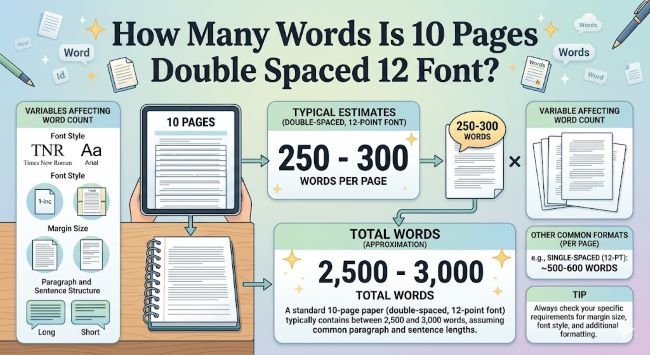
How Many Words Is 10 Pages Double Spaced 12 Font?
Wondering how many words is 10 pages double spaced 12 font? The answer is around 2,500 words. Here is what affects that number and how to hit your page count accurately.
The Standard: 1000 Words Double Spaced at 12 Font
The 4-page estimate assumes the following setup:
- Font: Times New Roman, 12pt (or a similar standard typeface)
- Spacing: Double spaced throughout
- Margins: One inch on all four sides
- No extra spacing added between paragraphs
Under those conditions, a single page holds roughly 250 words. Divide 1000 by 250 and you get 4 pages. Clean and simple.
This is the formatting combination that most high school and college assignments specify. If your assignment matches it, 1000 words will land you right at 4 pages.
What Can Change the Page Count
The 250-words-per-page rule is a reliable estimate, but it is not fixed. A handful of formatting choices shift it in ways that are worth knowing about before you start.
Font choice. Times New Roman at 12pt is one of the narrower standard fonts. Arial and Calibri at the same size run a little wider, which means slightly fewer words fit on each page. Georgia is wider still. The difference between fonts is small per page, maybe 10 to 20 words, but across a 4-page document it can mean finishing a little short or a little long.
Margins. The standard is one inch on all sides. Word’s old default was 1.25 inches, and some templates still use it. Wider margins mean less text on each page, so your 1000 words might stretch to 4.5 pages instead of 4. If your assignment specifies one-inch margins, check that your document actually reflects that before you start.
Paragraph spacing. Double spacing applies to the lines within your text. Some style guides, like APA, also add space after each paragraph. That is extra whitespace on top of double spacing, and it reduces how many words fit on a page. If your document uses both, expect each page to hold closer to 230 words, which pushes 1000 words past 4 pages.
Title blocks and headers. If your paper includes a header with your name, course, instructor, and date at the top, that block takes up space. A standard MLA header can occupy the equivalent of 60 to 80 words worth of space on page one. Factor that in when you are calculating whether you have hit your target.
Word to Page Reference Table
If you are working with different word counts, here is how they translate to pages under standard double spaced, 12pt formatting:
| Word Count | Pages (approx.) |
|---|---|
| 250 words | 1 page |
| 500 words | 2 pages |
| 750 words | 3 pages |
| 1,000 words | 4 pages |
| 1,250 words | 5 pages |
| 1,500 words | 6 pages |
| 2,000 words | 8 pages |
| 2,500 words | 10 pages |
| 3,000 words | 12 pages |
| 5,000 words | 20 pages |
Format First, Write Second
The single best habit you can build for any written assignment is setting up your formatting before you type a single word. It sounds obvious, but most people write first and format later. That leads to surprises: your word count looks right but your page count is off because a margin was wrong or spacing was set incorrectly.
Here is a quick checklist to run through before you start:
- Set your font to the required typeface and size (usually Times New Roman, 12pt)
- Set line spacing to double, with no added space before or after paragraphs
- Set all margins to one inch
- Add your name, course, and title block if the style guide requires it
In Microsoft Word, go to Home > Line and Paragraph Spacing > 2.0, then click “Remove Space After Paragraph” to make sure no extra spacing is creeping in. Check margins under Layout > Margins > Normal (which sets one inch on all sides).
In Google Docs, go to Format > Line and paragraph spacing > Double, and make sure “Add space before paragraph” and “Add space after paragraph” are both unchecked.
Once the formatting is right, the page count you see while writing is the page count you will submit. No adjustments needed at the end.
Tracking Your Word and Page Count While You Write
Both Word and Google Docs show you exactly where you stand as you write.
In Microsoft Word, the bottom left corner of the screen shows your current page and total page count in real time. Word count appears there too, or under Review > Word Count.
In Google Docs, go to Tools > Word Count for a snapshot. You can also turn on a live word count display that sits in the bottom left corner of your document as you type.
Use the page count display rather than doing the math yourself. It accounts for your exact formatting and updates as you go.
The Short Answer
1000 words double spaced at 12 point font is 4 pages under standard formatting. Set up your document correctly before you start writing, keep an eye on the live page count, and you will hit your target without any last-minute adjustments. The math is simple once the formatting is right.