Zed is a fully offline-capable, open source, keyboard-focused, Chrome-based text and code editor you can use to edit local files as well as remote files on any server. It’s built using web technologies (100% HTML, CSS and JavaScript) yet has all features you’d expect from a capable code editor:
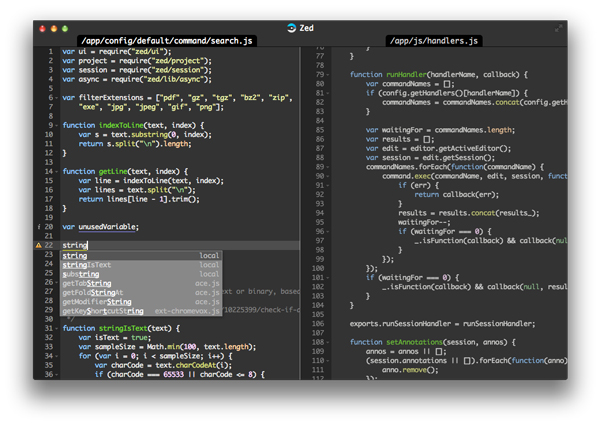
– Syntax highlighting for many programming languages (e.g. C, Clojure, CoffeeScript, C#, – CSS, Dart, Erlang, Go, Haml, Haskell, HTML, ini files, Java, JavaScript, JSON, LogiQL, Lua, Markdown, Nix, PHP, Plist, Protobufs, Python, Ruby, Shell, XML)
– Code completion: symbols and (customizable) snippets
– Built-in linting for some languages with inline markers (JavaScript, CoffeeScript, JSON, Lua, CSS)
– Multiple cursors
– Split-view editing
– Themes: light and dark themes out of the box and you can easily develop your own using CSS.
[gpp_button color=”blue” url=”http://zedapp.org/” title=”code editor” icon_left=”external” target=”_blank” size=”medium” display=”inline”]Source[/gpp_button] [gpp_button color=”blue” url=”https://chrome.google.com/webstore/detail/zed-code-editor/pfmjnmeipppmcebplngmhfkleiinphhp” title=”code editor” icon_left=”cloud-download” target=”_blank” size=”medium” display=”inline”]Direct Install (Chrome)[/gpp_button]