Best Outdoor Security Cameras Without Subscription: 10 Picks With Free Local Storage
Many popular security cameras look affordable until you see the monthly fee. Cloud storage plans often cost $4 to $15 per month per camera, or more for a whole-home plan. Over five years, that can add hundreds of dollars to the price of a single camera, and several important features may stop working if you cancel.
The good news is that plenty of outdoor cameras record locally and keep smart features free. This guide lists 10 specific models, compares them side by side, and explains how local storage works. You will learn how to choose the best outdoor security cameras without subscription costs for your yard, driveway, and doors.
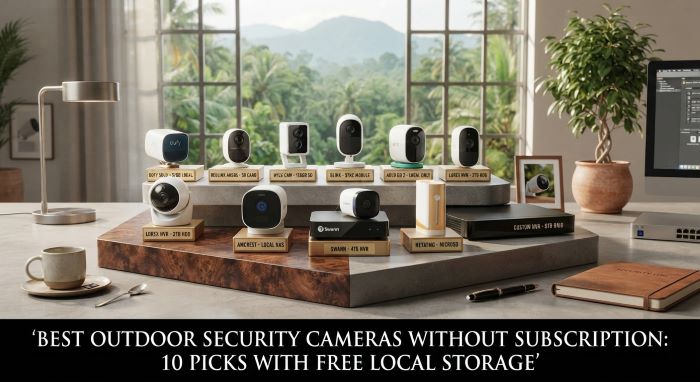
How No-Subscription Cameras Work
Instead of uploading video to a paid cloud service, these cameras store footage locally. Common options include:
- microSD cards: A card inside the camera stores clips. Most support 128GB to 512GB cards.
- Onboard storage (eMMC): Some cameras have built-in memory, so no card is needed.
- Home base or hub: A base station inside your home stores video from multiple cameras. eufy’s HomeBase and Reolink’s Home Hub work this way.
- NVR (network video recorder): A dedicated recorder with a large hard drive stores video from wired cameras. Lorex and Reolink sell NVR systems.
- NAS or HomeKit Secure Video: Advanced users can send footage to a home network storage drive or use Apple’s HomeKit Secure Video with an iCloud plan they may already have.
You still view live video and recordings through a free phone app. The difference is where your video lives.
What Free Features to Expect
The best outdoor security cameras without subscription offer these features at no extra cost:
- Live view from your phone
- Motion alerts
- Person and vehicle detection on many models
- Two-way audio
- Night vision, often in color
- Local recording and playback
- Activity zones to cut down on false alerts
Some brands still lock advanced features, like facial recognition or long cloud history, behind optional paid plans. Always check what works without a subscription before you buy.
Comparison Table: Best Outdoor Security Cameras Without Subscription
| Camera | Resolution | Local Storage | Power | Smart Detection (Free) | Approx. Price | Best For |
|---|---|---|---|---|---|---|
| Reolink Argus 4 Pro | 4K | microSD up to 256GB or Reolink Home Hub | Battery, optional solar | Person, vehicle | around $129 | Best overall wire-free |
| eufy SoloCam S340 | 3K and 2K dual lens | 8GB onboard | Battery, built-in solar | Person, vehicle | around $160 | 360 degree pan with solar |
| TP-Link Tapo C520WS | Dual 4MP and 2MP | microSD up to 512GB | Wired outlet | Person, vehicle | $48 to $60 | Budget 24/7 recording |
| Wyze Cam v4 | 2.5K | microSD up to 256GB | Wired USB | Person | $35 to $45 | Lowest cost per camera |
| Aqara Camera Hub G5 Pro | 4MP | 8GB onboard, NAS, HomeKit | Wired USB-C or PoE | Person, vehicle, pet | around $200 | Apple HomeKit users |
| Lorex 4K Wired NVR System | Up to 4K | NVR hard drive | Wired PoE | Person, vehicle | $300 to $1,500 | Whole-property coverage |
| eufyCam S3 Pro | 4K | HomeBase 3 | Battery, solar | Person, vehicle, face (local) | $400 to $550 kit | Multi-camera wireless setups |
| Reolink RLC-810A | 4K | microSD or NVR | Wired PoE | Person, vehicle | $60 to $90 | Affordable PoE upgrade |
| Wyze Battery Cam Pro | 2.5K | microSD | Battery | Person | $90 to $100 | Budget wire-free |
| Blink Outdoor 4 with Sync Module 2 | 1080p | USB drive in Sync Module 2 | Battery (AA lithium) | Motion alerts | $100 to $130 bundle | Very long battery life |
Prices change often, and free features vary by firmware and region. Check each brand’s current feature list before you buy.
1. Reolink Argus 4 Pro
The Reolink Argus 4 Pro is a strong all-around pick for wire-free outdoor coverage. It records sharp 4K video and uses a wide-angle dual lens design to capture a broad field of view. Its ColorX night vision shows color footage in low light, which makes it easier to identify people and vehicles at night.
It stores video on a microSD card or Reolink Home Hub, runs on battery, and works with an optional solar panel. Person and vehicle detection are free. At around $129, it is one of the best outdoor security cameras without subscription for most homes.
2. eufy SoloCam S340
The eufy SoloCam S340 combines a wide-angle 3K lens with a 2K telephoto lens and motorized 360-degree pan and tilt. It can track people as they move across your yard. A built-in solar panel keeps it charged in sunny locations.
It stores footage on 8GB of onboard memory, so you do not need a card. It costs around $160 and suits homeowners who want wide coverage from a single camera.
3. TP-Link Tapo C520WS
The Tapo C520WS is an excellent budget pick for continuous recording. It uses dual lenses, supports microSD cards up to 512GB, and records 24/7 when plugged into power. Starlight color night vision helps in dim conditions.
It costs around $50, which makes it an easy way to cover a driveway or backyard without monthly fees.
4. Wyze Cam v4
The Wyze Cam v4 is one of the cheapest capable cameras available. It records 2.5K video, has a small spotlight for color night vision, and works indoors and outdoors thanks to its weather-resistant design.
It stores video on a microSD card and includes free person detection. Plug it into an outdoor outlet or run a weatherproof USB cable. At around $35 to $45, you can cover several areas for the price of one premium camera.
5. Aqara Camera Hub G5 Pro
The Aqara Camera Hub G5 Pro is designed for smart home users, especially those in the Apple ecosystem. It supports HomeKit Secure Video, local onboard storage, and NAS recording. It can also act as a smart home hub.
It uses wired power or PoE, so it suits permanent installations. It costs around $200.
6. Lorex 4K Wired NVR System
Lorex sells complete systems with multiple wired cameras and an NVR with a large hard drive. These systems record continuously and never require a subscription for local storage.
They cost more upfront, often $300 to $1,500 depending on camera count, but they provide whole-property coverage and reliable wired connections. They are a strong choice for larger homes and small businesses.
7. eufyCam S3 Pro
The eufyCam S3 Pro is a premium wireless camera that stores video on the eufy HomeBase 3. It records 4K video, uses solar charging, and offers local AI features, including facial recognition processed on the HomeBase rather than in the cloud.
It is typically sold in kits with a HomeBase. It is ideal for multi-camera wireless setups where you want advanced features without fees.
8. Reolink RLC-810A
The Reolink RLC-810A is an affordable 4K PoE camera. PoE means a single Ethernet cable delivers both power and data, which makes it very reliable. It stores video on a microSD card or a Reolink NVR.
It is a great upgrade for homeowners willing to run cables for a permanent setup.
9. Wyze Battery Cam Pro
The Wyze Battery Cam Pro offers wire-free installation with 2.5K video, color night vision, and microSD storage. It is a budget-friendly way to cover spots without nearby outlets.
10. Blink Outdoor 4 With Sync Module 2
Blink cameras are known for their long battery life, rated up to two years on AA lithium batteries. When paired with the Sync Module 2 and a USB drive, Blink can store clips locally without a subscription.
Some smart features, like person detection, require a paid plan. It works best for people who want simple, long-lasting cameras and can accept basic motion alerts.
Wired vs. Battery vs. Solar
Wired and PoE cameras never need charging, support continuous recording, and offer the most reliable connections. They take more effort to install.
Battery cameras install in minutes almost anywhere. They usually record only when motion is detected to save power. You need to recharge them every few weeks to months.
Solar cameras combine the flexibility of battery cameras with minimal maintenance, as long as the panel gets several hours of direct sunlight per day.
For renters, battery and solar cameras are often the best outdoor security cameras without subscription needs, since they require no drilling into walls for wiring.
How Much Storage Do You Need?
Storage needs depend on resolution, recording mode, and how much activity your cameras capture.
- Motion-only recording: A 128GB microSD card often stores weeks of clips.
- Continuous 2K recording: A 256GB card might store about one to two weeks.
- Continuous 4K recording: Needs larger cards or an NVR with a hard drive.
Most cameras automatically overwrite the oldest footage when storage fills up, so you always keep the most recent recordings.
Protecting Local Footage
One downside of local storage is that a thief could steal the camera and the footage with it. Reduce this risk by:
- Mounting cameras high, at least 8 to 10 feet off the ground.
- Using a home base or NVR stored safely inside the house.
- Choosing cameras that back up to a NAS or HomeKit Secure Video.
- Positioning cameras so they can see each other.
Comparing With Subscription Cameras
Subscription cameras from brands like Ring, Arlo, and Nest offer convenient cloud backup and polished apps. For a broader look at those options and how they compare, see the guide to the best security cameras for home, which covers indoor, outdoor, and subscription-based models side by side.
If you want zero monthly costs, the cameras in this guide give you strong protection while keeping your money in your pocket.
Security Cameras for Small Businesses
Many of these cameras also work well for small shops, offices, and home-based businesses. NVR systems like Lorex and PoE cameras like the Reolink RLC-810A are popular choices, since they record continuously and scale easily. Pair cameras with good lighting, strong locks, and access controls for a complete setup. These tips to improve your business security systems setup explain how to combine cameras with other measures for better protection.
Installation Tips
- Cover all entry points: front door, back door, garage, and side gates.
- Mount cameras 8 to 10 feet high, angled slightly downward.
- Avoid pointing cameras directly at the sun or bright lights.
- Check Wi-Fi signal strength at each location before mounting.
- Use a Wi-Fi extender or mesh system for distant cameras.
- Seal outdoor cable connections with weatherproof covers.
The True Cost of a Subscription
It helps to put subscription costs in perspective. A typical single-camera cloud plan costs about $4 to $5 per month, while whole-home plans often cost $10 to $20 per month. Over five years, a $10 monthly plan adds about $600 to the cost of your system. For a home with four cameras on individual plans, that number can climb even higher.
By comparison, a 256GB microSD card costs roughly $20 to $30 and can last for years. An NVR with a hard drive costs more upfront but serves an entire system with no monthly bill. Choosing from the best outdoor security cameras without subscription requirements can easily save hundreds of dollars over the life of your system.
Night Vision: What to Look For
Most break-ins and package thefts happen after dark, so night vision matters. Infrared night vision shows black-and-white footage and works in complete darkness. Color night vision uses spotlights or very sensitive sensors to show color at night, which helps identify clothing and vehicle colors. Starlight sensors, like those in the TP-Link Tapo C520WS, capture color in very low light without bright spotlights. Many of the best outdoor security cameras without subscription fees now include color night vision at no extra cost.
Smart Home Integration
If you use a smart home platform, check compatibility before buying. Many no-subscription cameras work with Amazon Alexa and Google Home for live view on smart displays. Aqara and some eufy models support Apple HomeKit. Reolink and several other brands support RTSP, which lets advanced users connect cameras to Home Assistant or third-party recording software. Integration lets you trigger lights, sirens, or notifications when motion is detected, all without a paid plan. For tech-savvy homeowners, open standards make the best outdoor security cameras without subscription even more flexible.
Choosing a Reliable microSD Card
Not all memory cards handle constant recording well. Security cameras write data repeatedly, which wears out standard cards faster. Look for high-endurance microSD cards designed for dash cams and security cameras. Buy from reputable brands and retailers to avoid counterfeits. Format the card in the camera’s app before first use, and check it every few months to confirm recordings are saving properly. Replacing a card every two to three years keeps recording reliable, since even high-endurance cards eventually wear out.
Firmware Updates Matter
Keep camera firmware updated through the brand’s app. Updates fix security holes, improve detection accuracy, and sometimes add new free features. Turn on automatic updates where available, and check for updates manually every few months if not.
Privacy and Legal Considerations
Point cameras at your own property. Avoid recording into neighbors’ windows or private yards. Some states restrict audio recording without consent, so check local laws before turning on audio. Local storage also improves privacy, since your footage stays in your home instead of on a company’s servers.
Choosing the Right Camera
For wire-free outdoor coverage, the Reolink Argus 4 Pro offers 4K video and free smart detection. For wide coverage with solar power, the eufy SoloCam S340 stands out. For tight budgets, the Wyze Cam v4 and TP-Link Tapo C520WS deliver strong features for under $60. For whole-property protection, a Lorex NVR system provides continuous wired recording.
The best outdoor security cameras without subscription give you reliable protection with no ongoing costs. Choose based on power source, storage type, and coverage needs, and your system will pay for itself compared to monthly plans.
Key Takeaways
- Cameras without subscriptions store video locally on microSD cards, onboard memory, a home base, or an NVR.
- The Reolink Argus 4 Pro is a top wire-free pick with 4K video, color night vision, and free person and vehicle detection.
- The eufy SoloCam S340 adds 360-degree pan and a built-in solar panel with onboard storage.
- The Wyze Cam v4 and TP-Link Tapo C520WS offer strong budget options under $60.
- Lorex NVR systems and Reolink PoE cameras suit larger homes and small businesses that need continuous recording.
- Mount cameras high and store hubs or NVRs indoors to protect local footage from theft.
- Check which features are free before buying, since some brands still lock advanced tools behind paid plans.