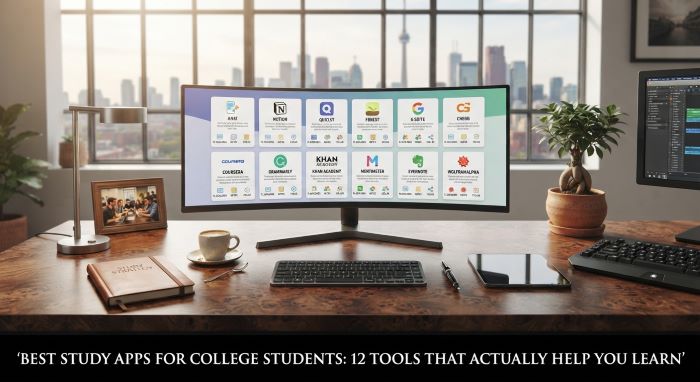
Best Study Apps for College Students: 12 Tools That Actually Help You Learn
College throws a lot at you at once: lectures, readings, labs, group projects, exams, and a social life you are trying to keep alive in between. Staying on top of it all takes more than willpower. The right apps can turn your phone and laptop from distraction machines into genuine study tools, helping you take better notes, remember more, manage deadlines, and actually focus. The trick is picking a handful that work together instead of downloading twenty and using none. This guide covers the best study apps for college students, what each one does well, what it costs, and how to build a simple setup that fits your classes.
What a good study app should do
Before the list, think about the jobs you need done. Most students need help in five areas:
- Taking and organizing notes from lectures and readings
- Memorizing information for exams through flashcards and active recall
- Staying focused instead of drifting to social media
- Planning and tracking deadlines across multiple classes
- Managing research and citations for papers
Few apps do all five well, so the best approach is a small stack: one app for notes, one for memorization, one for focus, one for planning, and one for research if your courses require it. The best study apps for college students are the ones you will actually open every day, so simplicity matters.
The 12 best study apps for college students
Prices are approximate and change often, so check current plans and student discounts before you pay.
1. Anki (free on most platforms; about 25 dollars one time on iPhone)
Anki is the gold standard for memorization. It uses spaced repetition, a proven learning technique that shows you each flashcard right before you are likely to forget it. That timing locks information into long-term memory far more efficiently than rereading notes. Medical, law, and language students swear by it.
It is free on Windows, Mac, Linux, Android, and the web, with a one-time fee for the iPhone app. The interface looks dated and takes some learning, but the results are hard to beat.
Best for: Memorizing large amounts of information for exams.
2. Notion (free, with a free Plus plan for many students)
Notion is an all-in-one workspace for notes, class dashboards, task lists, and project planning. You can build a page for each course with lecture notes, assignment trackers, reading lists, and exam dates all in one place. Templates made by other students make setup fast.
The free plan covers most needs, and students with a school email can often get the Plus plan free. Its flexibility is its strength, though it can tempt you to spend more time organizing than studying.
Best for: Organizing every class in one customizable hub.
3. Quizlet (free with limits; Plus about 36 dollars a year)
Quizlet offers flashcards plus a huge library of study sets made by other students, which can save hours if your course material is common. Study modes like Learn, Match, and Test add variety to review sessions.
The free version has limits, and Quizlet Plus unlocks more features. It is less powerful than Anki for long-term retention but friendlier and faster to start with.
Best for: Quick flashcard review and premade study sets.
4. Goodnotes (free tier; paid plans from about 12 dollars a year)
If you study on an iPad with a stylus, Goodnotes is a favorite for handwritten notes. You can write directly on lecture slides and PDFs, organize notebooks by class, and search your handwriting. It feels close to paper but is far easier to organize.
A limited free tier lets you try it, with paid plans for more notebooks and features.
Best for: Handwritten notes and annotating slides on a tablet.
5. Microsoft OneNote (free)
OneNote is a free, flexible digital notebook that works across Windows, Mac, iPad, Android, and the web. It supports typing, handwriting, audio recording, and embedded files, and many colleges include it with student Microsoft 365 accounts.
It can get messy at scale, but for a free, cross-platform notes app, it is hard to beat.
Best for: Free, flexible notes across every device.
6. Obsidian (free for local use)
Obsidian stores your notes as plain text files on your own device and lets you link ideas together, building a web of connected knowledge over time. Students who love making connections between courses, or who want notes they fully own, often prefer it.
It is free for personal use, with a paid add-on for syncing between devices. There is a learning curve, but it rewards students who think in connections.
Best for: Linked, long-term note systems you own.
7. Forest (free download with paid options)
Forest turns focus into a game. You plant a virtual tree when you start a study session, and if you leave the app to check your phone, the tree dies. Over time you grow a forest that shows how much focused time you have logged. The brand also partners with a real tree-planting organization.
It is simple but surprisingly effective for phone-addicted students.
Best for: Breaking the habit of checking your phone while studying.
8. Todoist (free; Pro about 4 dollars a month billed yearly)
Todoist is a clean, fast to-do list app that helps you capture every assignment, reading, and deadline. You can type tasks in natural language, like “essay draft Friday 5pm,” and it schedules them automatically. Projects and labels let you organize by course.
The free plan works well for most students, with Pro adding reminders and more features.
Best for: Tracking assignments and deadlines across classes.
9. Google Calendar (free)
Sometimes the simplest tool is the most important. Google Calendar lets you block out class times, study sessions, work shifts, and deadlines in one view. Color-coding by course and setting reminders keeps surprises to a minimum. Time blocking, where you schedule specific study sessions on your calendar, is one of the most effective habits for college students.
Best for: Time blocking and seeing your whole week at a glance.
10. Zotero (free with 300 MB storage)
Zotero is a free, open-source reference manager that saves sources from your browser with one click, stores PDFs, and generates citations and bibliographies in APA, MLA, Chicago, and thousands of other styles. For research papers, it saves hours of formatting and prevents lost sources.
The free tier includes limited cloud storage, with cheap upgrades if you store many PDFs.
Best for: Research papers, citations, and bibliographies.
11. Otter.ai (free tier; student pricing available)
Otter.ai records and transcribes lectures in real time, giving you searchable text you can review later. It is useful for fast-talking professors or for students who want to focus on listening rather than frantic note-taking. The free plan includes a monthly allowance of transcription minutes, with a discounted student rate for more.
Always check your school’s and professor’s policy on recording lectures first.
Best for: Transcribing lectures and reviewing what you missed.
12. Khan Academy (free)
Khan Academy offers free video lessons and practice exercises in math, science, economics, computer science, and more. When a lecture leaves you confused, a short Khan Academy video often explains the concept more clearly. It is especially helpful for intro courses and prerequisite review.
Best for: Filling knowledge gaps and reviewing tough concepts.
Quick comparison table
| App | Category | Price (approx.) | Best for |
|---|---|---|---|
| Anki | Flashcards | Free (iPhone about 25 dollars once) | Long-term memorization |
| Notion | Notes and planning | Free, student Plus often free | All-in-one class hub |
| Quizlet | Flashcards | Free, Plus about 36 dollars/yr | Quick review, shared sets |
| Goodnotes | Handwritten notes | Free tier, from 12 dollars/yr | Tablet note-taking |
| OneNote | Notes | Free | Cross-device notebooks |
| Obsidian | Linked notes | Free locally | Connected knowledge |
| Forest | Focus | Free with paid options | Phone-free study sessions |
| Todoist | Tasks | Free, Pro about 4 dollars/mo | Deadline tracking |
| Google Calendar | Scheduling | Free | Time blocking |
| Zotero | Research | Free (300 MB) | Citations and sources |
| Otter.ai | Transcription | Free tier, student rate | Lecture transcripts |
| Khan Academy | Learning | Free | Concept review |
How to build your study stack
The best study apps for college students work best as a small, connected system. Here is a simple starter stack that covers every need without overwhelming you:
- Notes: Notion or OneNote (or Goodnotes if you use an iPad)
- Memorization: Anki for serious exam prep, Quizlet for quick review
- Focus: Forest
- Planning: Todoist plus Google Calendar
- Research: Zotero for any class with papers
Start with just three or four apps and add others only if you feel a real gap. More apps mean more places to check, and the goal is less friction, not more. The best study apps for college students fade into the background and simply make good habits easier.
Picks by major
Different fields benefit from different tools, so tailor your setup:
- Pre-med and nursing: Anki is close to essential for anatomy, pharmacology, and board prep.
- Humanities and social sciences: Zotero and Notion or Obsidian help manage readings and papers.
- STEM: Khan Academy for concept review, Goodnotes for working through problems by hand.
- Languages: Anki or Quizlet for vocabulary.
- Computer science: Coding-specific tools matter too, and this guide to the Best Programming Tools for Students covers editors and platforms that pair well with a general study stack.
- Design: Creative programs need their own toolkits, and these Useful Apps That Will Make Life Easier for Web Design Students fill that gap for design majors.
Free versus paid: what is worth the money?
Money is tight for most students, and the good news is that many of the best study apps for college students are free or nearly free. Anki, OneNote, Obsidian, Google Calendar, Zotero, and Khan Academy cost nothing for most users, and Notion often offers its upgraded plan free to students. You can build a complete, effective setup without spending a cent.
Paid upgrades make sense only when you hit a real limit. If you handwrite every note on an iPad, a Goodnotes plan is worth it. If you transcribe lectures daily, Otter’s student rate may pay for itself in saved time. If Quizlet’s free limits keep interrupting your review sessions, Plus can be a reasonable buy during exam season. The rule of thumb: use the free version for at least a few weeks before paying, and cancel anything you stop opening.
Always check for student discounts before paying full price. Many companies offer reduced rates with a verified school email, and some bundle their tools through your university. Your campus IT or library website often lists free software available to enrolled students, including premium versions of apps you might otherwise pay for.
Setting up your apps at the start of the semester
The first week of the semester is the best time to build your system. A quick setup routine makes the rest of the term much smoother:
- Enter every deadline from each syllabus into Todoist or your calendar right away.
- Create a notes space for each course in Notion, OneNote, or Goodnotes.
- Block recurring study sessions on Google Calendar, just like class times.
- Set up a Zotero folder for any class with a research paper.
- Start an Anki or Quizlet deck for courses heavy on memorization, and add cards after every lecture.
Spending an hour on this setup in week one saves many stressful hours later. The best study apps for college students deliver the most value when they are set up before deadlines start piling up.
Study habits that make apps work
Even the best study apps for college students cannot replace good habits. Apps work best when they support proven techniques:
- Active recall: Test yourself instead of rereading. Flashcard apps make this easy.
- Spaced repetition: Review material over days and weeks, not all at once the night before.
- Time blocking: Schedule study sessions like classes, so they actually happen.
- The Pomodoro method: Study for 25 minutes, then take a 5-minute break. Forest and timer apps help.
- Single-tasking: Close other tabs and silence notifications while you study.
Combine two or three of these habits with the right apps and you will study smarter, not just longer.
Mistakes to avoid
Students often undercut their own app setup. Watch out for these:
- Downloading too many apps. Juggling ten tools wastes the time they were supposed to save.
- Over-organizing. Building the perfect Notion dashboard can become a form of procrastination.
- Paying before trying. Start with free tiers and upgrade only when you hit a real limit.
- Ignoring student discounts. Many apps offer student pricing, so always check with your school email.
- Letting the phone win. Keep study apps on a separate home screen from social media.
Using AI study tools wisely
Many students now use AI assistants to summarize readings, generate practice questions, or explain tough concepts. These can be helpful study partners when used to understand material rather than to skip the learning. Always check your school’s academic integrity policy, verify facts against your course materials, and never submit AI-generated work as your own. The goal is to learn the material, and the tools should serve that goal.
The bottom line
The right tools can make college less chaotic and your studying far more effective. The best study apps for college students cover five core jobs: Notion, OneNote, or Goodnotes for notes; Anki and Quizlet for memorization; Forest for focus; Todoist and Google Calendar for planning; and Zotero for research, with Otter.ai and Khan Academy as helpful extras. Start with a small stack of three or four free apps, pair them with proven habits like active recall and time blocking, and add tools only when you feel a real need. Do that, and your devices become one of your biggest academic advantages.
Key Takeaways
- Most students need apps for five jobs: note-taking, memorization, focus, planning, and research, and a small stack covers them best.
- Anki is the top memorization tool thanks to spaced repetition, while Quizlet offers quick review and premade study sets.
- Notion, OneNote, Goodnotes, and Obsidian handle notes, with Goodnotes best for handwritten tablet notes and Obsidian for linked ideas.
- Forest helps you stay off your phone, while Todoist and Google Calendar keep deadlines and study sessions organized.
- Zotero manages research sources and citations, Otter.ai transcribes lectures, and Khan Academy fills knowledge gaps for free.
- Start with three or four free apps, use student discounts, and avoid over-organizing or downloading too many tools.
- Apps work best alongside habits like active recall, spaced repetition, time blocking, and single-tasking.