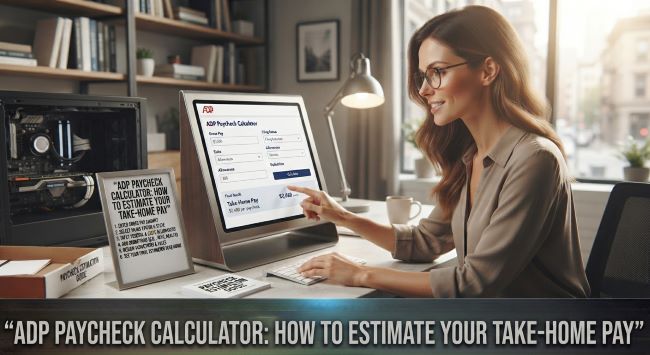
ADP Paycheck Calculator: How to Estimate Your Take-Home Pay
The gap between your salary and what actually lands in your bank account can be a surprise, especially when you are starting a new job, changing your withholding, or just trying to budget accurately. Taxes, benefits, and deductions all take their cut before your paycheck reaches you, and figuring out that final take-home number is not always obvious. This is where a tool like the ADP paycheck calculator comes in, giving you an estimate of your net pay so you can plan with real numbers. Here is how it works, what it needs from you, and how to use it well, with the note that these tools provide estimates and are not a substitute for professional tax or financial advice.
What the ADP Paycheck Calculator Does
It is a free online tool that estimates your take-home (net) pay after taxes and deductions are subtracted from your gross pay. ADP is a well-known payroll and human resources company, and it offers these calculators as a helpful resource for estimating paychecks. The basic idea is simple: you enter your pay and relevant details, and the calculator estimates what you will actually receive after everything is withheld.
This is genuinely useful because gross pay (your salary or hourly wage) and net pay (what you take home) can differ significantly once federal, state, and local taxes, plus benefits and other deductions, are accounted for. It helps close that knowledge gap with a quick estimate.
What Information You Need
To get an accurate estimate, you will generally need to provide several pieces of information:
- Your gross pay, whether a salary or an hourly rate and hours worked.
- Your pay frequency, such as weekly, biweekly, semimonthly, or monthly.
- Your filing status, like single or married, from your tax withholding.
- Your state, since state taxes vary widely and significantly affect take-home pay.
- Allowances or withholding details, based on your W-4 information.
- Deductions, such as retirement contributions, health insurance premiums, and other pre-tax or post-tax deductions.
The more accurate and complete the information you enter, the more accurate the estimate will be. Having a recent pay stub or your W-4 handy makes filling it in easier.
How to Use It Step by Step
Using the calculator is straightforward:
- Find the calculator on ADP’s website, where they offer salary and hourly paycheck calculators.
- Choose the right calculator for your situation, salary or hourly.
- Enter your gross pay and pay frequency.
- Add your filing status and state, since these strongly affect the result.
- Enter your deductions, including retirement, insurance, and any others you have.
- Review the estimate, which shows your estimated take-home pay after taxes and deductions.
The whole process takes just a few minutes, and it gives you a much clearer picture of your actual paycheck than looking at your gross salary alone.
What It Helps You Understand
Beyond a single number, the calculator helps you understand several useful things:
Your real take-home pay, the number that actually matters for budgeting, rather than the gross figure on your offer letter.
The impact of taxes, showing how much goes to federal, state, and local taxes, which many people underestimate.
The effect of deductions, letting you see how retirement contributions or insurance premiums change your paycheck.
Withholding scenarios, since you can adjust the inputs to see how changes to your W-4 or deductions would affect your take-home pay, which is helpful when deciding how much to withhold or contribute.
This makes the ADP paycheck calculator useful not just for a one-time estimate, but for planning and understanding your finances more broadly.
Common Uses
People turn to the ADP paycheck calculator in a range of situations:
- Starting a new job, to estimate the actual take-home pay from a salary offer.
- Budgeting, to plan around the real net amount rather than the gross.
- Changing withholding, to see how adjusting your W-4 would affect your paycheck.
- Adjusting retirement contributions, to understand the paycheck impact of contributing more or less.
- Comparing job offers, factoring in different salaries, states, and benefits.
- Understanding a raise, to see how much of a pay increase actually reaches your take-home pay after taxes.
Important Things to Keep in Mind
While the ADP paycheck calculator is a helpful tool, a few caveats matter:
It provides estimates. The results are estimates based on the information you enter and general tax rules, not exact figures. Your actual paycheck may differ.
Tax situations are complex. Individual circumstances, credits, and specific situations can affect your actual taxes in ways a general calculator may not fully capture.
It is not financial or tax advice. The ADP paycheck calculator is an informational tool, not a substitute for guidance from a qualified tax professional or financial advisor, especially for complex situations.
Keep inputs current, since tax rules and rates change, and accurate, up-to-date inputs give better estimates.
For important financial decisions, or if your situation is complex, consulting a tax professional or financial advisor is the right step, since they can account for the full picture in a way a general calculator cannot.
The bottom line on the ADP paycheck calculator is that it is a free, useful tool for estimating your take-home pay after taxes and deductions, helpful when starting a job, budgeting, adjusting withholding, or comparing offers. Enter accurate details about your pay, filing status, state, and deductions for the best estimate, and use the result to plan with realistic numbers. Just remember it provides estimates rather than exact figures, and it is not a replacement for professional tax or financial advice when you need it.
Key Takeaways
- The ADP paycheck calculator is a free online tool that estimates your take-home pay after taxes and deductions.
- It bridges the gap between gross pay (your salary or wage) and net pay (what you actually receive).
- To use it, enter your gross pay, pay frequency, filing status, state, withholding details, and deductions.
- The more accurate and complete your inputs, the more accurate the estimate, so a recent pay stub or W-4 helps.
- It helps you understand your real take-home pay, the impact of taxes, and how deductions and withholding changes affect your paycheck.
- Common uses include starting a job, budgeting, changing withholding, adjusting retirement contributions, and comparing offers.
- The results are estimates based on your inputs and general rules, not exact figures.
- It is an informational tool, not a substitute for professional tax or financial advice, especially for complex situations.