How to Transfer Money from Cash App to Apple Pay Without a Card
Cash App and Apple Pay are two of the most widely used payment platforms, but they don’t connect to each other directly. You cannot send money from Cash App to Apple Pay in a single step the way you might transfer between two bank accounts. However, there are reliable workarounds that move money between the two without needing a physical debit card. This guide explains exactly what’s possible, what the most practical methods are, and how to do it.
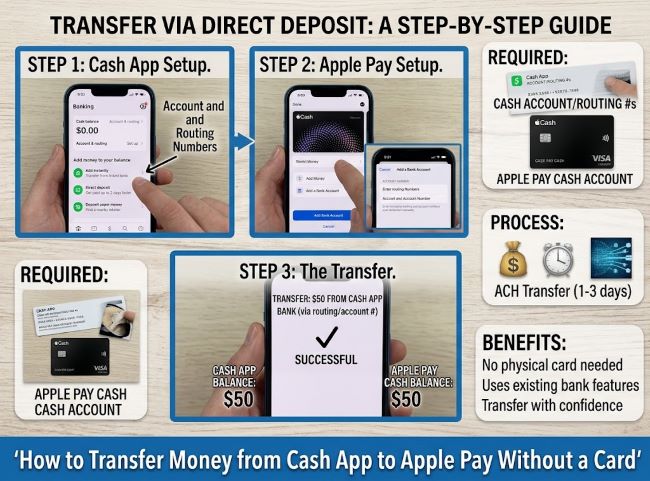
Why You Can’t Transfer Directly from Cash App to Apple Pay
Cash App and Apple Pay are separate ecosystems built by different companies (Block, Inc. and Apple respectively) and they have no native integration with each other. There is no “Send to Apple Pay” button in Cash App, and Apple Pay doesn’t have a receive-from-Cash App option.
This means transferring money from Cash App to Apple Pay without a card requires routing the money through an intermediary: almost always a bank account or debit card that both platforms are connected to. The bank account is the bridge.
Method 1: Transfer Through a Linked Bank Account (Most Reliable)
This is the most reliable method for transferring money from Cash App to Apple Pay without a physical card, and it works entirely through your phone.
Step 1: Cash App to your bank account
Open Cash App and tap the $ (dollar sign) icon at the bottom of the screen. Tap Cash Out. Enter the amount you want to transfer. Choose your linked bank account as the destination. Select Standard (1-3 business days, free) or Instant (immediate, up to 1.5% fee with a $0.25 minimum). Tap Cash Out to confirm.
If you haven’t linked a bank account yet, go to the Cash App home screen, tap your profile icon in the top right, then tap Linked Banks and add your bank account using your account and routing numbers, or connect via your bank’s login credentials.
Step 2: Bank account to Apple Pay
Once the money is in your bank account, Apple Pay can use it through your linked debit card. In Apple Pay, your debit card is the funding source: when you add your bank’s debit card to Apple Wallet, Apple Pay draws directly from that account.
If you have Apple Cash (Apple’s peer-to-peer payment service within Apple Pay) set up, you can also add money from your bank account directly to your Apple Cash balance. To do this: open the Wallet app, tap your Apple Cash card, tap the three dots in the top right corner, tap Add Money, and enter the amount you want to move from your bank account to your Apple Cash balance.
Timeline: Standard Cash App transfer takes 1-3 business days. Instant transfer takes minutes but costs a fee.
Method 2: Using a Virtual Debit Card
If you have a virtual debit card associated with your bank account (most major banks and neobanks like Chime, SoFi, or Current provide these), you can add that virtual card number to Apple Wallet without ever handling a physical card.
Step 1: Transfer money from Cash App to your bank account (as described above).
Step 2: In the Wallet app on your iPhone, tap the + button in the top right corner.
Step 3: Select Debit or Credit Card.
Step 4: Follow the prompts to add your bank’s virtual debit card by entering the card number manually or scanning it if your bank displays it in their app.
Once added, this card appears in Apple Wallet and can be used as a funding source for Apple Pay purchases. Money moved from Cash App to the bank account behind this card is now accessible through Apple Pay.
Method 3: Cash App Cash Card to Apple Wallet (If You Have One)
If you have a Cash App Cash Card (Cash App’s Visa debit card), you can add this card to Apple Wallet directly, which means Apple Pay can use funds from your Cash App balance.
Step 1: Open Cash App and tap the Cash Card tab (the card icon at the bottom).
Step 2: Tap Add to Apple Wallet if this option appears.
Step 3: Follow the Apple Wallet prompts to add the card.
Once added, Apple Pay will charge your Cash App Cash Card (and therefore your Cash App balance) when you use Apple Pay at supported merchants. This effectively makes your Cash App balance available through Apple Pay without any transfer between accounts.
The limitation: the Cash Card prompt to add to Apple Wallet is available in most regions but may not appear in all cases. If you don’t see it, use Method 1.
Method 4: Using Venmo or PayPal as an Intermediary
Some users route through Venmo or PayPal when a bank account method is slower than needed:
Step 1: Transfer from Cash App to your bank account.
Step 2: Move from bank to Venmo or PayPal if you need peer-to-peer functionality rather than just card access.
This adds an extra step and only makes sense in specific situations. For most transfers, the direct bank account route is simpler and cheaper.
Fees and Timing to Know
Cash App standard transfer: free, 1-3 business days to your bank.
Cash App instant transfer: 0.5%-1.5% of the transfer amount, minimum $0.25, money arrives in minutes.
Apple Cash bank transfer: free for standard (1-3 business days); instant transfer to a debit card costs 1.5% (minimum $0.25, maximum $15).
Bank account transfers: typically free but check your specific bank’s policies.
The fastest fee-free path is: Cash App instant transfer to bank account → bank account accessible through Apple Pay debit card. This costs the Cash App instant transfer fee but moves money the same day.
For related financial tools worth understanding alongside payment apps, why is it important to find a credit card with a lower APR is relevant for anyone managing multiple payment methods and wants to understand the cost differences between credit and debit-based payment tools.
Key Takeaways
- Cash App and Apple Pay have no direct integration: transferring money between them requires routing through a linked bank account
- The most reliable method: Cash Out from Cash App to your bank account, then access those funds via your bank’s debit card added to Apple Wallet
- If you have a Cash App Cash Card, you can add it directly to Apple Wallet, making your Cash App balance usable through Apple Pay without any transfer
- Virtual debit cards from neobanks (Chime, Current, SoFi) can be added to Apple Wallet without a physical card by entering the card details from your banking app
- Standard Cash App bank transfers are free but take 1-3 business days: instant transfers cost 0.5%-1.5% but arrive in minutes
- Apple Cash (in the Wallet app) can receive funds directly from a linked bank account, providing another way to move money from the bank side into Apple’s ecosystem
- The fastest same-day fee-free workaround doesn’t exist: some fee (Cash App instant transfer) or some wait time (standard bank transfer) is always part of the process