
How to Combine Technology With Things You Already Use
You probably have enough gadgets at home already. What you might need is a way to make some of the things you use every day a little more useful. According to Parks Associates research, the average US internet household now has 17.8 connected devices. That’s quite a lot of technology for one home, especially when some of those devices only get used for a few minutes each day.
Buying something new every time you run into a small inconvenience isn’t always the answer. It can get expensive, and before long, you have a drawer full of gadgets and cables you rarely touch.
Instead, think about the things you already rely on. Your keys, lamps, watch, and glasses are good places to start. With a few small additions, some of these everyday items can take on extra tasks without changing how you normally use them. And you don’t have to turn your whole house into a smart home to get started.
Start With What You Already Do Every Day
Before shopping for anything, pay attention to the little problems that keep coming up during your day.
Maybe you’re always searching for your keys before leaving the house. Perhaps you get to work and wonder whether you turned off the heater. Or you find yourself looking for a phone charger every evening because the one you need has somehow ended up in another room.
Make a note of these things as they happen. You might find that a few simple changes would save you more trouble than buying an expensive new device.
Parks Associates found that around 20 million US households own only one or two smart devices and use them to solve a specific need.
That’s a reasonable place to start. Pick something that bothers you regularly and see whether a small piece of technology can help. If it works, you can always add something else later.
There’s no reason to buy several connected devices at once. Taking your time also gives you a chance to find out whether you’re actually using what you’ve bought or whether it ends up sitting in a drawer.
Add Smart Features to Objects You Own
You don’t always need to replace something to give it a new function.
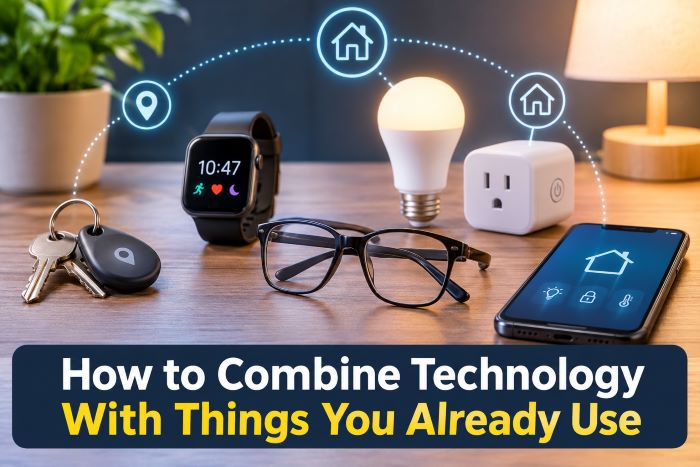
Take your keys, for example. A small Bluetooth tracker attached to your key ring can help you locate them using your phone. You can put a similar tracker in your wallet or attach one to a bag you regularly carry.
Smart plugs are another useful example. Plug an ordinary lamp or fan into one, and you can set a schedule or control the power from your phone. Some coffee makers can be used with them, too, although it’s important to check that the appliance is suitable for this type of control.
You can also replace an ordinary bulb with a smart bulb without buying a new lamp. And if you’re tired of searching for charging cables, putting a wireless charging pad on your bedside table might solve that particular annoyance.
None of these changes requires you to get rid of something that still works.
It’s worth trying a basic option before spending money on a more expensive version. A simple tracking tag might be all you need, while a smart plug could do the job without replacing an entire appliance.
Parks Associates reports that 49% of US internet households now own at least one core smart home product. These devices are widely available, and there are plenty of options at different prices.
Just make sure anything you buy works with the phone and other devices you already use. Otherwise, you could end up downloading a different app for every little thing in your house.
Look at What You Already Wear
Some of the things we use most often aren’t kept around the house at all. We wear them.
Watches are a familiar example. A smartwatch can track your steps and sleep, show messages, and handle other small tasks while sitting on your wrist. Glasses are another accessory that manufacturers have started adding technology to, and that makes sense when you consider how many people wear them throughout the day.
According to the American Optometric Association, around 128 million Americans have presbyopia, an age-related change in vision that makes it harder to focus on things up close. Millions more wear glasses to correct distance vision or astigmatism.
For those people, putting on a pair of glasses is already part of the morning routine.
But adding technology to eyewear brings up a practical question: can the frames accommodate the prescription someone needs?
Smart glasses contain electronic components such as batteries, speakers, and cameras within the frame. That leaves manufacturers with certain limits when it comes to lens thickness and prescription strength. Lenses that are too thick can also put extra pressure on the frame and hinges.
It’s worth checking those limits before choosing a pair. Meta’s help page lists a supported prescription range of -12.00 to +6.00 total power for most Ray-Ban Meta styles. One Aviator style has a narrower range of -6.00 to +4.00, and any astigmatism correction is included in the total.
Meta glasses with prescription lens options are available with single-vision and progressive lenses, so both distance and reading prescriptions can be considered. There are also audio-only frames and clip-on accessories for people who don’t need as many built-in functions.
IDC forecasts that 13.6 million smart glasses will ship in 2026, an increase of 41.4% compared with the previous year.
Even with more models appearing, comfort is still worth putting near the top of the list. If you’re going to wear something for twelve hours a day, the weight, fit, and how it sits on your face will probably matter more than a few extra features.
Make Your Devices Work Together
Once you’ve added a few connected devices to your routine, you might find ways to make them work together.
For example, you could set a lamp to turn on when you arrive home or have your phone silence notifications automatically when you begin exercising. Most smartphones already support simple routines like these, so you may not need to buy anything else.
Start with something you’ll actually use every day.
If you’ve never set up an automation before, there’s little point in creating ten different routines at once. Try one, see whether it makes your day easier, and add others only when you have a reason to.
You probably don’t need a separate smart home hub, either. Parks Associates reports that only 5% of US internet households use stand-alone hubs, meaning most people manage their connected devices without one.
Sticking mainly with one system, such as Apple, Google, or Amazon, can also make things simpler.
When you’re shopping for a new connected product, look for the Matter logo. Matter is a shared standard that helps devices from different manufacturers communicate with one another.
That can be useful when you already have products from several brands and don’t want to keep switching between apps just to control a few lights.
Check the Small Print Before You Commit
Before buying a connected accessory, it’s worth checking a few details that aren’t always obvious from the product description.
Battery life is one. Find out how often the device needs charging and whether it uses a cable you already own or requires a separate charger.
Take a look at the companion app as well. What information does it collect? Does it need access to your location, contacts, or other personal data? Some permissions may be necessary for certain features, but you can often turn off the ones you don’t use.
Subscription costs are another thing to watch.
According to Parks Associates, 53% of smart home device owners don’t pay subscription fees, while 37% pay for a home security service. Before buying anything, check whether the features you want are available without a monthly payment.
And don’t forget what happens when the technology stops working.
A tracking tag might help you find your keys, but the key itself should still work when the tag runs out of battery. The same goes for a lamp connected to a smart plug. You should still be able to switch it on or off without reaching for your phone.
Adding technology to everyday objects is useful when it makes things easier. If a simple task becomes more complicated because an app isn’t working or a battery has died, the extra features aren’t doing much to help.
Conclusion
You don’t have to replace everything you own to make use of newer technology. Sometimes a small addition to something you already use is enough.
Start by looking at the things that regularly cause inconvenience. Maybe a tracking tag would save you from searching for your keys, or a smart plug could take care of a lamp you keep forgetting to turn off. Watches and glasses are worth considering, too, particularly when you’re already wearing them every day.
Try one change at a time and see whether it earns a place in your routine. There’s no need to keep adding devices simply because they’re available.
The most useful technology is often the kind that lets you carry on doing what you normally do, with a little less effort.