Best Office Chair for Long Hours
Finding the best office chair for long hours is not about picking whatever looks nice in a product photo. It is about lumbar support, seat depth, recline tension, and materials that hold up after months of daily use. A chair that feels fine for twenty minutes in a showroom can leave you sore and stiff after a full eight hour workday. This guide lists specific, named chairs worth considering, explains what actually makes a chair good for extended sitting, and covers how to set one up correctly once it arrives.
What Makes a Chair Good for Long Hours
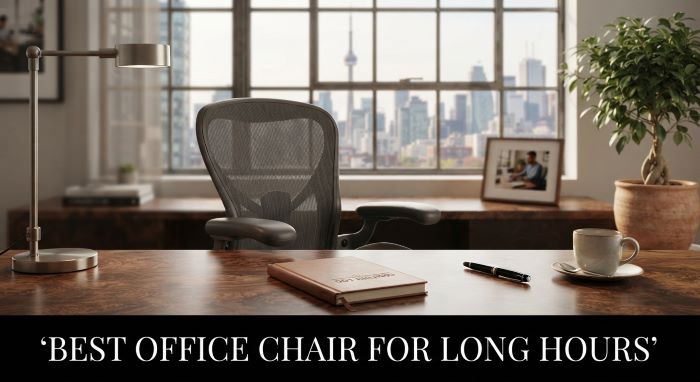
Before jumping into specific picks, it helps to know what separates the best office chair for long hours from an average one. Look for adjustable lumbar support that moves up, down, and in depth to match your lower back. Look for a seat pan with waterfall edges that do not cut off circulation behind your knees. Look for four dimensional armrests you can raise, lower, widen, and pivot. Recline tension and a locking mechanism matter too, since being able to lean back and take pressure off your spine periodically reduces fatigue during a long day. Breathable mesh or high density foam also matters, since a chair that traps heat becomes uncomfortable well before the workday ends.
Comparison Table: 10 Chairs at a Glance
| Chair | Back Material | Lumbar Support | Standout Feature | Approx. Price | Best For |
|---|---|---|---|---|---|
| Herman Miller Sayl | Suspension elastomer | Adjustable | Flexible, tension based back | $700 to $900 | All day comfort with movement |
| Branch Ergonomic Chair Pro | Mesh | Adjustable | Smooth recline at a mid price | around $500 | Premium features on a budget |
| Steelcase Leap | Upholstered foam | LiveBack, adjustable firmness | Comfortable from the first sit | from $1,399 | Wide range of body types |
| Steelcase Gesture | Upholstered foam | Adjustable | 360 degree arm supports | $1,499 to $2,300+ | Heavy keyboard and mouse use |
| Uplift Clarksville | Mesh | Four way adjustable | Low price, real adjustability | around $359 | Home offices on a budget |
| Herman Miller Aeron | Pellicle mesh | PostureFit SL | Three sizes, very breathable | $1,400 to $1,900 | People who run warm |
| Secretlab Titan Evo | Cold cure foam | Magnetic, adjustable | Firm, contoured seat | $500 to $650 | Gamers and firm seat fans |
| Autonomous ErgoChair Pro | Mesh | Adjustable | Headrest included | $400 to $500 | Remote workers, mid budget |
| X-Chair X2 | Mesh | Dynamic variable | Optional heat and massage | $900 to $1,100 | Lower back tension |
| HON Ignition 2.0 | Mesh | Adjustable | Five year warranty | $300 to $500 | Budget daily use |
Prices change with sales and configurations, so check the current listing before you buy.
1. Herman Miller Sayl
The Sayl is one of the most recommended options for people searching for the best office chair for long hours, and for good reason. Its suspended, tension based back flexes with your movement instead of forcing your spine into one fixed position, and the breathable material keeps you cool during long stretches at a desk. It comes with a solid warranty and is built to hold up under daily use for years, which makes the upfront cost easier to justify.
2. Branch Ergonomic Chair Pro
The Branch Ergonomic Chair Pro offers adjustable lumbar support, a smooth reclining mechanism, and a comfortable middle ground price point. It is a strong choice for anyone who wants most of the ergonomic features found in premium chairs without paying premium chair prices. The seat cushion holds its shape well over months of daily sitting, which is exactly what you want from the best office chair for long hours.
3. Steelcase Leap
The Steelcase Leap is frequently named a top upgrade pick because it adapts to a wide range of body types right out of the box. Its LiveBack technology mimics the natural curve of your spine as you move, shift, and recline throughout the day. Reviewers consistently note that it feels comfortable from the first sit, without the lengthy break in period some ergonomic chairs require.
4. Steelcase Gesture
The Steelcase Gesture takes things further with arm supports designed to move naturally with you as you type, reach for a mouse, or use a tablet. For anyone who spends the entire workday at a keyboard, this level of arm and shoulder support meaningfully reduces strain, making it a genuine contender if your budget allows for a premium purchase.
5. Uplift Desk Clarksville Ergonomic Chair
The Clarksville brings four way adjustable lumbar support to a much lower price point than the premium options above. It is a smart pick for anyone furnishing a home office who still wants real ergonomic adjustability. The seat height range and tilt lock features make it comfortable for a full workday without the four figure price tag.
6. Herman Miller Aeron
The Aeron remains one of the most recognizable ergonomic chairs on the market, and it earns that reputation through fully breathable Pellicle mesh, PostureFit SL lumbar support, and a build quality that regularly lasts over a decade of daily use. It comes in three sizes, which matters because a chair sized correctly for your body is a bigger factor in comfort than almost any other single feature.
7. Secretlab Titan Evo
Originally built for gaming, the Titan Evo has become a legitimate pick for people who want a more structured, supportive seat than mesh office chairs typically offer. It features magnetic head and lumbar pillows, cold cure foam that resists sagging, and a wide recline range. If you like a firmer seat with more contouring around your hips and lower back, this is worth considering alongside traditional office chairs.
8. Autonomous ErgoChair Pro
The ErgoChair Pro delivers adjustable lumbar support, a headrest, and breathable mesh at a price well below most premium competitors. It is a dependable middle tier option for remote workers who sit for long stretches but do not want to spend a full paycheck on seating.
9. X-Chair X2
The X2 uses a dynamic variable lumbar support system that flexes with your spine as you move rather than staying locked in one fixed position. It also offers an optional heating and massage module, which some long hour desk workers find genuinely useful for easing lower back tension during a demanding day.
10. HON Ignition 2.0
The Ignition 2.0 is a budget friendly pick that still delivers adjustable lumbar support, a synchro tilt mechanism, and a five year warranty. It will not have every bell and whistle of the premium options above, but it holds up well for daily long hour use and is a common choice for home offices on a tighter budget.
What About Gaming Chairs?
If you have already looked into gaming chairs as a budget friendly alternative, you are not alone. Many gaming chairs offer decent lumbar pillows and reclining features at a lower price than dedicated office chairs, and a handful of models genuinely compete with the best office chair for long hours in terms of comfort. Just be aware that most gaming chairs prioritize bolstered side support over the breathable, movement friendly design found in ergonomic office chairs, so they tend to feel warmer during extended sitting.
Setting Up Your Home Office Around Your Chair
A great chair only performs at its best when the rest of your setup supports it. If you are planning or redesigning a home office layout, tools that help you design rooms faster with AI can help you figure out desk height, monitor placement, and lighting before you commit to a layout. Pairing the best office chair for long hours with a properly positioned monitor and desk height prevents the neck and wrist strain that even a great chair cannot fix on its own.
How to Adjust Your Chair Correctly
Buying the right chair is only half the equation. Even the best office chair for long hours will cause discomfort if it is not adjusted for your body. Start with seat height so your feet are flat on the floor and your knees form roughly a ninety degree angle. Adjust the lumbar support so it sits in the curve of your lower back, not your mid back. Set armrests so your shoulders stay relaxed rather than hunched or shrugged. Finally, adjust recline tension so the chair supports you when you lean back rather than feeling like it might tip you forward.
When to Replace Your Chair
Foam compresses, mesh stretches, and gas lift cylinders wear out over years of daily use. If your chair sinks lower than it used to, if the lumbar support no longer feels firm, or if you notice new back or hip discomfort that was not there before, it is a sign your chair has reached the end of its useful life. Investing in a quality replacement at that point is almost always cheaper than the physical therapy bills that come from ignoring the warning signs.
Chair Sizing: Why Your Height and Weight Matter
Most reviews of the best office chair for long hours focus on features and skip over sizing, but sizing is arguably just as important. A chair rated for a 250 pound weight capacity will not hold up well under someone heavier, and the cushioning will compress and lose support far faster than the manufacturer’s warranty period suggests. On the other end, someone under five foot four often finds that a standard sized chair leaves their feet dangling above the floor, which puts pressure on the back of the thighs and cuts off circulation over a long day. Several of the chairs above, including the Herman Miller Aeron and the X-Chair X2, come in multiple sizes or offer adjustable seat depth specifically to solve this problem. Before buying, check the manufacturer’s recommended height and weight range rather than assuming a chair with strong reviews will automatically fit your body the same way it fit the reviewer’s.
Accessories That Make a Good Chair Even Better
Even a well chosen ergonomic chair performs better when paired with the right accessories. A footrest helps shorter users maintain proper knee angle without sacrificing correct seat height. A separate monitor arm keeps your screen at eye level, which reduces the neck strain that no chair, however well designed, can fully solve on its own. A keyboard tray positioned slightly below standard desk height allows your elbows to rest at roughly ninety degrees, working together with your chair’s armrests rather than fighting against them. Anti fatigue mats matter less for seated work but become relevant if your setup includes a sit stand desk you use throughout the day. None of these accessories replace a good chair, but they close the gaps that even premium seating cannot address alone.
Standing Desks and Chair Pairings
Many people shopping for a new ergonomic chair are also considering a sit stand desk, and the two purchases genuinely work best together rather than as substitutes for one another. Alternating between sitting and standing throughout the day reduces the total strain on any single part of your body, including the lower back pressure a chair is designed to relieve. If you already own or are planning to buy a standing desk, prioritize a chair with a wide height adjustment range so it can be lowered enough to pair comfortably with the desk’s lowest sitting position, since some premium ergonomic chairs are optimized for a narrower height range than budget models.
Common Mistakes People Make When Buying an Office Chair
A few mistakes come up again and again when people shop for the best office chair for long hours. The first is buying based on looks alone, since a chair that photographs well is not necessarily engineered for eight hours of daily use. The second is skipping the weight and height specifications, which leads to a chair that never quite fits correctly no matter how it is adjusted. The third is assuming a higher price always means better ergonomics, when in reality a well designed mid range chair like the Branch Ergonomic Chair Pro or Uplift Clarksville often outperforms an expensive chair that was not built with your specific body type in mind. The fourth and most common mistake is buying the chair and never actually adjusting it, leaving the lumbar support, armrests, and recline tension at factory defaults that rarely match any individual user correctly.
Mesh vs Foam: Which Material Fits Your Body
The material debate comes up constantly once people move past brand and price comparisons. Mesh chairs, like the Herman Miller Sayl and Aeron, stay cooler over a long workday since air circulates through the weave rather than getting trapped against your back. The tradeoff is that mesh offers less contouring and can feel firmer under the hips for people who prefer a plusher seat. Foam chairs, like the Secretlab Titan Evo, contour more closely to your body and tend to feel immediately comfortable, but they can trap heat over several hours, especially in a warm room or during summer months. Neither material is objectively better. Someone who runs warm or lives somewhere hot generally does better with mesh, while someone who gets cold easily or prefers a firmer, more structured seat tends to prefer foam. A handful of chairs, including several Steelcase models, blend the two by using foam cushioning on a mesh backed frame, which is worth considering if you cannot decide between the two extremes.
Budget Planning: What You Actually Need to Spend
Ergonomic seating spans an enormous price range, from under 200 dollars to well over 1,500 dollars, and spending more does not always buy proportionally more comfort. A realistic budget of 300 to 500 dollars, covering options like the Uplift Clarksville or Autonomous ErgoChair Pro, gets you genuine adjustable lumbar support and a five to ten year usable lifespan for most people. Stepping up to the 700 to 1,000 dollar range, where the Herman Miller Sayl and X-Chair X2 sit, typically buys noticeably better materials and a longer, more comprehensive warranty. Above 1,200 dollars, where the Steelcase Gesture and premium Herman Miller Aeron configurations land, you are largely paying for advanced arm mechanics, a wider size range, and marginal comfort gains that matter most to people who sit for ten or more hours a day rather than a standard eight hour shift. Match your budget to how many hours you actually spend seated, since someone working six hours a day at a desk will see less benefit from a top tier chair than someone working twelve.
Trying Before You Buy
Whenever possible, sit in a chair for at least fifteen to twenty minutes before committing to a purchase, since early discomfort or numbness often takes that long to show up. Several premium brands, including Herman Miller and Steelcase, sell through showrooms or authorized dealers in major cities where you can test a floor model before ordering. If an in person test is not realistic, prioritize retailers with a generous return window, ideally thirty days or more, so you have enough time to sit in the chair during real workdays rather than judging it after a brief trial in your living room. Pay attention not just to how the chair feels in the first hour but to how your back and hips feel at the very end of a full workday, since that is the real test any ergonomic chair needs to pass. Take note of how the chair performs during different tasks too, since leaning forward to type feels different from leaning back to take a phone call, and a chair that only excels in one posture will still leave you shifting around uncomfortably during the other.
Key Takeaways
- The best office chair for long hours needs adjustable lumbar support, a proper seat depth, four dimensional armrests, and breathable materials.
- The Herman Miller Sayl, Branch Ergonomic Chair Pro, and Steelcase Leap are strong mid to premium picks for all day comfort.
- The Steelcase Gesture and X-Chair X2 offer advanced arm and lumbar support for people who type or use a mouse constantly.
- Budget conscious buyers should consider the Uplift Clarksville, Autonomous ErgoChair Pro, or HON Ignition 2.0.
- Gaming chairs like the Secretlab Titan Evo can be a legitimate alternative if you prefer a firmer, more contoured seat.
- Proper adjustment of seat height, lumbar depth, armrests, and recline tension matters as much as the chair itself.
- Replace your chair once foam compresses or lumbar support weakens, since ongoing discomfort usually costs more than a new chair.