Design Rooms Faster with AI: A Step-by-Step Guide
Redesigning a room often feels like a full-time job that never ends. You spend hours looking at paint chips and moving heavy furniture around just to see if it fits. AI tools now handle the heavy lifting for you in seconds. You can see a finished room before you buy a single rug or gallon of paint. This process saves you time and prevents expensive mistakes that happen when you guess.
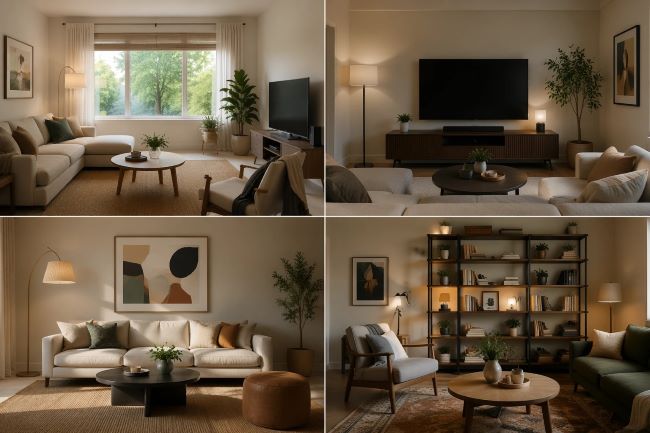
You might be a homeowner looking for a change or a professional trying to speed up your workflow. Using artificial intelligence allows you to test dozens of styles without lifting a finger. You can swap colors, change floor types, and move walls in a virtual space. This guide will show you exactly how to use these tools to create the home of your dreams quickly.
The first step is to get a clear image of your current space to use as a base. You can use a tool like Free AI Room Design to upload a photo and start seeing new possibilities immediately. This type of software looks at your walls and furniture to suggest new layouts that make sense for your specific room. It helps you avoid the frustration of trying to imagine how a new style would look in your actual house.
Sometimes the AI gets most of the room right but misses a small detail you want to fix. You might want to remove a messy cord from the corner or change the color of a single chair. An AI photo editor free helps you clean up these small parts of the image so the final result looks perfect. This ensures your vision is clear and ready to show to a contractor or a store clerk.
Step 1: Define Your Style and Goals
Before you open any software, you need to know what you want to achieve. Do you want a cozy living room or a bright and modern office? Think about the colors that make you feel relaxed or productive. You do not need to be an expert to have a good sense of style. Just look around your current home and decide what stays and what goes.
Write down a few keywords that describe your goal. You might use words like industrial, bohemian, or minimalist. These words will help the AI understand the mood you are trying to create. Having a clear goal prevents you from getting overwhelmed by the thousands of options the computer will show you. It keeps your project on track and saves you from wasting time on designs you will never use.
Step 2: Capture High Quality Photos
The AI needs a good foundation to give you the best results. Take a few photos of your room from different angles. Stand in the doorway to get a wide view of the whole space. Make sure the room is as clean as possible so the software does not get confused by piles of laundry or trash. Good lighting is also very important for a clear scan.
Open your curtains and turn on all the lights before you snap the picture. If the room is too dark, the AI might struggle to find the corners of the walls. Try to keep your phone level so the lines of the room stay straight. A clear photo means the AI can accurately place new furniture and colors exactly where they belong. This step only takes a few minutes but makes a huge difference in the final quality.
Step 3: Use AI to Generate New Concepts
Now you can upload your photo to your chosen AI platform. Most tools will ask you to select a style from a list. You can try out a modern look first and then switch to a traditional style with one click. The AI will generate a new version of your room in seconds. You will see new flooring, different wall colors, and even new furniture pieces.
Do not be afraid to experiment with styles you normally would not choose. You might find that a bold color looks great in your space even if you thought it would be too much. The best part is that you are not spending any money to see these options. You can generate fifty different versions of your kitchen in the time it takes to drink a cup of coffee. This speed is what makes AI such a powerful tool for design.
Step 4: Refine the Details and Layout
Once you find a concept you like, it is time to look at the details. Look at how the light hits the new furniture in the image. Check if the layout leaves enough room for you to walk around. If something looks a bit off, you can usually adjust the settings to try again. Most AI tools allow you to tweak the strength of the changes.
You can tell the AI to keep your existing sofa but change everything else. This is helpful if you are on a budget and only want to replace a few items. You can also focus on specific areas like the window treatments or the light fixtures. Refining the design ensures that the final plan is something you can actually build in real life. It turns a cool picture into a practical plan for your home.
Step 5: Create a Realistic Shopping List
The final step is to turn your AI image into a reality. Look closely at the items the AI placed in your room. You can use image search tools to find real products that look just like the ones in the picture. Many stores have apps that let you search by uploading a photo. This makes finding the right rug or lamp much faster than browsing through endless aisles.
Print out your favorite AI designs and take them to the store with you. This helps you stay focused on your vision so you do not buy things that do not match. You can also show these images to painters to get an exact match for the wall colors. Having a visual guide makes the shopping process much less stressful. You will feel confident knowing exactly how everything will look once it is put together.
Comparison of Popular AI Design Styles
| Style Name | Main Visual Elements | Best Room Type |
| Modern | Metal, glass, and sharp lines | Small apartments |
| Rustic | Natural wood and warm tones | Large living rooms |
| Industrial | Exposed brick and dark colors | Home offices |
| Scandinavian | White walls and light wood | Bedrooms |
| Bohemian | Bright patterns and many plants | Sunrooms |
Tips and Best Practices for AI Design
To get the most out of your AI tools, you should follow a few simple rules. First, always check the measurements of your room before you buy anything. AI is great at making things look pretty, but it does not always know the exact dimensions of your space. A sofa might look perfect in the image but be two feet too long for your actual wall. Keep a tape measure handy at all times.
Second, try to use the highest resolution photos possible. A blurry photo will result in a blurry design that is hard to see. If your phone has a high quality camera, use it. You should also avoid using wide angle lenses that distort the shape of the room. Straight, clear lines help the AI understand the geometry of your house much better.
Third, do not feel like you have to copy the AI image exactly. Use it as a source of inspiration rather than a strict rulebook. If the AI suggests a blue wall but you prefer green, go with the green. The tool is there to help you explore ideas, not to make the final choice for you. You are the one who has to live in the space, so make sure it feels like home.
Common Mistakes to Avoid
One of the biggest mistakes people make is ignoring the natural light in their room. AI can add virtual lights anywhere, but your real room might be dark. If you have small windows, a dark industrial style might make the room feel like a cave. Always consider where your windows are located when you look at an AI design. Make sure the colors you choose will look good in the actual light of your home.
Another common error is overcomplicating the design. It is easy to get excited and add too many features at once. This can make the room look cluttered and messy. Stick to one or two main changes at a time to see how they affect the space. You can always add more later if the room feels too empty. Keeping it simple usually leads to a much better result.
Finally, do not forget about the budget. AI does not know how much a marble floor or a custom velvet sofa costs. It will happily show you a million dollar room even if you only want to spend a thousand. Always keep your budget in mind as you look at the designs. Look for affordable versions of the items you see in the AI images to keep your project realistic.
Conclusion
Using artificial intelligence to design your home is a smart way to save time and energy. It takes the guesswork out of decorating and lets you see the future of your space. By following a simple step-by-step process, you can go from a boring room to a beautiful home in just a few hours. You no longer need to hire expensive consultants to get professional results.
Start by taking a few good photos and exploring different styles with the tools available online. Remember to refine your details and check your measurements before you start shopping. With a little bit of help from AI, you can create a space that you love without the usual stress of remodeling. Your dream home is only a few clicks away.