Best Budget 3D Printers in 2026: Great Machines Under $300
Something remarkable has happened to cheap 3D printers. The machines you can buy under $300 in 2026 include features that were high-end just two years ago: automatic bed leveling, print speeds that used to require expensive upgrades, multi-color printing, and setups so simple you can be printing within an hour of opening the box. The frustrating kit-assembly, endless-tweaking era of budget 3D printing is largely over. If you are shopping for the best budget 3D printers to start the hobby or add capability, here is the guide to the standout machines, what actually matters, and how to choose.
How Much the Category Has Changed
Understanding the current landscape sets expectations correctly. Just a few years ago, a budget 3D printer meant assembling a kit that barely worked and spending hours getting a basic cube to stick to the bed. In 2026, that is no longer the case, and the best budget 3D printers now offer features that used to cost twice as much:
- Automatic calibration, including bed leveling, flow rate, and vibration compensation, all handled for you.
- High speeds, with many machines printing at 250 to 500mm/s and above.
- Multi-color capability through add-on systems that print several colors in one job.
- Beginner-friendly setup, with guided software and near-out-of-box printing.
- Better reliability, meaning fewer failed prints and less frustration.
Competition in this price range has pushed quality up dramatically, good news for anyone entering the hobby now.
The Best Budget 3D Printers Under $300
The standout machines in 2026 for the best budget 3D printers title, each suited to a different buyer:
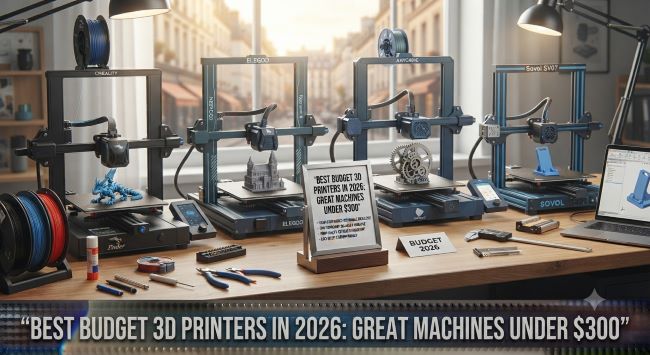
Bambu Lab A1 Mini (around $249). The clear pick for most beginners. It combines the easiest setup experience, excellent out-of-box print quality, and strong reliability, with optional multi-color capability through an add-on system. If you want a machine that just works with minimal learning curve, this is the default recommendation.
Creality Ender-3 V3 SE (around $169-199). The best value in the category and one of the most-recommended beginner machines, with the strongest community support of any printer, meaning endless tutorials and troubleshooting help online. Slightly more hands-on than the Bambu, but the price and support make it a perennial favorite.
Elegoo/Sovol Centauri Carbon (around $299). The performance pick and the cheapest enclosed CoreXY machine in the category, offering the kind of speed and build quality that appeals to users who want to push beyond basic printing. The enclosed design also handles more demanding materials.
Anycubic Kobra 3 V2 Combo. The multi-color champion at this price, unmatched for anyone whose main goal is printing in several colors in a single job.
Resin option: Anycubic Photon Mono series. For detail-focused printing (miniatures, figurines, jewelry), a budget resin printer delivers resolution no filament printer in this range can match, with the caveat that resin requires a dedicated workspace and post-processing.
FDM vs. Resin: Which Type You Need
The first real decision is the printing technology, since the two work very differently:
FDM (filament) printers. Melt and layer plastic filament to build objects. They are versatile, affordable, easy to run in a normal room, and handle most projects: functional parts, prototypes, toys, household items, and larger objects. The default choice for most people and most of the best budget 3D printers.
Resin (SLA/MSLA) printers. Cure liquid resin with light for extremely fine detail. They excel at miniatures, figurines, and detailed models, but the resin is messy, requires ventilation and post-processing (washing and curing), and the build volume is usually smaller. Choose resin only if fine detail is your specific goal.
For most beginners and general use, FDM is the right answer. Resin is a specialist tool for detail work.
What to Look For
Beyond price, the features that separate the best budget 3D printers:
| Feature | Why It Matters |
|---|---|
| Auto bed leveling | Eliminates the hardest beginner frustration |
| Print speed | Faster machines mean less waiting |
| Build volume | Determines the maximum object size |
| Ease of setup | Out-of-box printing vs. hours of assembly |
| Community support | Tutorials and help when you get stuck |
| Direct drive extruder | Handles flexible filaments better |
| Enclosed design | Needed for demanding engineering materials |
For beginners, auto bed leveling, easy setup, and strong community support matter most. Build volume and top-end speed matter more as you advance.
The True Cost of Getting Started
An honest note that catches new buyers: the printer’s sticker price is only part of the cost. Budget for filament (do not pair a good printer with the cheapest filament, which causes problems), plus tools, a build surface, and possibly an enclosure. A realistic first-year budget runs several hundred dollars beyond the machine itself once you account for materials and accessories. This is not a reason to avoid the hobby, just a reality to plan for.
Choosing the Right Printer for Your Goals
Matching the machine to your actual use prevents both overspending and disappointment. The consumer picks above serve hobbyists, students, and home users beautifully, but the calculus differs for business and production use. Anyone evaluating a printer for a company or serious production workflow should think beyond the hobbyist tier, and the guidance in Correct Type of 3D Printer for Your Company covers how business needs, from material requirements to reliability and volume, change the buying decision, since a machine perfect for a hobbyist’s weekend projects may not suit a business printing parts daily.
That said, the impressive thing about 2026 is how capable the budget tier has become even for light professional use: the enclosed CoreXY and multi-color machines in this guide handle real production tasks, with the main limitations being build volume and top-end speed rather than output quality.
The bottom line on the best budget 3D printers is that this is the best time in history to start, since under $300 now buys genuinely capable, reliable, easy-to-use machines. Pick the Bambu A1 Mini for the smoothest beginner experience, the Ender-3 V3 SE for value and community support, or a CoreXY machine for performance, and you are getting capability that cost far more just two years ago.
Key Takeaways
- The best budget 3D printers under $300 in 2026 include auto-leveling, high speeds, and multi-color features that cost twice as much two years ago.
- The Bambu Lab A1 Mini (~$249) is the top beginner pick for easy setup and reliability.
- The Creality Ender-3 V3 SE (~$169-199) is the best value with the strongest community support.
- The Elegoo/Sovol Centauri Carbon (~$299) is the cheapest enclosed CoreXY machine for performance-focused users.
- Choose FDM (filament) for versatile general use, and resin only if fine detail like miniatures is your specific goal.
- Prioritize auto bed leveling, easy setup, and community support as a beginner; build volume and speed matter more later.
- Budget several hundred dollars beyond the printer for filament, tools, and accessories in year one.
- Business and production use changes the calculus, so evaluate needs beyond the hobbyist tier for company printing.