How Many Pages Is 2000 Words Double Spaced?
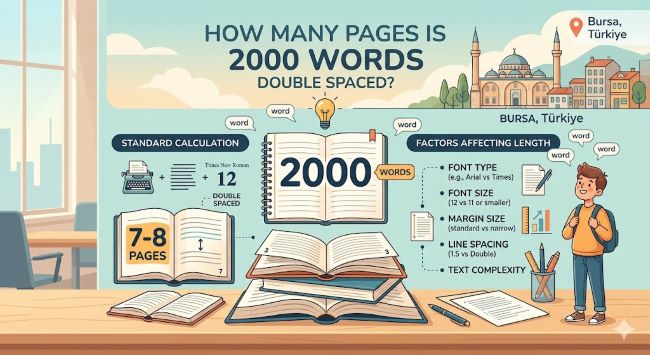
How many pages is 2000 words double spaced? The answer is 8 pages at 12pt font with standard margins. Here is what affects that number and how to format your document right.
You have been assigned a 2000 word paper, or you have hit 2000 words in a draft and want to know how many pages that translates to. The question is simple: how many pages is 2000 words double spaced?
The answer is 8 pages.
That is based on standard academic formatting, which most assignments default to. The exact number can shift slightly depending on your font, margins, and spacing settings, but 8 pages is the reliable working estimate for 2000 words double spaced at 12 point font.
The Standard: 2000 Words Double Spaced at 12pt Font
Under typical academic formatting conditions, one double spaced page holds approximately 250 words. Divide 2000 by 250 and you get 8 pages.
The assumptions behind that calculation are:
- Font: Times New Roman 12pt
- Spacing: Double spaced throughout, no extra spacing between paragraphs
- Margins: One inch on all four sides
These are the default settings for MLA, APA, and most standard college assignment formats. If your document matches these settings, 2000 words will fill 8 pages consistently.
What Can Push That Number Higher or Lower
The 8-page estimate is solid but not guaranteed. A few formatting details can shift your page count without you realizing it, especially if you set things up after writing rather than before.
Font choice matters. Times New Roman is one of the narrower standard fonts, which is part of why it became the academic default. It fits more words per line than a wider font at the same point size. If you write in Calibri, Arial, or Georgia at 12pt, expect the same 2000 words to push slightly past 8 pages because those fonts take up more horizontal space per character.
Margins make a bigger difference than most people expect. One inch on all sides is standard. But Microsoft Word has used 1.25 inch margins as a default in some versions, and many downloaded templates still carry that setting. Wider margins mean less text per line and fewer lines per page. Your 2000 words could end up closer to 9 pages if your margins are off. Check them before you start writing.
Extra paragraph spacing adds up. Double spacing refers to the space between lines within a paragraph. Some style guides and Word templates also add space between paragraphs. If your document has both, each page holds fewer words. Over 8 pages, that difference can push you to 9 or even 9.5 pages for the same word count.
Headers and title blocks take up real space. A standard MLA header (your name, instructor, course, date) plus a centered title can take up the equivalent of a quarter to a third of a page. If your assignment requires a header, your 2000 words of body text will extend slightly past 8 pages when you account for that space.
Page Count Reference Table for Double Spaced Documents
Here is how different word counts translate to pages under standard double spaced, 12pt formatting:
| Word Count | Pages (approx.) |
|---|---|
| 250 words | 1 page |
| 500 words | 2 pages |
| 750 words | 3 pages |
| 1,000 words | 4 pages |
| 1,250 words | 5 pages |
| 1,500 words | 6 pages |
| 1,750 words | 7 pages |
| 2,000 words | 8 pages |
| 2,500 words | 10 pages |
| 3,000 words | 12 pages |
| 5,000 words | 20 pages |
Format Your Document Before You Start Writing
This is the step that prevents the most formatting headaches. If you set up your document correctly before writing a single word, the page count you see on screen as you write is the page count you will submit. No adjustments needed at the end.
Here is the checklist to run through first:
In Microsoft Word:
- Set font to Times New Roman, size 12
- Go to Home > Line and Paragraph Spacing > 2.0 for double spacing
- Click “Remove Space After Paragraph” from the same menu
- Go to Layout > Margins > Normal to set one inch margins on all sides
- Add your header or title block if required
In Google Docs:
- Set font to Times New Roman, size 12 using the toolbar
- Go to Format > Line and paragraph spacing > Double
- Uncheck “Add space before paragraph” and “Add space after paragraph”
- Go to File > Page setup and confirm margins are set to one inch on all sides
- Add your header information if required
Once these settings are in place, the document works as an accurate page counter as you write.
Checking Your Page Count While You Write
Both Word and Google Docs show you where you stand in real time.
In Microsoft Word, the bottom left corner of the screen displays your current page and total page count as you type. Word count is right beside it, or go to Review > Word Count for the full breakdown.
In Google Docs, go to Tools > Word Count for a snapshot. You can also check the box to display word count while typing, which keeps it visible in the bottom left corner of your document at all times.
The live page count is more reliable than doing the math manually because it accounts for all your specific formatting settings rather than using a generic estimate.
The Short Answer
2000 words double spaced at 12pt font with standard one inch margins is 8 pages. Set up your formatting before you start writing, watch the live page count as you go, and you will hit 8 pages right when you hit 2000 words. The math stays reliable as long as the formatting stays consiste
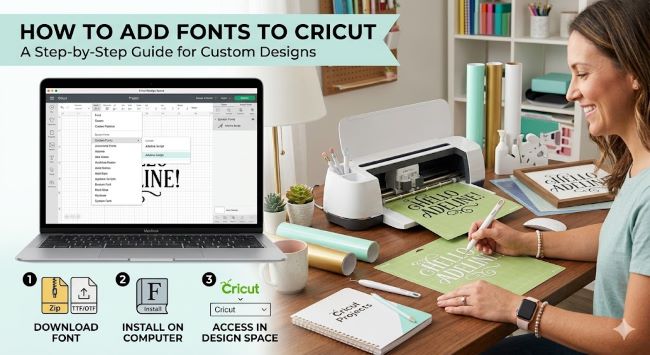
How to Add Fonts to Cricut
Learn how to add fonts to Cricut Design Space step by step. Covers installing system fonts, Google Fonts, and accessing them in your Cricut.