CR2032 Battery: The Complete Guide to This Common Coin Cell
You have almost certainly used a CR2032 battery, even if you never knew its name. This small, coin-shaped battery quietly powers an astonishing range of everyday devices, from your car key fob to your computer’s motherboard to bathroom scales and countless small electronics. It is one of the most common and widely used batteries in the world, and knowing a bit about it makes replacing one simple and stress-free. Here is the complete guide to the CR2032 battery: what it is, what uses it, how long it lasts, and how to replace it safely.
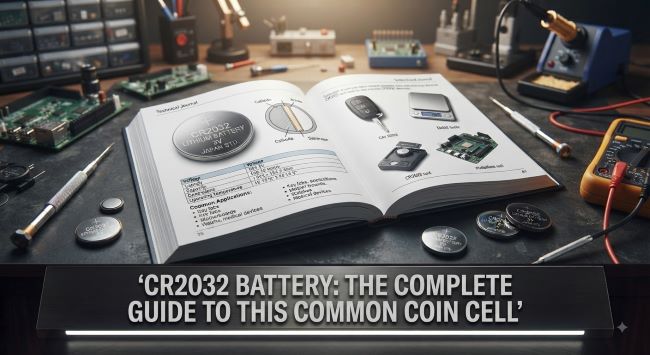
What Is a CR2032 Battery?
A CR2032 battery is a small, round, coin-shaped (or button-shaped) lithium battery. The name describes it: “CR” indicates a lithium chemistry with manganese dioxide, while “2032” gives its dimensions, meaning it is 20mm in diameter and 3.2mm thick. This standardized naming means one from any brand has the same size and voltage, so they are interchangeable.
Key characteristics include:
- 3-volt output, the standard voltage for this battery.
- Lithium chemistry, which provides a long shelf life and stable, reliable power.
- Coin/button shape, flat and round, at 20mm across and 3.2mm thick.
- Non-rechargeable, since standard CR2032 batteries are single-use (though rechargeable lookalikes exist, they are different).
- Long shelf life, often up to a decade, thanks to the lithium chemistry.
This combination of small size, reliable 3-volt output, and long life makes it ideal for powering small, low-drain devices.
What Devices Use It?
This coin cell powers a remarkable variety of devices, which is why it is so common. Typical uses include:
- Car key fobs and remote controls, one of the most common uses, where a dead CR2032 means your key fob stops working.
- Computer motherboards, where a CR2032 powers the CMOS that keeps the clock and BIOS settings when the computer is off.
- Watches and small clocks.
- Bathroom and kitchen scales.
- Fitness trackers and small wearables.
- Medical devices like glucose meters and thermometers.
- Remote controls for various electronics.
- Toys, calculators, and small electronics.
- Key finders, LED lights, and countless gadgets.
Because so many everyday devices rely on it, keeping a spare on hand is genuinely handy, since when one dies, it often leaves an important device (like your car key) suddenly not working.
How Long Does It Last?
The lifespan depends heavily on the device and how much power it draws. In low-drain devices like a motherboard’s CMOS or a watch, it can last several years, often three to five or even longer. In devices used more frequently or drawing more power, like a heavily used key fob, it may last a year or two.
It also has an impressive shelf life when stored, often up to ten years, thanks to its stable lithium chemistry, so stored spares still work years later.
Signs it needs replacing include a device working intermittently or from only very close range (common with key fobs), a device not powering on, or a computer losing its time and BIOS settings.
How to Replace a CR2032 Battery
Replacing a CR2032 battery is usually simple, following this general process:
- Get the right battery. Confirm your device uses this size (often printed on the old battery or in the manual), and buy a replacement. Since all CR2032 batteries share the same specs, any reputable brand works.
- Open the device or battery compartment. This varies by device: key fobs often have a small slot to pry open, while other devices have a compartment with a cover or screws.
- Note the orientation. Before removing the old battery, observe which way it faces. The positive (+) side, usually marked, typically faces up or toward a specific direction. Getting this right is important.
- Remove the old battery, carefully prying or sliding it out.
- Insert the new battery in the same orientation, with the positive side facing the correct way.
- Close the device and test it.
The whole process usually takes just a minute or two. The most important detail is inserting the new battery with the correct orientation, since installing it backward means the device will not work.
Safety Considerations
While this coin cell is generally safe and easy to handle, a few safety points matter, especially regarding children:
Keep away from children. This is the most important safety point. Coin batteries like the CR2032 are a serious swallowing hazard for young children and can cause severe internal injury if ingested. Store batteries safely out of reach, and keep devices containing them secured. If you ever suspect a child has swallowed a button battery, treat it as a medical emergency and seek help immediately.
Do not attempt to recharge standard CR2032 batteries, since they are not designed for it.
Dispose of them properly, following local guidelines for battery disposal or recycling rather than throwing them in regular trash where possible.
Store safely, keeping spare batteries in their packaging and away from metal objects that could short them.
The child-safety point deserves emphasis, since button-battery ingestion is a genuine and serious danger for young children, making safe storage essential in any household with kids.
Buying CR2032 Batteries
When buying, a few tips help. Since all CR2032 batteries share the same size and voltage, any reputable brand works. Buying from reputable sellers helps ensure you get fresh batteries with a full shelf life. Multi-packs offer good value, and keeping spares on hand means you are never stuck when a device suddenly dies. Just check freshness where possible, since very old stock may have depleted somewhat even with the long shelf life.
The bottom line on the CR2032 battery is that this common 3-volt lithium coin cell, measuring 20mm by 3.2mm, quietly powers countless everyday devices from car key fobs to computer motherboards. It lasts anywhere from a year to several years depending on the device, has a long shelf life for storage, and is simple to replace, just match the battery, note the orientation, and swap it in. Keep spares on hand, store them safely away from children given the serious swallowing hazard, and you will never be caught off guard when a device needs a fresh one.
Key Takeaways
- A CR2032 battery is a common 3-volt lithium coin cell measuring 20mm in diameter and 3.2mm thick.
- The name describes it: CR indicates lithium chemistry, and 2032 gives its dimensions.
- It powers countless devices, including car key fobs, computer motherboards (CMOS), watches, scales, and small electronics.
- Lifespan ranges from a year or two in higher-use devices to several years in low-drain ones like motherboards.
- It has a long shelf life, often up to a decade, so stored spares remain usable for years.
- Replacing one is simple: match the battery, note the orientation, and insert the new one with the positive side facing correctly.
- Keep coin batteries away from children, since swallowing one is a serious medical emergency.
- Any reputable brand works since all CR2032 batteries share the same specs, and keeping spares on hand is practical.