Google Block Breaker: The Complete Guide to Google’s Hidden Arcade Game
You have probably used Google thousands of times without realizing there is a fully playable arcade game hiding inside it. Google Block Breaker is exactly that: a free, browser-based brick-breaking game you can launch straight from your search, no download, no signup, no cost. It taps into the same nostalgic thrill as the classic arcade games of decades past, a simple ball, a paddle, and a wall of blocks to smash, and it has become one of Google’s most enjoyable hidden gems. Whether you are looking for a quick break between tasks or chasing a high score, this complete guide covers what Google Block Breaker is, how to play it, its history, and how to get better at it.
What Is Google Block Breaker?
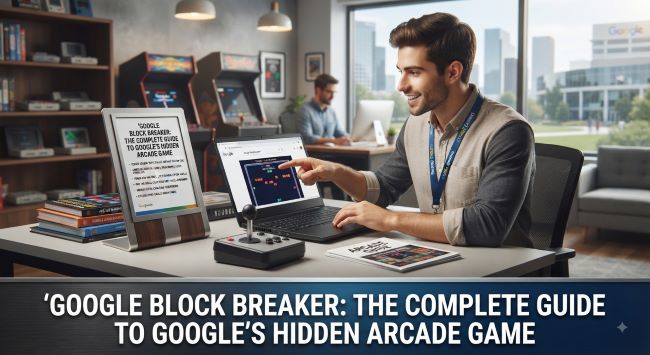
Google Block Breaker is a browser-based arcade game built around the classic brick-breaking format, playable through Google. The concept is beautifully simple: you control a paddle at the bottom of the screen, a ball bounces around above, and your job is to break all the blocks while keeping the ball from falling past your paddle.
It belongs to a genre that has entertained players for nearly fifty years, sometimes called brick breaker, block breaker, or by the name of its most famous ancestor, Breakout. The Google version brings that timeless formula into the browser with modern touches: clean visuals, multiple levels, power-ups, and the ability to share your score. It is part of Google’s long tradition of hiding playable games and interactive surprises inside its products, joining beloved entries like the Chrome dinosaur game, Pac-Man, and Snake.
The appeal lies in its accessibility and simplicity. There is nothing to install, no account to create, and no cost. You just start playing. But behind that simplicity is a genuinely addictive challenge that keeps players coming back for one more round.
The History Behind the Game
To fully appreciate this game, it helps to understand the history it draws on. The brick-breaking genre traces back to 1976, when Atari released the original Breakout arcade machine. The concept came from Atari’s founders, who envisioned a single-player twist on Pong: instead of bouncing a ball against another player’s paddle, you would bounce it against a wall of bricks, breaking them one by one.
There is a famous piece of tech history tied to that original game. Atari wanted the Breakout prototype built efficiently, and the job went to a young Atari technician named Steve Jobs, who brought in his friend Steve Wozniak to help design the hardware. That connection, two future Apple founders working on an early brick-breaker, is part of what makes the genre such a landmark in gaming and technology history.
Google has paid tribute to this legacy over the years. One of the most beloved examples was the Atari Breakout easter egg, which for years let users turn their Google Images results into a playable wall of bricks. That classic easter egg, launched to celebrate an anniversary of the original Breakout, became legendary among internet users who stumbled upon it. When Google Images was redesigned, that particular version was eventually retired, but the spirit of it lived on in newer, modern versions of the game accessible through Google. Today’s version carries that same brick-breaking DNA into a contemporary, search-based format.
How to Play Google Block Breaker
Getting into the game is refreshingly easy. Here is how to find and start playing:
Access it through Google. The simplest way to play is to search for the game through Google. Open your browser, go to Google, and search for “Google Block Breaker” or “Block Breaker.” If the game card or interactive result appears, you can launch it right there.
Launch the game. Once the game appears, click or tap the play button to start. The game typically opens with a brief animation before dropping you into the first level.
Play instantly. There is no installation, no account, and no setup. The game loads in seconds and you are playing immediately.
One thing worth knowing: Google’s hidden games and interactive results sometimes depend on your region, language settings, and browser. Many of these features load most reliably when your Google interface is set to English, so if the game does not appear, switching your Google language settings to English and trying again often helps. If it still does not show, refreshing the page, clearing your browser cache, or trying a different browser can resolve it. Google also rotates and updates its interactive features over time, so availability can vary.
The Controls
Google Block Breaker uses simple, forgiving controls that work across devices:
On desktop:
- Move the paddle left and right using your mouse or the left and right arrow keys.
- Launch the ball by clicking or pressing the space bar, depending on the version.
On mobile:
- Tap and swipe to move the paddle left and right.
- Tap to launch or interact as needed.
The controls are designed to be immediately intuitive. Within seconds of starting, you will understand exactly what to do: keep the ball bouncing, break the blocks, and do not let the ball slip past your paddle.
The Gameplay Explained
While the game looks simple, understanding the mechanics helps you play better and enjoy it more.
The core loop. A ball bounces around the screen. You use your paddle at the bottom to keep it in play, bouncing it upward into the blocks above. Each block the ball hits breaks and earns you points. Clear all the blocks to complete a level.
The angle matters. This is the single most important mechanic. Where the ball hits your paddle determines the angle it bounces off at. Hit it with the center and it goes fairly straight up; hit it with the edge and it angles sharply to the side. Skilled players use this to aim the ball at specific blocks, especially hard-to-reach ones.
Lives. You typically start with a limited number of lives. Every time the ball falls below your paddle, you lose one. Lose them all and the game ends.
Power-ups. As you break blocks, power-ups sometimes fall from them. Catching these with your paddle grants temporary advantages, which can help you clear levels faster or recover from tricky situations. Some versions also include negative effects to avoid.
Increasing difficulty. As you progress, the ball tends to speed up and the block patterns get more challenging, leaving less room for error. This gradual ramp is what keeps the game engaging over multiple levels.
Tips for a Higher Score
Once you understand the basics, these strategies will help you rack up higher scores:
Master the paddle angle. The most valuable skill is controlling the ball’s direction by where it strikes your paddle. Practice hitting the ball with the edges to send it at sharp angles, letting you target specific blocks rather than just bouncing it straight up and hoping.
Aim for the sides and top. A classic brick-breaker strategy is to work the ball up along the side walls so it gets behind or above the blocks, where it can bounce around breaking many blocks in quick succession without you needing to control it. This can clear large sections rapidly.
Stay calm as the ball speeds up. As the game progresses and the ball accelerates, panic is your enemy. Keep your movements smooth and anticipate where the ball is heading rather than reacting late.
Follow the ball’s trajectory. Watch the ball’s path and position your paddle in advance rather than chasing it. Anticipation beats reaction, especially at higher speeds.
Grab helpful power-ups. When beneficial power-ups fall, position your paddle to catch them, since they can give you a real edge. Just be aware that some versions include effects you want to avoid.
Do not get greedy. Sometimes the safe play, keeping the ball in play, is better than lunging for a risky shot and losing a life. Balance aggression with survival.
Play in focused sessions. Because many versions have no save state, meaning your progress resets when you close the tab, it is best to play with focus in a single session rather than expecting to continue later.
Why Google Block Breaker Is So Popular
The enduring popularity of Google Block Breaker comes down to a few things. It is instantly accessible, requiring nothing more than a browser and a moment of curiosity. It is free, with no ads, downloads, or accounts in the search-based versions. It taps into powerful nostalgia, recreating the arcade magic that entertained generations. And it strikes an ideal balance between simplicity and challenge, easy enough for anyone to pick up, yet satisfying enough to keep players chasing higher scores.
It also fits perfectly into the modern moment of needing a quick mental break. A round of Google Block Breaker is the ideal way to reset between tasks, pass a few minutes, or scratch that competitive itch, all without leaving your browser. That combination of accessibility, nostalgia, and addictive gameplay is exactly why it has become such a well-loved hidden gem.
Part of Google’s World of Hidden Games
Google Block Breaker is one entry in a surprisingly rich collection of games and easter eggs that Google has tucked into its products over the years. The Chrome dinosaur game that appears when you lose internet connection, playable versions of Pac-Man and Snake, and countless interactive Doodles have all delighted users who stumbled upon them. Google Block Breaker sits comfortably in this tradition, rewarding the curious with a genuinely fun game hidden in plain sight.
Discovering these hidden games is part of the fun of using Google, and Block Breaker is one of the most satisfying to find. It transforms an ordinary search bar into a portal for quick, nostalgic entertainment.
The bottom line on Google Block Breaker is that it is a free, browser-based brick-breaking arcade game accessible through Google, drawing on the classic Breakout formula that dates back to 1976. It is simple to play, control your paddle, bounce the ball, break the blocks, but genuinely challenging as speeds increase and levels advance. Master the paddle angles, aim for the sides, stay calm, and grab power-ups to boost your score. Whether you are reliving arcade nostalgia or just looking for a quick, fun distraction, Google Block Breaker delivers exactly that, hidden right inside the search engine you use every day.
Frequently Asked Questions
A few common questions come up about Google Block Breaker, and clearing them up helps you get the most out of the game.
Is it free? Yes. When played through Google, the game is completely free, with no purchase, subscription, or in-game payments required. This is part of what makes it such an appealing quick distraction.
Do I need to download anything? No. The game runs in your browser, so there is nothing to install, no app to download, and no account to create. You simply search and play.
Does my progress save? Generally no. Many versions have no save state, meaning that when you close the tab, your progress resets and you start over from the beginning next time. This is why it is best played in a single focused session.
Why can’t I find the game? Availability can depend on your region, browser, and language settings. Google’s interactive features often load most reliably when your search interface is set to English, and Google rotates and updates these features over time. If it does not appear, try switching your language settings, refreshing, clearing your cache, or trying a different browser.
Is it good for kids? Yes. The gameplay is simple, wholesome, and easy to pick up, making it suitable for players of all ages. It is a harmless, nostalgic way to pass a few minutes.
Can I play on mobile? Yes. The game works on mobile browsers with touch controls, letting you swipe to move the paddle, so you can play on your phone as easily as on a computer, whether you are on a break at work or passing time on the go.
These questions reflect the game’s biggest appeal: it is simple, free, accessible, and requires no commitment, just a quick, fun break whenever you want one.
Key Takeaways
- Google Block Breaker is a free, browser-based brick-breaking arcade game playable through Google, with no download or account needed.
- You control a paddle, bounce a ball into the blocks above, and try to clear them all without letting the ball fall past your paddle.
- The genre traces back to Atari’s 1976 Breakout, which was famously built with involvement from future Apple founders Steve Jobs and Steve Wozniak.
- Google’s classic Atari Breakout easter egg turned Google Images results into breakable bricks before being retired in a redesign.
- Controls are simple: move the paddle with your mouse, arrow keys, or touch, and launch the ball with a click or tap.
- Key mechanics include controlling the ball’s angle off your paddle, managing lives, and catching power-ups.
- Improve your score by mastering paddle angles, working the ball along the sides, staying calm, and grabbing helpful power-ups.
- It is popular for being accessible, free, nostalgic, and perfectly suited to a quick mental break, part of Google’s tradition of hidden games.