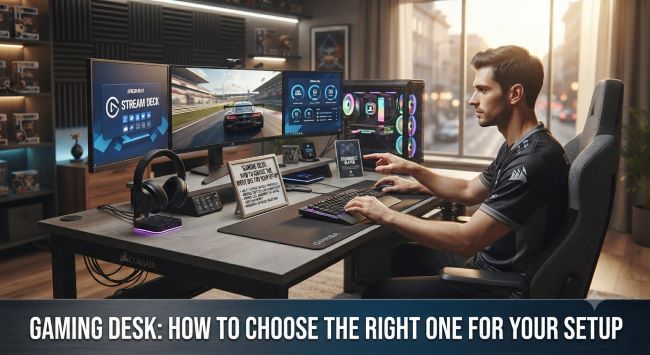
Gaming Desk: How to Choose the Right One for Your Setup
The desk is the most overlooked purchase in any gaming setup. People agonize over GPUs, spend a month researching monitors, obsess over keyboard switches, and then buy whatever surface is cheapest to hold it all. Then the desk wobbles during intense moments, the monitor arm has nowhere to clamp, cables sag into a nest behind the legs, and the whole build feels less impressive than the parts list suggests. A good gaming desk is not about RGB lighting or carbon-fiber texture. It is about the right dimensions, a stable frame, adequate depth, and cable management that actually works. Here is how to choose one.
Size: The Decision That Matters Most
Get the gaming desk dimensions right and everything else is negotiable. Get them wrong and no feature compensates.
Width. Match this to your monitor setup:
- Single monitor: 47 to 55 inches works comfortably
- Dual monitors: 55 to 63 inches minimum
- Triple monitors or ultrawide plus vertical: 63 to 79 inches
- Streaming setups with additional gear: 71 inches and up
Depth. This is the specification people underestimate constantly. A 24-inch deep desk forces monitors too close to your face for comfortable viewing. Aim for 27 to 30 inches of depth for a single monitor and 30-plus inches for larger setups or monitor arms, which push screens further back.
Height. Standard fixed desks run 29 to 30 inches, which suits most adults between roughly 5’8″ and 6’0″. Taller and shorter users benefit meaningfully from adjustable height, which is where standing desks earn their premium beyond the standing feature itself.
Measure your room before ordering anything. Fitting a 71-inch desk into a bedroom that also needs a bed, dresser, and walking space requires planning, and the approach in Maximizing Small Spaces is worth reading before buying if your room is tight.
Fixed vs. Standing Desks
The biggest structural choice:
| Factor | Fixed Height | Electric Standing |
|---|---|---|
| Price | $100-$400 | $300-$900+ |
| Stability | Generally more stable | Varies by frame quality |
| Ergonomics | One position | Adjustable, sit-stand |
| Weight capacity | Often higher | 150-350 lbs depending on motors |
| Setup | Simple | More complex |
| Best for | Budget builds, heavy setups | Long sessions, multi-user, ergonomics |
Standing desks with dual motors are noticeably more stable and faster than single-motor models, and the difference shows up immediately at full extension. If a standing desk wobbles at standing height with monitors on it, the frame is under-built for the load.
Surface Material and Finish
- Laminate/MDF. The most common and most cost-effective. Durable enough for years, available in every finish, but vulnerable to moisture damage at edges if liquid gets in.
- Solid wood. Beautiful, heavy, extremely durable, and the most expensive. Butcher block tops are popular for DIY standing desk builds.
- Tempered glass. Looks striking, shows every fingerprint, and is unfriendly to mouse tracking without a pad.
- Carbon fiber texture. A laminate finish common on gaming-branded desks; purely aesthetic.
Surface texture matters for mouse users without a mousepad, though most gaming setups use a large desk mat anyway, which makes the surface finish primarily an aesthetic decision.
The Features That Actually Matter
Ignore the gaming desk marketing checklist and focus on these:
- Weight capacity. Add up your monitors, PC (if it sits on the desk), speakers, and peripherals. A gaming desk holding two 27-inch monitors on an arm plus a tower needs a real capacity rating, and cheap desks list 50 to 80 pounds while quality ones handle 150 to 350.
- Monitor arm compatibility. Check the desktop thickness (most clamps handle 0.4 to 2.4 inches) and whether the rear edge is clear of frame supports where a clamp would go. This kills more monitor arm plans than anything else.
- Cable management. Under-desk trays, grommet holes, cable channels, and clips. A desk without these guarantees a visible cable nest. Retrofitting is possible with adhesive raceways and mesh trays, but built-in is better.
- Frame stability. T-shaped and C-shaped legs generally beat four-leg designs for stability under lateral force. Cross-bracing improves any frame.
- Leveling feet. Essential on uneven floors and often omitted from budget desks.
- Headphone hook, cup holder, and controller mounts. Genuinely useful despite feeling gimmicky, since they free desktop space.
RGB lighting on a gaming desk is purely preference. It adds nothing structurally and is easily replicated with a $20 LED strip if you want it later.
Price Tiers
- $100-$200. Basic fixed-height gaming desks, laminate surfaces, adequate for single-monitor setups and modest gear. Frame stability varies.
- $200-$400. Solid fixed-height desks with better frames, larger surfaces, and built-in cable management, plus entry-level standing desks.
- $400-$700. Quality electric standing desks with dual motors, higher weight capacities, and better surfaces. The value sweet spot for serious setups.
- $700-$1,500+. Premium standing desks, solid wood tops, motorized memory presets, and specialty designs.
A common and smart strategy: buy a quality standing desk frame separately and pair it with an affordable butcher block or laminate top. This routinely produces a better desk for less than a comparable pre-built.
Setting It Up Well
Once the gaming desk arrives, a few habits complete the build:
- Mount monitors on an arm rather than using stock stands. This reclaims enormous desk space and improves ergonomics.
- Run cables before placing gear. Cable management is far easier on an empty desk.
- Set monitor height so the top of the screen sits at or slightly below eye level, with the screen roughly an arm’s length away.
- Use a large desk mat to protect the surface and standardize mouse tracking.
- Mount the PC under the desk with a CPU holder if desktop space is tight.
Done properly, the gaming desk becomes the piece of the setup you notice least, which is exactly the point: stable, spacious, cable-free, and correctly sized so everything else on it works the way it was meant to.
Key Takeaways
- Size is the most important decision: 47-55 inches wide for single monitors, 55-63 for dual, 63-79 for triple or streaming setups.
- Depth matters more than people expect; aim for 27-30 inches minimum, more with monitor arms.
- Standard fixed desks sit at 29-30 inches, suiting roughly 5’8″-6’0″; adjustable height benefits anyone outside that range.
- Dual-motor electric standing desks are noticeably more stable than single-motor models at full extension.
- Check weight capacity against your full load; budget desks list 50-80 lbs while quality ones handle 150-350.
- Verify monitor arm compatibility: desktop thickness and a clear rear edge free of frame supports.
- Built-in cable management (trays, grommets, channels) beats retrofitting; T or C-shaped legs beat four-leg frames for stability.
- Pairing a quality standing desk frame with a separate butcher block or laminate top often beats pre-built desks on price and quality.