Can You Play Switch 1 Games on Switch 2: Backwards Compatibility Explained
You’ve built up a library of Nintendo Switch games over the years. Now you’re considering upgrading to the Switch 2. The natural question emerges: can you play switch 1 games on switch 2? The answer matters because it determines whether your existing game collection transfers to the new console.
This compatibility question affects purchasing decisions and how you manage your gaming library. Understanding what carries over and what doesn’t prevents frustration and helps you decide whether upgrading makes sense.
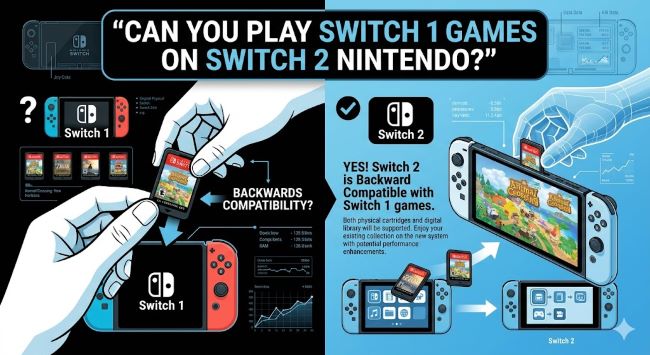
The Direct Answer: Yes, Switch 2 Is Backwards Compatible
Is the switch 2 backwards compatible? Yes. The Switch 2 plays the vast majority of Nintendo Switch games from the original console. Nintendo designed the new hardware to maintain compatibility with existing software, meaning your game collection doesn’t become obsolete.
This backwards compatibility represents good news for existing Switch owners. You don’t need to rebuy your favorite games. Your digital library carries over. Physical game cartridges work in the new system.
However, backwards compatibility isn’t absolute. Some edge cases and specific scenarios require attention.
What Backwards Compatibility Means
Understanding is switch 2 backwards compatible requires clarifying what the term means. Backwards compatibility refers to new hardware’s ability to play software from previous generations.
The Switch 2’s backwards compatibility means:
- Physical game cartridges from Switch 1 work in the Switch 2
- Digital games purchased on your Nintendo account transfer to the new console
- Save data from Switch 1 carries over to the Switch 2
- Multiplayer features work between Switch 1 and Switch 2 owners
- Performance sometimes improves for older games on new hardware
This compatibility extends to nearly all Switch 1 software. Exceptions exist but are rare.
How Game Transfer Works
Can you play switch 2 games on switch 1? No. This is a one-way compatibility. Switch 2 games won’t play on original Switch hardware. The reverse isn’t true.
This asymmetry makes sense technically. The Switch 2 is more powerful and can emulate Switch 1 performance. Switch 1 hardware can’t handle Switch 2 software.
For digital games, your Nintendo account matters. Link your account to the Switch 2. Your digital library appears on the new console. You redownload games to play them.
For physical games, insert the cartridge into the Switch 2. The system reads the game and plays it. No transfer needed. The cartridge works directly.
Edge Cases and Exceptions
While nintendo switch 2 backwards compatibility covers nearly all games, specific scenarios involve complications.
Some games depend on hardware features unique to Switch 1. The original console’s Joy-Con controllers included certain sensors. If a game relies heavily on those specific sensors, it might not work properly on Switch 2.
Games requiring the dock with specific connectivity might face issues. The Switch 2’s dock differs slightly from Switch 1’s dock. Most games work fine, but some edge cases involve incompatibilities.
Online services occasionally matter. Some older games use legacy online infrastructure. If a game’s servers shut down, playing online becomes impossible regardless of hardware.
Overall, these exceptions affect a tiny percentage of the library. The vast majority of Switch 1 games work on Switch 2 without issues.
Performance Improvements for Older Games
An interesting benefit of is switch 2 backwards compatible: sometimes Switch 1 games run better on Switch 2.
The Switch 2 features more powerful hardware. Games designed for the original Switch’s processing power might hit performance limits occasionally. On Switch 2, the same game sometimes runs at higher frame rates or with reduced frame drops.
Not every game benefits from this. Games designed with Switch 1 performance as their ceiling won’t improve much. However, games that were ambitious for Switch 1 might perform noticeably better on the new hardware.
This performance improvement is a bonus, not guaranteed. But it means your older games might feel smoother on the new console.
Digital vs. Physical Game Libraries
Your existing game library exists in two forms: digital and physical. Both transfer to Switch 2, but the process differs.
Digital Games: If you purchased games through the Nintendo eShop, they exist on your Nintendo account. When you sign into your account on Switch 2, your digital library transfers immediately. You simply redownload the games you want to play.
Physical Games: If you own physical cartridges, they work directly in the Switch 2. No transfer process. No redownloading. Insert the cartridge and play. Your physical collection carries over perfectly.
This dual compatibility means you don’t lose your investment in either format.
Cross-Progression and Save Data
One major benefit involves save data. Can you play switch 1 games on switch 2 with your progress intact? Yes.
Save data transfers from Switch 1 to Switch 2 through your Nintendo account. Progress in games carries over. You continue where you left off.
This applies to most games. Some online-only titles store saves in the cloud. Others store saves locally on the console. The transfer process handles both.
Game-specific features sometimes matter. If a game had exclusive functionality tied to the original console, that might not carry forward. But standard save data and progression transfer cleanly.
What About Used Games?
Questions about used games occasionally arise with new console releases. Nintendo switch 2 used games ban: Does this exist?
There is no Nintendo Switch 2 used games ban. You can buy and sell physical Switch 1 games freely. Nintendo doesn’t prevent used physical games from working on new hardware.
Digital games can’t be resold. Once you purchase digital software, it’s tied to your account. Physical games remain resellable, which is why they hold value after purchase.
This used game market is one advantage of physical media over digital.
Performance Differences and Optimization
While can switch 2 play switch 1 games is simple to answer, performance requires nuance.
Most games run identically on both systems. The Switch 2’s enhanced hardware doesn’t automatically optimize older games. The game software determines performance characteristics.
However, Nintendo has tools to optimize older games. Developers can patch games for Switch 2, improving performance. Some games receive these optimizations. Others don’t.
Without optimization, games run on Switch 2 essentially as they did on Switch 1. With optimization, performance can improve. You might see higher frame rates, better resolution, or faster load times.
Multiplayer Between Consoles
An important consideration involves multiplayer. Games support play between Switch 1 and Switch 2 owners.
If you own a game on both consoles, you can play together. Your friend with Switch 1 plays with you on Switch 2. Online multiplayer works between the two hardware generations.
This cross-generation multiplayer matters socially. You don’t abandon your friends still using Switch 1. You continue playing together across hardware.
Cross-Platform Play Considerations
Is overcooked 2 cross platform nintendo switch 2 vs 1? Overcooked 2 specifically supports multiplayer between Switch 1 and Switch 2. The game’s multiplayer features work across both systems.
More generally, games supporting Nintendo Switch online continue supporting that online infrastructure across Switch 1 and Switch 2. The online service itself is platform-agnostic.
Games without cross-platform features are rare. Most titles that have online components support multiplayer between Switch 1 and Switch 2 users.
What Doesn’t Transfer
A few elements don’t carry from Switch 1 to Switch 2.
Physical Accessories: Docks, controllers, and other hardware designed for Switch 1 sometimes work with Switch 2, but they’re not guaranteed compatible. Nintendo designed new accessories for Switch 2 compatibility.
Game Bundles: Digital game bundles purchased on Switch 1 might not transfer as bundles. Individual games transfer, but the bundle structure might change.
Pre-installed System Software: The Switch 2 comes with different system software. You can’t transfer the Switch 1 operating system. The new system software is separate.
Nintendo Switch Online Subscription: Your subscription continues on Switch 2, but you don’t “transfer” the subscription. Your account automatically accesses it on the new hardware.
These limitations affect a small portion of the Switch 1 experience.
Nintendo’s Official Stance
Nintendo has confirmed nintendo switch 2 backwards compatibility for the vast majority of Switch 1 games. The company’s official documentation lists it as a feature.
Nintendo stated that essentially all Switch 1 games will work on Switch 2. The few exceptions involve games using specific Joy-Con features or other unique hardware elements. These represent a tiny fraction of the library.
Official Nintendo messaging emphasizes backwards compatibility as a major feature of the Switch 2, ensuring existing players won’t lose their investments.
Preparing for the Transition
If you’re planning to upgrade from Switch 1 to Switch 2, certain preparations help the transition.
Back Up Save Data: Before transitioning, ensure your save data backs up properly. Most games use cloud saves. Verify this setting is enabled in your Switch 1 system settings.
Document Your Digital Library: If you want a record of what you own, document your digital games before migrating. You can view your library on Nintendo’s website.
Clean Your Game Cartridges: If you own physical games, gently clean the cartridge contacts before using them on Switch 2. A soft cloth works well.
Transfer Your Profile: When you set up Switch 2, transfer your user profile from Switch 1. This brings your accounts, saves, and digital licenses to the new console.
The Long-Term Value Proposition
Backwards compatibility affects the long-term value of your game collection. Games you purchase for Switch 1 remain playable on Switch 2.
This means your investment in software doesn’t disappear with hardware updates. Unlike some console transitions, your library carries forward. This makes game purchases safer investments.
Backwards compatibility also extends the life of your Switch 1. You can continue playing it even after upgrading to Switch 2. The older console doesn’t become worthless.
Potential Future Updates
Nintendo occasionally optimizes or patches games after new hardware launches. Additional optimizations for Switch 2 might come after the console’s release.
Developers might create updates improving Switch 2 performance for older games. These patches often come months or years after hardware launches.
If you’re interested in optimizations, checking for game updates periodically helps you access improvements as they release.
Key Takeaways
- Can you play switch 1 games on switch 2? Yes, Nintendo Switch 2 is backwards compatible with virtually all Switch 1 games.
- Is switch 2 backwards compatible? Yes, confirmed by Nintendo as a major feature of the new hardware.
- Nintendo switch 2 backwards compatibility covers both physical game cartridges and digital software purchased through the eShop.
- Can you play switch 2 games on switch 1? No, this is one-way compatibility. Switch 2 games won’t play on original Switch hardware.
- Is the switch 2 backwards compatible with save data? Yes, your progress transfers from Switch 1 to Switch 2 through your Nintendo account.
- Is overcooked 2 cross platform nintendo switch 2 vs 1? Yes, multiplayer works between Switch 1 and Switch 2 for supported games.
- Nintendo switch 2 used games ban doesn’t exist. Physical games can be bought and sold freely.
- Digital games transfer to Switch 2 through your Nintendo account. Redownload them on the new console.
- Physical game cartridges work directly in Switch 2 without any transfer process.
- Most Switch 1 games run on Switch 2 with identical performance. Some might perform better due to enhanced hardware.
- Edge cases involving specific Joy-Con features or unique hardware elements affect a tiny percentage of games.
- Cross-generation multiplayer works for games with online features. Play with Switch 1 friends on Switch 2.
- Can switch 2 play switch 1 games with performance improvements? Sometimes. The Switch 2’s more powerful hardware can improve frame rates on some older games.
- Backwards compatibility protects your investment in a game library. Games remain playable across hardware generations.
- Prepare for transition by backing up save data, transferring your profile, and cleaning physical cartridges.