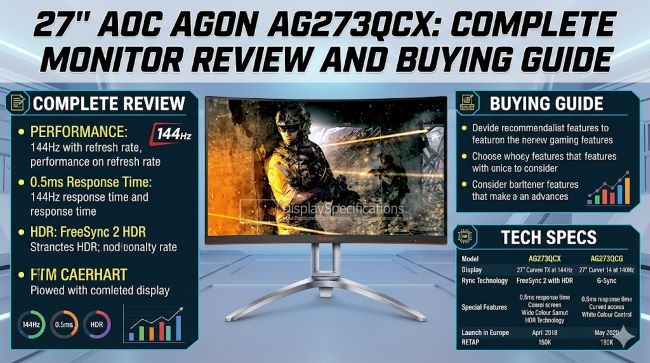
27″ AOC AGON AG273QCX: Complete Monitor Review and Buying Guide
You’re shopping for a gaming monitor and keep seeing the 27″ AOC AGON AG273QCX mentioned. It sounds impressive on paper. But is it the right choice for your setup? Does it deliver on its promises? Is the price worth it?
The 27″ AOC AGON AG273QCX is a mid-range gaming monitor that balances performance, features, and price. It sits in the sweet spot for many gamers: not the absolute cheapest, but not the most expensive either. Understanding what this monitor does well and where it falls short helps you decide if it fits your needs.
This guide covers the specs, real-world performance, who should buy it, and where to find the best deal. Whether you’re building your first gaming PC or upgrading your setup, this covers everything you need to know about the AG273QCX.
Display Specifications and What They Mean
Understanding the Panel Technology
The 27 inch AOC AGON AG273QCX uses an IPS panel. IPS stands for In-Plane Switching. This technology affects color accuracy, viewing angles, and response time.
IPS panels provide excellent color accuracy. If you care about colors looking right for photo editing or video work, IPS is a strong choice. Colors remain accurate even when viewed from the side.
The tradeoff is response time. IPS panels respond slower than TN panels. The AG273QCX claims 1ms response time, which is fast for an IPS panel but not the fastest possible.
If you play fast-paced competitive games, this response time is competitive. You won’t feel at a disadvantage. For casual gaming and general use, you won’t notice any difference.
Resolution and Pixel Density
The AG273QCX displays 2560×1440 resolution. This is 1440p, which sits between 1080p and 4K.
1440p offers more screen real estate than 1080p. You get more workspace for spreadsheets, web design, and multitasking. Text and UI elements are crisp and clear.
You get less screen real estate than 4K. At 27 inches, 1440p provides sharp visuals without requiring a graphics card powerful enough for 4K gaming.
At 27 inches, the pixel density is 108 PPI. This means individual pixels are barely visible unless you look very closely. Practical for all tasks from gaming to office work.
Refresh Rate and Sync Technology
The AG273QCX outputs 165Hz. This means 165 frames per second maximum. Higher refresh rates make motion appear smoother.
At 165Hz, you see a noticeable difference compared to 60Hz. Scrolling is smooth. Mouse movement is responsive. Gaming feels fluid.
For competitive games, 165Hz is competitive. Esports players often prefer 240Hz or higher, but 165Hz is more than adequate.
The monitor supports FreeSync and G-Sync. These technologies sync your monitor refresh rate with your graphics card, eliminating screen tearing.
FreeSync works with AMD graphics cards. G-Sync works with NVIDIA cards. FreeSync is the native technology for the AG273QCX.
Color Accuracy and Professional Use
Is the AG273QCX Good for Design Work
Color accuracy matters for professional work. The AG273QCX covers 95 percent sRGB color space. This is good but not exceptional.
For professional photo and video work, higher coverage like 99 percent DCI-P3 is preferable. The AG273QCX works for amateur editing and creative work.
The panel provides wide viewing angles. Multiple people can look at your screen and see accurate colors from different positions.
For professionals, a dedicated color-accurate monitor is better. For hobbyists and casual content creators, the AG273QCX suffices.
Factory Calibration
The AG273QCX ships with decent color accuracy but not factory calibrated for professional standards.
You can calibrate it yourself using a colorimeter if precision matters. Most users won’t need this level of adjustment.
Out of the box, colors look good for everyday work and gaming.
Brightness and Contrast
Practical Brightness Levels
The monitor outputs 300 nits brightness. This is adequate for indoor use in normal lighting.
In a dark room, 300 nits is very bright. It might cause eye strain. You’ll likely run it at 50 to 75 percent brightness.
In a bright room with lots of ambient light, 300 nits works well. It stands out clearly without being overpowering.
For HDR content, 300 nits is on the lower side. True HDR needs higher peak brightness. The AG273QCX is not considered an HDR monitor.
Contrast Ratio
IPS panels have lower contrast ratios than TN panels. The AG273QCX claims 1000:1 contrast, which is typical for IPS.
Deep blacks aren’t as deep as VA panels or OLED. But they’re satisfactory for gaming and general use.
For movie watching, you might notice the blacks aren’t quite as dark as OLED TVs. Most users find it acceptable.
Connectivity and Ports
Available Connection Options
The AG273QCX includes:
- 2x HDMI ports (HDMI 2.0)
- 1x DisplayPort 1.4
- 4x USB 3.0 ports
- 1x USB upstream port
- 1x 3.5mm audio jack
- 1x headphone jack
Multiple connectivity options let you connect different devices. HDMI works with most devices. DisplayPort 1.4 supports the full 165Hz refresh rate over a single cable.
USB ports are handy for connecting peripherals directly to the monitor. This reduces cable clutter on your desk.
Cable Management
The back of the monitor has cable routing. It keeps cables organized and hidden behind the display.
Most gamers appreciate good cable management. The AG273QCX handles this adequately.
Stand and Ergonomics
Adjustability
The stand offers:
- Height adjustment (140mm range)
- Tilt adjustment
- Swivel adjustment (left and right)
- Pivot adjustment (rotate to portrait mode)
This full adjustability lets you position the monitor exactly how you want it. You can adjust the height to match your eye level, reducing neck strain.
Pivot mode lets you rotate the monitor to portrait orientation. This is useful for browsing websites and reading documents.
Build Quality
The stand feels solid. No wobbling or instability when adjusting. The monitor stays in position once adjusted.
Gamers often mount monitors on arms instead of using the stand. The AG273QCX is VESA compatible, so this is easy.
Gaming Performance
Frame Rates in Real Games
At 1440p with high settings, modern graphics cards produce these frame rates:
- RTX 4070: 100 to 160 fps in most modern games
- RTX 4080: 140 to 165 fps in most modern games
- RTX 4090: 160+ fps in all modern games
- RX 7900 XTX: 140 to 165 fps in most modern games
The 165Hz refresh rate matches well with mid to high-end graphics cards. You can utilize the full refresh rate with proper equipment.
With entry-level cards, you’ll get 60 to 100 fps at high settings. This is still smooth. You just won’t hit 165Hz.
Response Time Real-World Impact
The claimed 1ms response time means pixel transitions happen quickly. In practice, you probably perceive closer to 2 to 3ms.
For competitive gaming, this is acceptable. Professional esports players prefer sub-1ms, but casual gamers won’t notice the difference.
For single-player and cooperative games, response time matters less. You won’t feel disadvantaged.
Sound Quality
Built-In Speakers
The monitor has 2W stereo speakers. These are adequate for casual listening but won’t impress audiophiles.
For gaming, the sound is acceptable. For serious music listening, external speakers are better.
Most gamers use headphones or external speakers anyway, so this isn’t a major factor.
What Makes the AG273QCX Stand Out
Compared to Budget Monitors
Budget monitors cost less but offer fewer features. They might have:
- Lower resolution (1080p instead of 1440p)
- Slower refresh rates (144Hz instead of 165Hz)
- Worse color accuracy
- Limited adjustability
The AG273QCX offers noticeably better visuals and flexibility than budget options.
Compared to Premium Monitors
Premium monitors cost significantly more. They offer:
- Higher refresh rates (240Hz or 360Hz)
- Better color accuracy (factory calibrated)
- Higher brightness (for HDR)
- Superior build quality
If you need these features, premium monitors justify their cost. For most gamers, the AG273QCX is the better value.
Who Should Buy the AG273QCX
Ideal Users
- Gamers who want smooth 1440p gaming at 165Hz
- Content creators doing amateur photo or video work
- Office workers who want a large, sharp display
- Anyone wanting a monitor that does everything competently
- Users with mid-range graphics cards (RTX 4070, RX 7700 XT, or similar)
Who Should Look Elsewhere
- Competitive esports players wanting 240Hz or higher
- Professional color graders needing factory calibrated displays
- Budget-conscious buyers wanting the cheapest possible option
- Users with high-end graphics cards wanting 4K gaming
- Anyone needing peak brightness for HDR gaming
Pricing and Value
Current Market Pricing
The 27 inch AOC AGON AG273QCX typically costs between 300 and 400 dollars depending on sales and retailer.
At this price point, it’s competitive. You get 1440p, 165Hz, and good color accuracy.
Similar monitors from other brands cost roughly the same. ASUS, Dell, LG, and others have comparable options at similar prices.
Where to Find the Best Deal
Check multiple retailers. Best Buy, Amazon, Newegg, and B&H Photo all stock this monitor. Prices vary.
Sign up for price alerts. Sites like CamelCamelCamel track Amazon prices. Alert services notify you when prices drop.
Watch for seasonal sales. Black Friday, Cyber Monday, and holiday sales often include monitor discounts.
Check refurbished options from official channels. Refurbished monitors are often much cheaper with same warranty.
Common Issues and Considerations
Dead Pixels
Some users report dead pixels on arrival. This is rare but can happen with any monitor.
Most retailers allow returns for dead pixels. Request replacement if you find any.
Brightness Uniformity
Some users report the monitor is slightly brighter in corners than the center. This is minor and only noticeable in specific conditions.
Brightness uniformity isn’t perfect on any monitor at this price point.
Fan Noise
The monitor has a cooling fan. Some units run louder than others. Most users don’t notice it during normal use.
If silent operation is critical, test in person before buying.
Setup and Software
Out of Box Experience
The monitor ships partially assembled. You attach the stand to the base. Setup takes 5 to 10 minutes.
Drivers are optional. The monitor works without them. Downloading drivers adds slight improvements to color and features.
Download the AOC driver package from their website for best results.
On Screen Display Menu
The OSD menu is intuitive. You navigate with physical buttons on the back. Setting up gaming modes and picture settings is straightforward.
Pre-set gaming modes optimize the display for different game types. You can also create custom profiles.
Comparing Gaming Monitors
Understanding where the AG273QCX stands helps you evaluate other monitors too. Consider:
- Panel type: IPS for color, TN for speed, VA for contrast
- Resolution: 1080p, 1440p, or 4K
- Refresh rate: 60Hz, 144Hz, 165Hz, 240Hz, or higher
- Response time: 1ms, 4ms, or other specifications
- Connectivity: HDMI, DisplayPort, USB
- Ergonomic adjustments: Height, tilt, swivel, pivot
The AG273QCX balances these factors well for most gamers. Learning to explore these details helps when shopping.
Key Takeaways
- The 27″ AOC AGON AG273QCX delivers 1440p resolution at 165Hz with IPS color accuracy.
- The monitor is ideal for gamers with mid-range graphics cards who want smooth, sharp gaming.
- 1440p provides more workspace than 1080p without demanding the graphics power of 4K.
- 165Hz refresh rate is competitive for gaming. It’s noticeably smoother than 60Hz but not as extreme as 240Hz.
- IPS panel provides excellent color accuracy for casual creative work and everyday use.
- The stand offers full adjustability including height, tilt, swivel, and pivot.
- USB ports and good connectivity make it practical for desks with multiple devices.
- At 300 to 400 dollars, the AG273QCX offers good value compared to cheaper and more expensive alternatives.
- The monitor works well for both gaming and productivity tasks.
- It’s not ideal for competitive esports players wanting 240Hz or professionals needing HDR.
- Check multiple retailers for the best price. Sales and refurbished options offer savings.
- Download the official AOC driver package for optimal performance.
For deeper insights into display technology and gaming peripherals, explore resources on how to convert your design from Figma to Flutter code quickly and easily that explain design-to-development workflows. Learning about is slidepeak a legal company helps you understand software licensing. Additionally, understanding the ultimate guide to repairing corrupt nikon images provides context on digital asset management.