Eaglercraft GitHub: Play Minecraft in Your Browser Without Installation
You want to play Minecraft at school or work. The installation is blocked. Your network blocks gaming sites. You need a solution that works right now.
Eaglercraft GitHub is the answer. It’s a browser-based port of Minecraft that runs entirely in your web browser. No installation. No downloads that get caught by firewalls. No waiting for admin approval. You open a browser tab and play minecraft unblocked.
This guide explains what Eaglercraft is, how it works, where to find it on GitHub, and how to play it safely. Whether you’re looking for minecraft unblocked github options or trying to understand eaglercraftx, this covers everything you need to know.
What Eaglercraft Actually Is
Understanding the Project
Eaglercraft is a JavaScript port of Minecraft 1.5.2 and later versions. It translates Minecraft’s Java code into JavaScript so it runs in your web browser. This means you play real Minecraft inside Chrome, Firefox, Safari, or Edge without installing anything.
The project started as a way to bring Minecraft to browsers. Developers used decompiled Minecraft code and reverse engineering to create something that works in web browsers. The result is a fully functional Minecraft experience that feels nearly identical to the original.
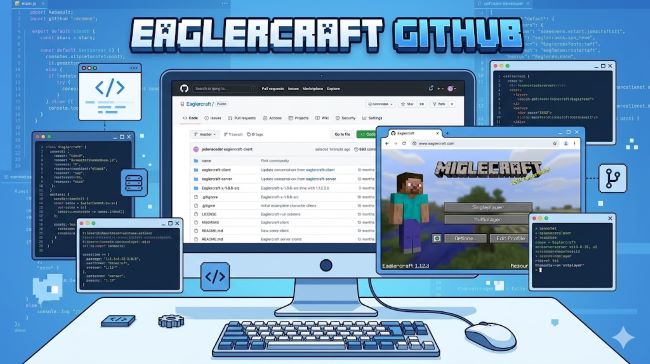
Eaglercraft GitHub is where developers maintain the project. The GitHub repository contains the source code, version history, and documentation. If you’re interested in how it works or want to run your own server, GitHub is where everything lives.
How It Differs From Official Minecraft
Official Minecraft requires Java and installation. Eaglercraft unblocked needs only a browser tab.
Official Minecraft costs money. Most Eaglercraft versions are free.
Official Minecraft works on any device with Java. Eaglercraft works on any device with a modern web browser.
Official Minecraft receives regular updates from Mojang. Eaglercraft updates depend on community developers.
The gameplay is nearly identical. Building, survival mode, multiplayer, and most features work the same way. You’re playing real Minecraft logic, just in a different format.
Finding Eaglercraft on GitHub
Locating the Official Repository
Go to github.com and search for “Eaglercraft.”
The main repository appears in the results. Look for repositories with active development and recent updates.
Popular Eaglercraft repositories include the original eaglercraft project and various forks with different features or versions.
Read the repository description. It tells you what version of Minecraft it supports and whether it’s single-player or multiplayer.
Check the number of stars and forks. High numbers suggest the project is stable and well-maintained.
Understanding Repository Structure
Minecraft GitHub projects contain source code in different programming languages. Eaglercraft repositories have JavaScript for the browser and Java decompiled code.
The README file explains what the project does, how to use it, and any requirements.
The Releases section has compiled versions you can download or use immediately.
The Issues section shows bugs people have reported and problems developers are working on.
The Wiki contains detailed documentation about using or developing the project.
Different Eaglercraft Versions
Version Variety and Options
Eaglercraft 1.8.8 is popular because it’s stable and has large communities. Many multiplayer servers use 1.8.8.
Eaglercraft 1.5.2 is the original version. It has fewer features but runs smoothly on older devices.
Eaglercraft 1.12.2 offers more content and features from later Minecraft versions.
Eaglercraft 1.20 is one of the newest versions. It includes recent Minecraft features but might be less stable.
Different versions have different server availability. Some servers only work with specific versions. Check which version a server supports before trying to connect.
Choosing the Right Version
If you want the most stable experience, use 1.8.8. It’s been around longest and has the most community support.
If you want modern features, try 1.12.2 or higher.
If you’re on an older device or slow internet, try 1.5.2. It uses fewer system resources.
Try different versions to see which works best on your device and internet speed.
Playing Eaglercraft Single-Player
Getting Started in Single-Player
Open your web browser.
Find a hosted Eaglercraft instance or download the HTML file from GitHub.
Load the page or file in your browser.
Click Single Player to start a new game.
You can create a new world, set difficulty, enable cheats, and customize your game just like official Minecraft.
Play normally. All single-player features work the same as regular Minecraft.
Saving Your Progress
Your game saves in your browser’s local storage. If you clear your browser cache, you lose your save data.
Back up important worlds by exporting them. Most Eaglercraft versions let you export and import world files.
Download world files to your computer for permanent backup.
Joining Eaglercraft Servers
Finding Multiplayer Servers
Eaglercraft server list websites exist online. Search for “Eaglercraft servers” to find lists.
Popular servers include Creative Mode servers for building and Survival Mode servers for adventuring.
Server lists show the server name, version, IP address, and player count.
Check if the server is online before joining. Some servers go offline or shut down.
Connecting to a Server
In your Eaglercraft instance, click Multiplayer.
Click Add Server.
Enter the server IP address and name.
Click Done, then double-click the server to join.
You enter the server and can play with other players immediately.
Eaglercraft vs. Regular Minecraft Features
What Works the Same
Building and mining work identically. You get the same materials and tools.
Survival mode plays the same. Mobs spawn, hunger works, and combat functions normally.
Crafting recipes are the same as official Minecraft for the version you’re playing.
Chat and multiplayer work on servers. You can talk to other players and play together.
What Might Be Different
Some modern features might not be available depending on the version.
Mods don’t work like they do in Java Minecraft. Modding is more limited.
Graphics might look slightly different due to browser rendering.
Performance depends on your device and internet speed. Faster devices run it better.
Why People Use Eaglercraft
Common Reasons for Playing
Minecraft unblocked at school or work where official Minecraft is blocked.
No installation required. Some devices don’t allow downloads or installations.
Free to play. No purchase needed unlike official Minecraft.
Play on mobile browsers. Some Eaglercraft versions work on phones and tablets.
Cross-device play. Start on your computer, continue on a tablet without installing anything.
Network restrictions. Schools and workplaces with strict firewalls can’t block browser-based games as easily.
Safety and Security Considerations
Playing Safely
Use Eaglercraft from trusted sources. Stick to official GitHub repositories and well-known hosted instances.
Don’t download files from suspicious links. Only get Eaglercraft from GitHub or reputable websites.
Check server reputations before joining. Join servers with positive reviews and active moderation.
Avoid downloading mods or resource packs from untrusted sources. They might contain malware.
Use a VPN if you’re concerned about privacy on school or work networks. It encrypts your connection.
Keep your browser updated. Security patches fix vulnerabilities.
Be careful with your account information. Don’t share passwords with other players.
Why Eaglercraft Is Legitimate
Eaglercraft is legal in most cases. It’s a community project that recreates an older game version.
Mojang hasn’t shut down Eaglercraft projects, though they could enforce their copyright.
Playing on public servers doesn’t violate laws. It’s similar to playing modded Minecraft.
The source code is openly available. Community developers can audit it and ensure it’s safe.
Running Your Own Eaglercraft Server
Server Options
Some Eaglercraft versions include server software. You can host your own server.
Hosting a server requires technical knowledge. It’s not for casual players.
You need a computer that runs continuously or a server hosting service.
Server hosting services exist that run Eaglercraft servers for you. They handle maintenance and backups.
Basic Server Setup
Download the server files from the Eaglercraft GitHub repository.
Follow the setup instructions in the repository’s documentation.
Configure server settings like world name, difficulty, and player limits.
Start the server and share the IP address with players you want to invite.
This requires more technical skill than playing, but it’s possible for motivated users.
Troubleshooting Common Issues
When Eaglercraft Won’t Load
Clear your browser cache. Stale cached files sometimes cause loading issues.
Try a different browser. Some browsers work better than others.
Update your browser to the latest version. Older browsers lack required features.
Check your internet connection. Slow connections might time out loading the game.
Disable browser extensions that block JavaScript. Eaglercraft needs JavaScript to run.
Wait a few minutes before trying again. Servers sometimes get overloaded.
Performance Problems
Lower your graphics settings. Render distance and particle effects affect performance.
Close other browser tabs and programs. Running too many things slows down Eaglercraft.
Switch to a less popular server. Overfull servers lag.
Use a wired internet connection instead of WiFi. More stable connection reduces lag.
Try a older Eaglercraft version. Newer versions use more resources.
Comparing Eaglercraft Versions
Popular Versions Explained
Eaglecraft 1.8.8 has the largest multiplayer community. Most servers run this version. It’s stable and well-documented.
Eaglercraft 1.5.2 is the original. Fewer players but very stable. Works on older devices.
Eaglercraft 1.12.2 sits between older and newer. More content than 1.8.8 but less cutting-edge.
Eaglercraft 1.20 is the newest. Latest features but fewer servers support it.
Eaglercraftx is a fork with additional features. Similar to regular Eaglercraft but with community modifications.
The GitHub Community
What Developers Share
Eaglercraft GitHub repositories contain everything: source code, documentation, known bugs, and planned features.
Pull requests show community contributions. Developers propose changes and improvements.
Issues list bugs and feature requests. This shows what’s being worked on.
Forks represent alternate versions. Different developers modify Eaglercraft in different ways.
Contributing to the Project
If you know JavaScript, you can contribute to Eaglercraft development.
Fork the repository to make your own version.
Make changes to the code.
Submit a pull request with your improvements.
The original developer reviews your changes. If they accept, your code becomes part of Eaglercraft.
Even non-coders help by reporting bugs and testing new versions.
Key Takeaways
- Eaglercraft GitHub hosts a browser-based Minecraft port that runs entirely in your web browser without installation.
- Minecraft unblocked on school or work networks is possible using Eaglercraft because it’s browser-based.
- Minecraft unblocked GitHub leads to the source code and documentation for various Eaglercraft projects.
- Eaglercraftx is a fork of the original Eaglercraft with community modifications and additional features.
- Eaglercraft server list websites help you find multiplayer servers to join.
- Eaglercraft 1.8.8 is the most stable and popular version with the largest community.
- Eaglercraft 1.5.2 is the original version, lighter on system resources for older devices.
- Eaglercraft 1.12.2 offers more content between older and newer versions.
- Eaglercraft 1.20 is the newest version with the latest Minecraft features.
- Playing Eaglercraft safely means using trusted sources, keeping your browser updated, and joining reputable servers.
- You can host your own Eaglercraft server with technical knowledge and server hosting.
- Different Eaglercraft versions have different communities and server availability.
- The Eaglercraft GitHub community continues developing and improving the project.
For deeper understanding of game development and open-source projects, explore resources on game engine architecture that explain how games work at a technical level. Learning about community-driven projects provides insight into how developers collaborate on open-source initiatives. Additionally, understanding browser-based applications helps you appreciate how modern web technology enables complex games in your browser.