What Time Is Taco Tuesday in Steal a Brainrot?
Steal a Brainrot is a popular Roblox game where players compete to steal brainrot characters from each other’s collections while defending their own. Like many Roblox games, it includes timed in-game events that shake up normal gameplay and offer opportunities for extra rewards or unique mechanics. Taco Tuesday is one of these recurring in-game events, and knowing exactly when it happens gives you a real advantage during that window.
When Taco Tuesday Happens in Steal a Brainrot
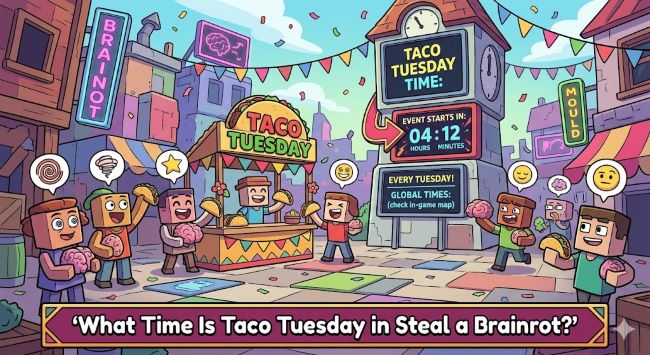
Taco Tuesday in Steal a Brainrot is a real-time clock-based event that triggers every Tuesday at a specific time. Based on player reports and community documentation, the event fires at 2:00 PM EST (Eastern Standard Time) every Tuesday.
This means:
- 2:00 PM EST / EDT (US East Coast)
- 1:00 PM CST (US Central)
- 12:00 PM MST (US Mountain)
- 11:00 AM PST (US West Coast)
- 7:00 PM GMT (UK)
- 8:00 PM CET (Central Europe)
If you’re playing on a Tuesday and the clock hits 2 PM Eastern, Taco Tuesday activates in whatever server you’re currently in. The event is tied to real-world clock time rather than server uptime, which means joining any active server on Tuesday during that window puts you in the event.
Important caveat: Roblox game events can be adjusted by developers without notice. If the time above doesn’t match what you’re experiencing in-game, check the game’s official community channels (Discord server, Roblox group, or the game’s social media pages) for the current schedule. Game updates sometimes shift event timing.
What Taco Tuesday Does in Steal a Brainrot
During the Taco Tuesday event window in Steal a Brainrot, several things change from normal gameplay:
Taco-themed brainrot characters become active. The event surfaces taco and food-themed brainrot variants that aren’t available during regular play. These can include exclusive or rare characters that only appear during the Tuesday event window.
Steal rates or drop rates may be boosted. Some player reports indicate that the event includes a multiplier on steal success rates or on brainrot drop quantities, making it a more productive time to actively play and attempt steals.
Event-specific rewards. Completing steals or reaching certain thresholds during the Taco Tuesday window may award event-specific cosmetics, badges, or currency that aren’t obtainable outside the event.
Server-wide notifications. When Taco Tuesday activates, the game typically displays a notification to all players currently in the server so everyone knows the event is live.
The exact mechanics can vary between game updates, so the specifics of what’s boosted or available may shift. The community Discord for Steal a Brainrot is the best real-time source for what the current Taco Tuesday event includes.
How to Make the Most of Taco Tuesday
Be logged in and active before 2 PM EST. Don’t try to join a server right when the event triggers: Roblox servers can experience traffic spikes at popular event times and you want to be already inside the game when the clock hits.
Join a populated server. Taco Tuesday events in Steal a Brainrot tend to be more active and rewarding in servers with more players, since the steal mechanic requires other players to be present to steal from. A server near maximum capacity during the event gives you the most targets and the most competition simultaneously.
Focus on the event-specific brainrot. If taco-themed characters appear during the window, prioritize stealing or securing those over standard characters. Event-exclusive items are typically rarer and more valuable to your collection than items available at any time.
Stay in the same server. If the event has started and you’re in a good server with active players, don’t leave to join another: you’ll keep your event progress and not risk landing in a dead server.
Check the game’s Discord. The developer Discord for Steal a Brainrot posts event reminders, code drops, and gameplay updates around Taco Tuesday. Joining it before Tuesday ensures you get the reminder and any bonus codes that drop during the event.
Finding Event Codes During Taco Tuesday
Roblox developers often release promotional codes during in-game events. For Taco Tuesday in Steal a Brainrot, codes are typically released through:
- The game’s official Discord server
- The developer’s Twitter/X or Roblox group posts
- In-game announcements during the event window
These codes usually provide free in-game currency, boosts, or exclusive items. They expire quickly (often within hours), so checking during the event rather than after is essential.
Other Timed Events in Steal a Brainrot
Taco Tuesday isn’t the only recurring event in Steal a Brainrot. The game typically runs several clock-based or day-of-week events throughout the week. Checking the game’s community pages for the full event schedule gives you a complete picture of which days offer boosted rewards or special mechanics beyond just the Tuesday window.
For other Roblox game guides and gaming content worth exploring, what time is the Fortnite live event covers a similar timing-based question for another major game where knowing exactly when an event fires determines whether you can participate.
Why Timed Events Matter in Steal a Brainrot
The timed event structure in Steal a Brainrot reflects a broader design philosophy in Roblox games: creating scheduled moments that drive player return and community engagement. By anchoring Taco Tuesday to a real-world day and time, the developers create a weekly appointment that players plan their gaming schedule around.
This mechanic is particularly effective in games built around collection and stealing because the event creates equal-opportunity windows: all players, regardless of how long they’ve been playing, experience Taco Tuesday at the same time. New players can potentially grab event-exclusive brainrot that long-time players missed if they’re in the right server at the right moment.
The community aspect of these events is also worth noting. Players coordinate in Discord servers, share codes, and trade event-specific brainrot during and immediately after Taco Tuesday in a way that doesn’t happen during normal gameplay. This community activity is part of the event’s value beyond just the in-game rewards.
How Steal a Brainrot’s Event System Compares to Other Roblox Games
Taco Tuesday’s real-clock trigger mechanism is a relatively sophisticated event approach for a Roblox game. Many Roblox games use server-uptime events (triggered after a certain amount of time on a server) or random events that fire without a predictable schedule. The day-of-week plus real-time clock approach that Steal a Brainrot uses creates a community calendar effect that more loosely scheduled games don’t achieve.
This design choice means the Roblox developer community around Steal a Brainrot functions more like a scheduled community than a drop-in game. Players set reminders, coordinate with friends, and plan around Tuesday the way sports fans plan around game nights. For a Roblox game, that level of engagement around a specific scheduled moment is an achievement in community design.
It also means the information about Taco Tuesday timing (like what you’re reading now) stays relevant week after week rather than becoming stale quickly. As long as the event runs at the same time, the 2 PM EST guidance holds.
Key Takeaways
- Taco Tuesday in Steal a Brainrot triggers at 2:00 PM EST every Tuesday: that’s 1 PM CST, 12 PM MST, 11 AM PST, and 7 PM GMT
- The event surfaces taco-themed brainrot characters, may boost steal or drop rates, and offers event-specific rewards not available during regular gameplay
- Be in a server before 2 PM EST rather than trying to join at the moment of the event: traffic spikes make last-minute joining unreliable
- Join a populated server to maximize steal opportunities during the event window
- The developer’s Discord is the most reliable source for event codes, timing confirmations, and any schedule changes that affect Taco Tuesday
- Event codes released during Taco Tuesday expire quickly: check during the event, not hours afterward
- If the 2 PM EST time doesn’t match your in-game experience, check the game’s official community channels: developers sometimes adjust event timing with updates