How to Order Medicine Ball on Starbucks App: The Complete Guide
When a cold or sore throat hits, one Starbucks drink has a cult following for making you feel human again. The Medicine Ball, a warm blend of tea, lemonade, and honey, started as a secret menu item and became so popular it earned a permanent spot. The catch is that it goes by a different name on the menu, which trips people up. This guide shows you exactly how to order Medicine Ball on Starbucks app so you can grab one ahead and skip the line.
Know the official name first
Here is the single most important tip. On the menu, the Medicine Ball is called the Honey Citrus Mint Tea. If you search for “Medicine Ball” you may or may not find it, depending on the app version, but “Honey Citrus Mint Tea” always brings it up. Keeping that name in mind is the key to how to order Medicine Ball on Starbucks app without any confusion.
The drink got its nickname from fans who shared it on social media as a cold-and-flu remedy. Starbucks eventually added it to the official lineup under the Honey Citrus Mint Tea name, though many baristas still recognize the original nickname.
Step-by-step ordering
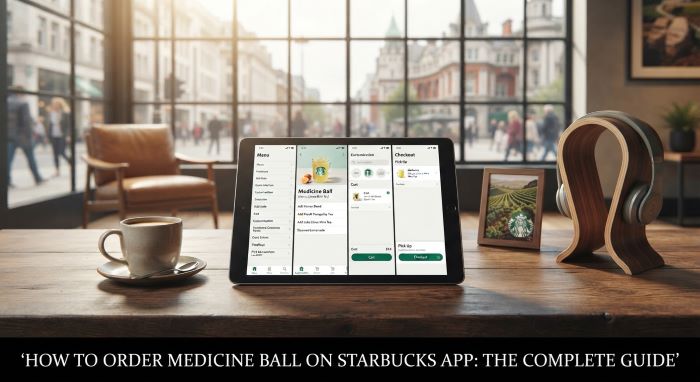
Ready to place your order? Here is how to order Medicine Ball on Starbucks app in a few simple taps:
- Open the Starbucks app and sign in to your account. Make sure the app is updated to the latest version.
- Tap the “Order” tab, then choose your store for pickup.
- Go to the “Menu” and find the “Hot Teas” category, where it sits with the green teas.
- Select “Honey Citrus Mint Tea.” You can also use the search bar and type either “Honey Citrus Mint Tea” or “Medicine Ball.”
- Choose your size.
- Add any customizations you want, then tap “Add to Order.”
- Review your cart and place the order.
That is the whole process. Once you know the name, how to order Medicine Ball on Starbucks app is genuinely quick.
What is actually in it
Understanding the recipe helps you customize with confidence. The standard Honey Citrus Mint Tea combines:
- Jade Citrus Mint green tea
- Peach Tranquility herbal tea
- A 50/50 mix of hot water and steamed lemonade
- Honey, usually 2 to 5 pumps depending on size
- A touch of peppermint in many builds
The result is soothing, citrusy, and lightly sweet, which is why so many people reach for it when feeling run down. Knowing these ingredients is useful for the next step of how to order Medicine Ball on Starbucks app, which is making it your own.
Popular customizations
The customization screen is where you tailor the drink. Common tweaks include:
- Extra honey for a sweeter cup
- An additional tea bag for a stronger, bolder flavor
- Extra peppermint, or none at all if you dislike it
- Ordered iced instead of hot, with light or no ice to avoid dilution
- Extra hot if you like to sip it slowly
Play with these once and you will land on your perfect version. That flexibility is a big reason people bother learning how to order Medicine Ball on Starbucks app rather than just asking in person.
If it does not show up on the app
Sometimes the drink is missing from the menu because of location-specific listings. Do not panic. You still have options for how to order Medicine Ball on Starbucks app in that case:
- Use the search bar and try both names, since one often works when browsing does not.
- Build it yourself using a “Create Your Own” or customizable tea option, adding the components manually: hot water, steamed lemonade, the two tea bags, honey, and peppermint.
- If all else fails, order a base hot tea and add the ingredients through the customization and special-request options.
With one of these workarounds, you can almost always get your drink even when it is hidden.
Quick reference table
| Detail | Info |
|---|---|
| Menu name | Honey Citrus Mint Tea |
| App category | Hot Teas (green teas) |
| Base | Jade Citrus Mint and Peach Tranquility teas |
| Liquid | 50/50 hot water and steamed lemonade |
| Sweetener | Honey, 2 to 5 pumps |
| Common add | Peppermint |
A few handy tips
To make ordering even smoother, keep these in mind:
- Order ahead during busy hours so your drink is ready when you arrive.
- Save it as a favorite in the app once you dial in your customizations, so you can reorder in one tap.
- If you are gifting it to someone sick, add a note or extra honey for comfort.
These small habits turn how to order Medicine Ball on Starbucks app into a five-second routine.
The bottom line
The Medicine Ball is one of the most comforting drinks Starbucks makes, and ordering it is easy once you know the trick. Search for the Honey Citrus Mint Tea, pick your size, customize to taste, and check out. If it is missing, build it from its parts. Now that you know how to order Medicine Ball on Starbucks app, you can have a soothing cup waiting for you whenever a cold strikes or you just want something warm and sweet.
Key Takeaways
- The Medicine Ball’s official menu name is Honey Citrus Mint Tea, which is the most reliable term to search for in the app.
- To order it, open the app, go to Hot Teas under the green teas, select Honey Citrus Mint Tea, choose a size, customize, and check out.
- The standard drink blends Jade Citrus Mint and Peach Tranquility teas with a 50/50 mix of hot water and steamed lemonade, plus honey and often peppermint.
- Popular customizations include extra honey, an added tea bag, extra or no peppermint, and ordering it iced with light ice.
- If the drink does not appear on your app, search both names or build it manually using a create-your-own tea option.
- Save your customized version as a favorite for one-tap reordering, and order ahead during busy times.
- Baristas often still recognize the “Medicine Ball” nickname even though the menu lists it as Honey Citrus Mint Tea.