Top 8 Creative Ways to Turn Photos Into Line Art Online
Most people have hundreds of photos sitting on their phones and computers. Some capture important family moments, while others show pets, favorite places, or ideas for future projects. Although these images are meaningful, they often remain hidden in a camera roll and are rarely used again.
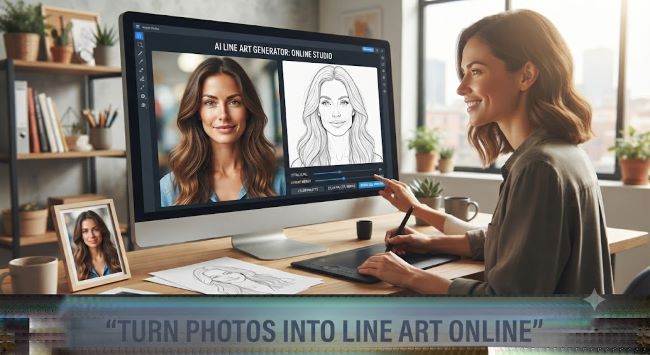
Turning a photo into line art gives it a second life. A detailed image can become a clean tattoo reference, a printable coloring page, a handmade card, or a piece of simple wall art. You do not need advanced drawing skills or expensive design software to get started. Online tools can create a basic outline in seconds, leaving you free to adjust, print, color, or share the result.
Here are eight practical and creative ways to transform ordinary photos into useful line-based designs.
1. Create a Tattoo Stencil From a Personal Photo
A meaningful tattoo often begins with a personal image. It might be a portrait of a loved one, a pet, a flower from a wedding bouquet, or a symbol connected to an important memory. The challenge is turning that detailed photograph into an outline that a tattoo artist can work with.
A tool that lets you convert photo to tattoo stencil online free can provide a quick starting point. It removes much of the color and background detail, making the main shapes easier to see. This is useful when you want to explore how a photograph might look as a tattoo before speaking with an artist.
Choose a Clear Subject
Photos with one main subject usually create the strongest stencils. A face photographed in good lighting, a flower against a plain wall, or a pet sitting in front of a simple background will normally work better than a crowded group photo.
The generated stencil should be treated as a concept rather than a finished tattoo design. A professional tattoo artist can simplify difficult areas, adjust line thickness, and make sure the design suits the size and location of the tattoo.
2. Make a Personalized Coloring Page
Custom coloring pages can be more engaging than generic printable sheets because they feature people, animals, and places that the user already recognizes. A child may enjoy coloring a picture of the family dog, while an adult might prefer a favorite holiday photo or garden scene.
You can convert photo to coloring page online free and create a printable outline without drawing the entire image by hand. This is an easy way to prepare activities for weekends, classrooms, family gatherings, or rainy afternoons.
Keep Enough Space for Coloring
A good coloring page needs clear shapes and open spaces. Photographs with too many small objects may produce a busy result that is difficult to color. If possible, crop the image so the main person, pet, or object fills most of the frame.
Once the outline is ready, print it on regular paper for crayons and colored pencils. If you plan to use markers, slightly thicker paper can help prevent ink from soaking through.
3. Design Simple Portrait Wall Art
Line portraits have a clean appearance that works well with many interior styles. They can be printed in black and white, placed in a simple frame, and displayed in a bedroom, hallway, or home office.
Family portraits are a natural choice, but other images can work just as well. Consider using a side profile, a close-up of two people, or a photograph of someone holding a pet. The outline does not need to include every facial detail. In fact, a simpler result often looks more elegant.
Add a Small Personal Detail
A name, date, or short phrase can make the finished print feel more personal. For example, you could add the date of a wedding, the name of a pet, or the location where the photograph was taken.
Keep the added text small so it supports the artwork without becoming the main focus.
4. Turn Travel Photos Into Coloring Memories
Travel photos often contain interesting buildings, streets, landscapes, and landmarks. Transforming these pictures into coloring pages creates a different way to remember a trip.
Instead of simply scrolling through holiday pictures, you can color the view from a mountain, a small café, a beach, or a building you visited. This idea works especially well for family trips because children can help create a handmade travel book.
Build a Small Travel Collection
Choose three to five images from the same trip and turn them into a matching set. Print one design per page and add a short note underneath, such as the place, date, or a funny memory from that day.
The finished pages can be placed in a folder or bound together as a simple travel coloring book.
5. Create Custom Greeting Cards
A line drawing based on a personal photo can make a greeting card feel thoughtful without requiring complicated craft skills. You might use a couple’s photo for an anniversary card, a baby picture for a birthday card, or a pet portrait for a holiday message.
After creating the outline, place it on the front of a blank card and add color by hand. This gives the design a handmade quality, even if the original outline was created digitally.
Match the Image to the Occasion
Choose a cheerful image for birthdays, a warm family photograph for holidays, or a simple flower for a thank-you card. Avoid images with dark shadows or complicated backgrounds, as they may make the card look cluttered when reduced to a smaller size.
A short handwritten message inside will complete the card and make it more personal.
6. Prepare Easy Art Activities for Children
Children often respond well to activities that include familiar subjects. A coloring page showing their own toy, bicycle, bedroom, or family pet can hold their attention longer than an unfamiliar picture.
Parents and teachers can prepare several pages in advance and use them for quiet time, classroom activities, or creative homework. Older children can also compare the original photograph with the outline and decide which colors they want to copy or change.
Encourage Creative Choices
The finished picture does not need to match the original photo. A brown dog can become purple, a white house can become bright green, and a cloudy sky can be filled with stars.
Allowing children to change the colors makes the activity more imaginative and removes the pressure to produce a perfect result.
7. Make Handmade Gifts From Everyday Photos
Personalized gifts do not always need to be expensive. A framed line drawing, a small coloring booklet, or a hand-colored portrait can feel more meaningful than a mass-produced item.
Pet portraits are especially suitable for this kind of project. Choose a clear photo, create an outline, and print it at the size you need. You can leave it black and white for a modern look or add color with pencils, paint, or markers.
Think About the Recipient
A simple portrait may suit someone who prefers minimal home decoration. A detailed coloring page might be better for a friend who enjoys crafts. For grandparents, a small collection of family portraits could become a thoughtful keepsake.
The value comes from choosing an image that has a real connection to the person receiving it.
8. Practice Drawing With Photo Outlines
Photo-based outlines can also help beginners practice drawing. Instead of facing a blank page, you can study how the main lines define a face, animal, flower, or object.
Try placing the generated outline beside the original photograph. Look at which details were kept and which ones were removed. This helps develop an understanding of shape, proportion, and visual simplicity.
Redraw Instead of Tracing Forever
Tracing can be useful at the beginning, but it should not be the only exercise. After studying the outline, place it aside and try drawing the same subject from memory. Your version does not need to be exact.
Over time, you may become more confident about identifying the most important lines in a photograph.
How to Get Better Results From Any Photo
The quality of the original image has a major effect on the final outline. A few simple choices can save time and reduce the need for editing.
Use Good Lighting
Photos taken in natural or even lighting usually produce clearer lines. Heavy shadows can hide important features, while very bright areas may disappear from the outline.
If a photo is too dark, increase the brightness slightly before uploading it. Avoid making it so bright that facial features or object edges are lost.
Crop Unnecessary Background Details
A busy background can create extra lines around the main subject. Before processing the image, crop out furniture, crowds, signs, or other objects that are not important.
For portraits, focus on the face and upper body. For pets, try to include the full outline of the ears, head, and body without too much empty space.
Test More Than One Image
The first photo is not always the best one. If the result looks unclear, try another picture with a different angle or simpler background. Testing two or three images is often faster than trying to repair a poor outline.
Small changes in lighting, pose, and distance can produce noticeably different results.
Common Mistakes to Avoid
One common mistake is expecting every detail in the photograph to appear in the final design. Line art depends on simplification. Tiny textures, soft shadows, and complex colors may be removed so the important shapes remain visible.
Another mistake is printing the first result without checking it closely. Zoom in and look for broken lines, unclear facial features, or distracting background marks. Basic editing can make the finished page much easier to use.
Finally, consider the purpose of the design. A tattoo reference needs strong, readable shapes. A coloring page needs open spaces. Wall art may look better with fewer details. The best outline is not always the most detailed one. It is the one that fits the final project.
Final Thoughts
Turning photographs into line art is a simple way to make more use of the images you already have. A favorite photo can become a tattoo concept, a children’s activity, a handmade card, a personal gift, or a piece of art for your home.
Start with a clear image, remove unnecessary background details, and choose a style that matches your project. The first result may not be perfect, but a few small adjustments can turn an ordinary photograph into something creative, useful, and personal.