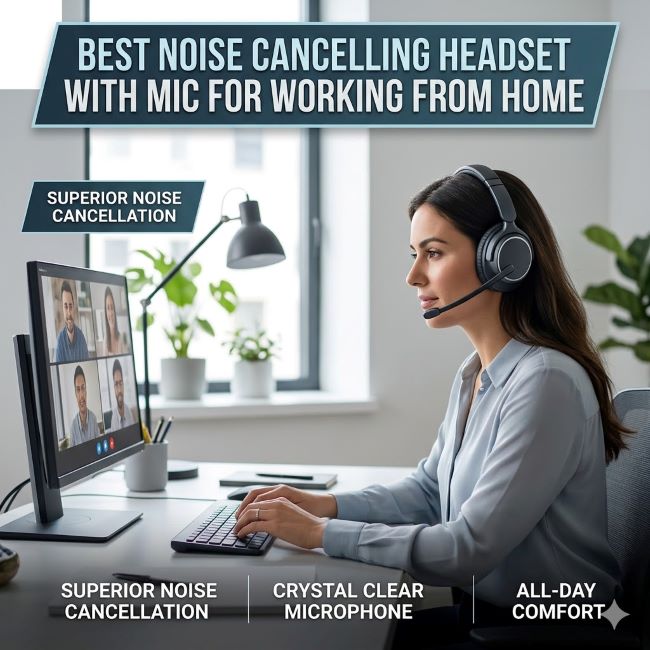
Best Noise Cancelling Headset with Mic for Working from Home
Your home office should be a productive space. But background noise ruins concentration. The neighbor’s dog barking, traffic outside, family members walking around. It all breaks your focus. Then your manager asks why audio quality on calls sounds terrible, and you realize your microphone isn’t capturing your voice clearly.
Finding the best noise cancelling headset with mic for working from home solves both problems. The right headset blocks distracting noise while ensuring your voice comes through clear and professional on video calls. But with so many options, knowing which headset actually delivers makes the difference between a good purchase and a frustrating one.
This guide covers everything you need to select the best noise cancelling headset with mic for working from home. You’ll understand what features matter, which products deliver real performance, and how to match your budget to your needs.
Why Noise Cancelling Matters for Remote Work
Remote work changed how people communicate. Instead of a quiet office, many of us work from home where background noise constantly competes for attention. Your concentration suffers. Your colleagues struggle to hear you on calls. Your productivity takes a hit.
Noise cancelling headset technology blocks unwanted sounds through active noise cancellation. The headset generates sound waves that match incoming noise but with opposite phase. The noise and anti-noise waves cancel each other out. What reaches your ear is quieter, sometimes dramatically quieter.
This technology works best on constant, predictable noise. Traffic rumble, air conditioning hum, background chatter. These all get suppressed. Sudden noises like door slams or barking are harder to cancel completely, but the overall noise floor drops significantly.
The microphone component matters equally. A high quality mic captures your voice clearly and rejects background noise. On video calls, your manager hears you without asking you to repeat yourself. Your presence in meetings feels more professional.
Together, noise cancelling headphones with microphone create an environment where you hear clearly and speak clearly. This transforms remote work from frustrating to productive.
The Jabra Evolve2 75: Professional Standard
The Jabra Evolve2 75 represents the standard for professional wireless headset with mic for work. This is a headset designed specifically for remote workers and office professionals.
The Jabra Evolve2 75 offers dual microphones that actively suppress background noise on your end. Your colleagues hear you, not the barking dog or construction outside. The noise cancellation focuses on protecting your audio quality, not just your listening experience.
Battery life reaches 30 hours with noise cancellation active. That’s a full week of work without charging. The wireless headset connects via Bluetooth or USB dongle, giving you flexibility to move around your home office. Pairing with your computer, phone, and tablet happens automatically.
Comfort is essential for all-day wear. The Jabra Evolve2 75 features leatherette ear pads and an adjustable headband. Hours of continuous use feel comfortable, not fatiguing. The ear cups rotate and fold, making the headset portable for trips to the office.
The touch controls on the ear cup handle calls, adjust volume, and manage playback without reaching for your computer. This intuitive control makes the headset feel like an extension of your hand.
For companies managing fleets of headsets, Jabra offers management tools that track inventory and firmware updates. This appeals to IT departments purchasing equipment for remote teams.
The Jabra Evolve2 75 costs roughly $300. For a headset you’ll wear 40 hours per week, the investment pays dividends in comfort, audio quality, and peace of mind.
Poly Voyager Focus 2: Lightweight Comfort
The Poly Voyager Focus 2 takes a different approach. This headset prioritizes comfort and portability over everything else. If you work in multiple locations or value lightweight design, this wireless headset with mic deserves consideration.
The Poly Voyager Focus 2 weighs just 4.3 ounces. Wearing it all day doesn’t create neck strain or fatigue. The open ear design lets ambient sound in, useful if you need to hear household activity while working. The noise cancelling headset feature still blocks a significant portion of background noise without feeling like a wall between you and the world.
The dual microphones use smart filtering to suppress background noise. Tests show the microphone quality matches or exceeds more expensive competitors. Your voice comes through clear and natural.
Battery life reaches 19 hours, sufficient for a full work week with one charge. The wireless headset charges via USB-C, a common standard across devices.
One unique feature is the busy light. An LED on the headset shows colleagues whether you’re available. Some video conferencing platforms integrate with this light, automatically turning it on when you’re in a meeting. This eliminates the question of whether someone’s available without needing Slack or email.
The Poly Voyager Focus 2 costs around $200, making it more accessible than premium options. For remote workers on budget or anyone valuing portability, this wireless headphone with mic delivers strong performance.
Jabra Evolve2 Buds: True Wireless Option
Not everyone wants over-ear headphones. Some prefer earbuds. The Jabra Evolve2 Buds brings professional audio quality to true wireless earbuds.
These wireless headphones with microphone fit small in-ear format. They disappear into your ears, making you feel less like you’re wearing equipment. For workers moving between home and office, or anyone uncomfortable with over-ear designs, this solution works well.
The noise cancelling headphones with mic feature active noise cancellation optimized for call quality. The microphones focus on capturing your voice while suppressing background noise. Your colleagues hear you without hearing your environment.
Bluetooth connectivity links both earbuds simultaneously. A single charge provides 8 hours of use. The charging case provides three additional full charges, for roughly 32 hours total. This covers multiple days of work.
Comfort comes from multiple ear bud sizes and ear hook options. Finding the right fit takes adjustment, but once set, the earbuds stay put through head movement and conversation.
The Jabra Evolve2 Buds cost roughly $250. For workers who rarely tolerate over-ear headphones, this option might be the solution that finally makes them use a headset consistently.
Key Features in Professional Headsets
Understanding what separates quality best headset for working from home options helps you evaluate models beyond these three. Several features deserve attention:
Active noise cancellation quality varies significantly between models. Some reduce noise by 15 decibels. Others achieve 30 decibels of reduction. Test the specific model if possible. Noise cancellation that works great for traffic might be weak against HVAC noise.
Microphone quality matters as much as noise cancelling. Dual microphone setups typically outperform single microphones. Listen for how natural your voice sounds when recording test calls. Tinny, compressed, or distant sounding audio means the microphone doesn’t match the rest of the headset.
Comfort for 8-hour days is non-negotiable. A headset you won’t wear because it hurts provides zero benefit. If possible, try on models or check return policies that let you test at home.
Battery life of 20+ hours works for a full work week. Shorter battery life requires frequent charging. Longer battery life provides flexibility.
Connectivity options matter. Some headsets connect via Bluetooth only. Others offer USB connection or proprietary dongles. Having multiple connection options let you use the headset across devices.
Audio codecs affect sound quality. Modern headsets support codecs like AAC or aptX that provide better sound quality than older SBC codecs. If you listen to music during work, codec quality matters.
Over Ear Noise Cancelling Headphones for Immersion
The over ear noise cancelling headphones category includes both professional headsets and consumer audio headphones adapted for work. Some people prefer headphones primarily designed for music but capable of handling calls.
Best wireless noise cancelling headphones from audio brands like Sony or Bose deliver excellent sound quality and noise cancellation. These typically cost $300-$400. They provide immersive listening that makes work music genuinely enjoyable.
The tradeoff is microphone quality. Consumer headphones often include microphones as an afterthought. Audio quality might be perfect for music, but your voice sounds poor on calls. The noise cancelling works great for listening, but might not optimize for protecting your voice.
For workers spending significant time on calls, professional headsets like Jabra outperform consumer audio headphones. For workers who primarily work solo with occasional calls, audio-focused headphones combined with a separate computer headset for important calls might provide the best overall experience.
Troubleshooting: Why Are My Headphones So Quiet
If you’ve purchased a headset with microphone and the volume seems low, several fixes exist before returning the product.
Check the volume settings on your computer. Audio levels sometimes get accidentally reduced. Windows and macOS both have volume controls in settings and taskbar. Increasing system volume is the first step.
Verify the headset volume is at maximum. Most headsets have physical or touch controls for volume adjustment. Ensure you’re at the top of the range.
Check app-specific volume settings. Video conferencing applications like Zoom, Teams, or Slack have separate volume controls. These can override system settings.
Update audio drivers. Outdated drivers sometimes cause quiet audio or compatibility problems. Check your computer manufacturer’s support site for driver updates.
Test with different apps to isolate where the problem originates. If volume is low in Teams but normal in Spotify, the issue is Teams-specific, not the headset.
Check the audio codec. Some Bluetooth codecs prioritize latency over quality and sound quieter. Switching to different codecs if your headset supports multiple options might improve volume.
If headset microphone volume is low, similar troubleshooting applies. Microphone levels in your operating system or application might be set too low. Increasing these settings usually solves the problem.
Budget Considerations and Value Propositions
Best noise cancelling headset with mic for working from home spans price ranges from $100 to $500. Understanding value at each tier helps justify your budget.
Under $150 brings basic wireless headset with mic functionality. Noise cancellation might be present but modest. Microphone quality handles video calls but lacks refinement. Battery life usually reaches 12-15 hours. This tier suits workers on tight budgets or anyone trying headsets for the first time.
$150-$250 includes solid professional options like the Poly Voyager Focus 2. Noise cancellation handles most office noise effectively. Microphone quality sounds professional. Battery life exceeds 15 hours. This tier offers the best value for most remote workers.
$250-$400 covers premium professional headsets like the Jabra Evolve2 75. Noise cancellation handles virtually all background noise. Microphone quality sounds exceptional. Comfort sustains all-day wear without fatigue. Longevity typically exceeds five years with proper care.
Over $400 enters consumer audio territory or specialized professional equipment. The improvements become marginal for most remote work needs. The $250-$300 range captures most of the benefit you need.
Comparing Over Ear Versus Earbud Models
The over ear noise cancelling headphones design provides several advantages. The larger ear cups create better isolation. The headband distributes weight across your head, reducing ear pressure. The larger batteries enable longer runtime.
Wireless headphones with microphone in earbud form offer advantages too. The compact design fits in a pocket. The lighter weight eliminates neck and shoulder strain some people experience with over-ear designs. The less enclosed design feels less isolating if you value ambient awareness.
For full-time remote workers at a stationary desk, over-ear designs usually win. The isolation, comfort, and audio quality outweigh portability concerns.
For workers moving between locations, frequent travelers, or anyone with hearing sensitivity to enclosed ear designs, earbuds offer practical advantages despite slightly worse audio isolation.
Setting Up Your Work Headphones
Once you select your best headset for working from home, proper setup maximizes performance. These steps ensure your headset delivers its full potential.
Charge the battery completely before first use. This maximizes the first charge cycle and establishes baseline battery performance.
Pair with your primary work computer and phone. Most modern headsets pair with multiple devices simultaneously. After initial pairing, reconnection becomes automatic.
Test audio quality on a video call with someone you trust. Verify that your voice sounds clear, that noise is suppressed, and that you hear the other person clearly. Make microphone level adjustments in your OS or application settings if needed.
Establish a charging routine. If your headset uses 20+ hours battery, charge it nightly. This ensures you never run dead during an important meeting.
Clean the ear pads regularly. Sweat and dust accumulate. Wiping with a slightly damp cloth keeps them fresh. Replace ear pads if they crack or degrade.
Adjust the headband if possible. Most professional headsets have adjustable headbands. Setting them correctly distributes weight and prevents slipping.
Key Takeaways
- The best noise cancelling headset with mic for working from home combines effective noise cancellation for listening comfort with high-quality microphones for clear voice capture on calls. These two functions are equally important for remote work success.
- Jabra Evolve2 75 represents the professional standard with 30-hour battery life, dual noise-cancelling microphones, and all-day comfort. This wireless headset costs around $300 and delivers premium performance.
- Poly Voyager Focus 2 offers excellent value at $200 with lightweight design, effective noise cancellation, and a busy light feature. This wireless headset with mic suits budget-conscious workers and those valuing portability.
- Jabra Evolve2 Buds provide true wireless option for workers uncomfortable with over-ear designs. These wireless headphones with microphone cost roughly $250 and deliver professional audio quality in compact form.
- Over ear noise cancelling headphones typically outperform earbuds for full-time stationary work. The larger ear cups provide better isolation and battery life, while earbuds excel for mobility and comfort for some users.
- Microphone quality matters as much as noise cancellation. Look for dual microphones that actively suppress background noise. Test voice quality on calls before committing to purchase.
- If your headphones so quiet, check volume settings in Windows/macOS, your application, and the headset itself. Update audio drivers and test with different apps to isolate the problem source.
- Budget $200-$300 for the best value in headphones with microphone for remote work. This range captures the most important features without premium pricing of luxury audio options.
Related Resources
Creating an optimal remote work setup goes beyond just audio. Consider your complete workspace environment by exploring free podcast and music streaming options to understand what audio tools complement your work headset. If you’re building a complete remote office, best live chat apps covers communication tools that work seamlessly with your headset setup. For those managing remote teams and equipment, employee management systems includes provisions for tracking equipment like headsets and ensuring your team has proper tools.